Canceling Grubhub sounds like it should be as easy as closing a takeout box. In reality, there are two different things people usually mean when they say, “I want to cancel Grubhub.” One is canceling a Grubhub+ membership, the paid or promotional subscription that offers perks like $0 delivery fees on eligible orders. The other is deleting or closing a Grubhub account, which involves removing personal information through a data-deletion request.
Those are not the same thing. Deleting the app from your phone does not cancel a membership. Canceling Grubhub+ does not automatically delete your account. Deleting your account may not cancel a subscription billed through Apple, Google Play, Amazon Prime, or another third-party billing source. In other words, the cancellation lasagna has layers.
This guide breaks everything down in plain English: how to cancel Grubhub+, how to delete your Grubhub account, what to check before you cancel, what to do if the cancel button is missing, and how to avoid surprise charges after you thought you were done.
Grubhub Account vs. Grubhub+ Membership: Know the Difference First
Before you start tapping buttons like you are defusing a tiny subscription bomb, it helps to know what you are canceling.
What Is a Grubhub Account?
Your Grubhub account is your diner profile. It may include your name, email address, phone number, delivery addresses, saved payment methods, order history, gift card balances, restaurant favorites, and customer service records. Canceling or deleting this account is usually handled through Grubhub’s privacy or data-deletion process.
What Is Grubhub+?
Grubhub+ is Grubhub’s membership program. Benefits can include $0 delivery fees on eligible orders, lower service fees, pickup credits, exclusive offers, and other perks. The key phrase is eligible orders. Extra fees, taxes, tips, small-order fees, and merchant restrictions may still apply. A free delivery badge is not a magic wand; unfortunately, it cannot make service fees disappear into the night.
Why This Distinction Matters
If you only want to stop paying the monthly membership fee, cancel Grubhub+. If you want Grubhub to delete your account and personal information, submit a data-deletion request. If you want both, do both in the right order: cancel active memberships first, then request account deletion.
Before You Cancel: A Quick Checklist
A few minutes of preparation can save you from the classic “Wait, why was I charged again?” moment.
- Check where you subscribed: Grubhub website, Grubhub app, Apple App Store, Google Play, or Amazon Prime.
- Use or document credits: Review gift cards, promo credits, pickup credits, and refunds in progress.
- Save receipts: Download or screenshot important order history for taxes, work reimbursements, or disputes.
- Cancel pending orders first: Do not delete your account while an order, refund, or customer service case is still open.
- Screenshot confirmation: Keep proof that you canceled the membership or submitted a deletion request.
- Check your bank statement: Look for whether the charge comes from Grubhub, Apple, Google, Amazon, or another processor.
How to Cancel a Grubhub+ Membership on the Grubhub App
If you joined Grubhub+ directly through Grubhub, the mobile app is often the fastest route.
- Open the Grubhub app.
- Sign in to the account connected to your membership.
- Tap your profile or account icon.
- Look for Grubhub+, Membership, or Account Settings.
- Select Manage Membership.
- Choose Cancel Membership or a similar cancellation option.
- Follow the prompts until you receive confirmation.
Grubhub may show a retention offer, a reminder of your benefits, or a “Are you sure?” screen. Read the final page carefully. A membership is not fully canceled until the app confirms the cancellation. If the page only says “pause,” “keep benefits,” or “remind me later,” you may not be finished.
How to Cancel Grubhub+ on the Website
If the app is acting moody, try the desktop website. Sometimes subscription settings are easier to find on a larger screen, and sometimes the app simply needs a timeout.
- Go to Grubhub’s website and sign in.
- Click your name, profile icon, or account menu.
- Open Account, Settings, or Grubhub+.
- Find your membership details.
- Select Cancel Membership.
- Confirm the cancellation and save the confirmation message or email.
If you do not see Grubhub+ in your account, check whether you are signed in with the correct email address. Many people have one account tied to Gmail, another tied to Apple sign-in, and a third mysterious account created during a hungry 10:48 p.m. taco emergency. Check all possible logins before assuming the membership vanished.
How to Cancel Grubhub+ Through Amazon Prime
Amazon Prime members may have access to Grubhub+ as a Prime benefit. This version is different from a normal paid Grubhub+ subscription. If your Grubhub+ membership is connected through Amazon Prime, canceling it usually means unlinking your Amazon and Grubhub accounts or ending the linked benefit.
To cancel a Prime-linked Grubhub+ benefit, sign in to Amazon, open your account settings, and look for the area that manages apps and services with data access. From there, unlink Grubhub from Amazon. You can also contact Grubhub customer support if the linked membership does not end properly.
There are two important details here. First, a Grubhub+ membership through Amazon Prime generally should not automatically convert into a paid Grubhub+ membership. Second, if you cancel or pause Amazon Prime, the Grubhub+ benefit may end immediately. That means you should check both accounts if your membership status looks confusing.
How to Cancel Grubhub+ Through Apple
If you subscribed through an iPhone or iPad and Apple is billing you, cancel through your Apple Account subscriptions, not only through Grubhub.
- Open the Settings app on your iPhone or iPad.
- Tap your name at the top.
- Tap Subscriptions.
- Select the Grubhub subscription if it appears.
- Tap Cancel Subscription.
- Confirm the cancellation.
If there is no cancel button or the subscription shows an expiration date, it may already be canceled. If you cannot find it, search your email for receipts from Apple and confirm which Apple Account was used. Apple also recommends canceling free or discounted trials at least 24 hours before the trial ends to avoid renewal.
How to Cancel Grubhub+ Through Google Play
If Google Play is billing your subscription, uninstalling the Grubhub app will not cancel the membership. This is a common trap. The app can be gone from your phone while the subscription keeps renewing in the background, like a raccoon with a credit card.
- Open the Google Play app or go to your Google Play subscriptions page.
- Make sure you are signed in to the correct Google Account.
- Tap your profile icon.
- Choose Payments & subscriptions.
- Tap Subscriptions.
- Select Grubhub if it appears.
- Tap Cancel subscription and follow the instructions.
After canceling through Google Play, you usually keep access through the period you already paid for, but you should not be charged again at the next billing cycle. Check your email for a cancellation receipt and keep it until you confirm no new charge appears.
How to Delete or Cancel a Grubhub Account
Canceling a Grubhub account is different from canceling a membership. To delete your account and personal information, use Grubhub’s privacy or data-deletion request process.
- Go to Grubhub’s privacy or data-management page.
- Choose the option to delete your personal information or account.
- Enter the email address associated with your Grubhub account.
- Follow any identity verification steps.
- Submit the request.
- Watch for confirmation by email.
Account deletion may take time to complete. During the processing period, you may still be able to access the account. Grubhub may also keep certain records when allowed or required by law, such as proof that you made a deletion request, transaction records, fraud-prevention information, or records needed for legal compliance.
Before deleting your account, cancel Grubhub+ and resolve any open issues. If you delete your account while a subscription is still billed by Apple, Google, or Amazon, you may make the subscription harder to manage. Think of deletion as the final sweep of the kitchen, not the first step.
What Happens After You Cancel Grubhub+?
After you cancel Grubhub+, your benefits typically remain available until the end of the current billing period if you paid directly for the month. If the membership came through a promotional partner, such as Amazon Prime, benefits may end based on the partner’s rules. Always read the cancellation confirmation screen because it usually tells you when access ends.
Once the membership ends, you can still use your regular Grubhub account unless you also delete it. You may place orders, use available payment methods, and receive normal promotions. You simply lose Grubhub+ perks such as eligible $0 delivery fees, reduced service fees, pickup credits, and member-only offers.
Can You Get a Refund After Canceling Grubhub+?
Refunds are not automatic just because you canceled. If you were charged by mistake, forgot to cancel a trial, or could not find the cancellation option, contact the billing source as soon as possible.
If Grubhub billed you directly, contact Grubhub customer support and explain the issue clearly. Include your account email, billing date, amount charged, and any screenshots showing that you attempted to cancel. If Apple billed you, request help through Apple. If Google Play billed you, use Google Play’s refund process. If the membership is connected to Amazon Prime, review the Prime-linked Grubhub+ settings and contact the proper support team.
For order refunds, the process is different. Sign in to Grubhub, find the order, and choose the help or refund option related to that specific order. Membership cancellation and food-order refunds are separate lanes. Do not merge them unless you enjoy customer support ping-pong.
What to Do If the Cancel Button Is Missing
If you cannot find the cancel option, do not panic. Try these steps before declaring war on your phone:
- Check the billing source: If the charge says Apple, Google, or Amazon, cancel there.
- Use a desktop browser: Some settings are easier to find outside the app.
- Update the app: An old app version may hide or break account menus.
- Try another login: You may have subscribed under a different email address.
- Search your inbox: Look for “Grubhub+,” “Apple receipt,” “Google Play,” or “Amazon Prime Grubhub.”
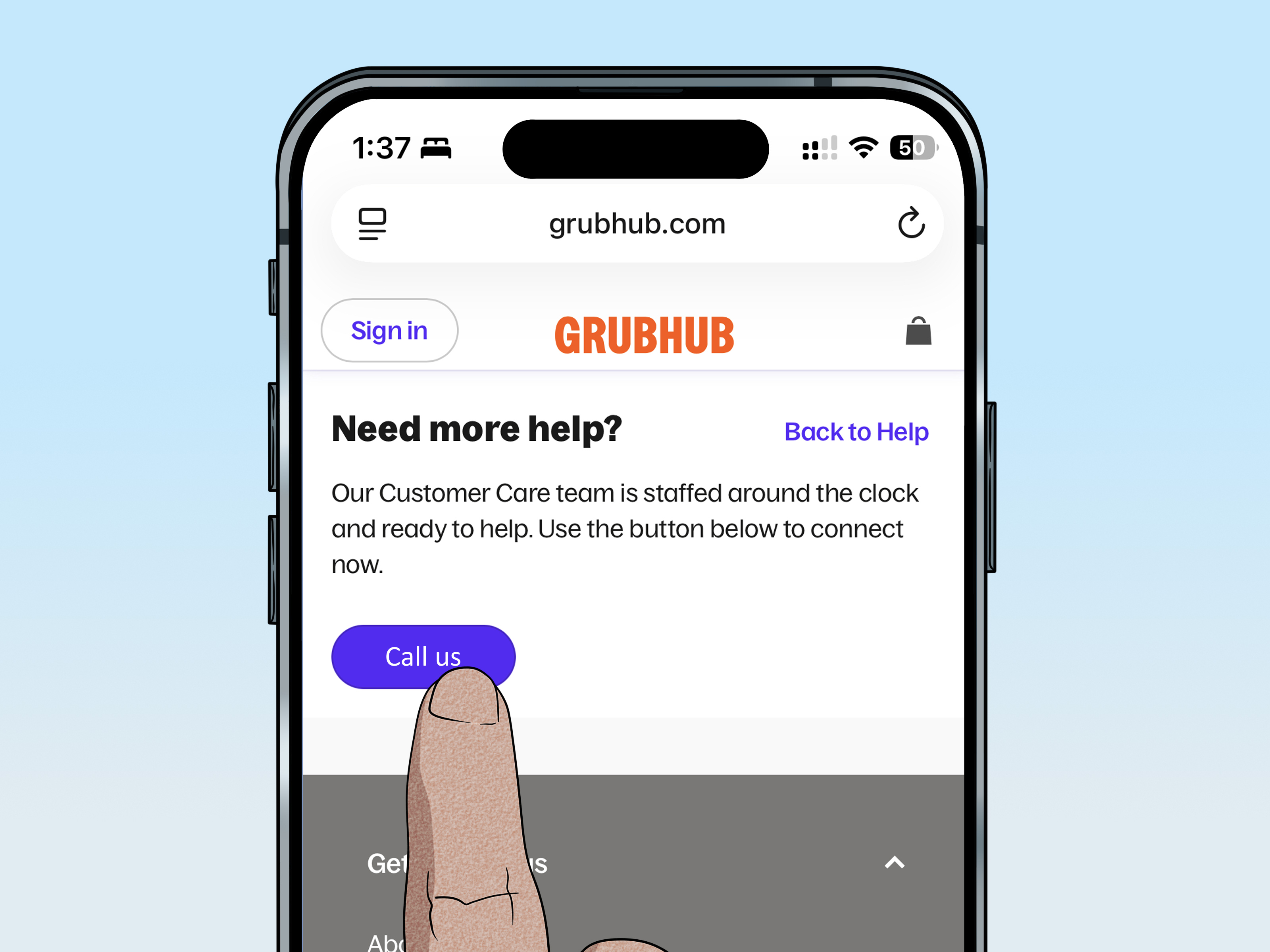
- Contact support: Ask directly for cancellation and request written confirmation.
- Document everything: Save screenshots, dates, chat transcripts, and confirmation emails.
Because regulators have specifically pushed companies to provide clearer subscription cancellation paths, customers should not have to complete a digital obstacle course just to stop a recurring charge. If you still cannot cancel, contact customer support in writing and keep proof of the request.
Should You Delete the Grubhub App?
You can delete the app after canceling your membership, but deleting the app alone does not cancel anything. This rule applies across many subscription services. The app is only the doorway. Your subscription lives in your account or billing platform.
Delete the app only after you confirm that your membership is canceled, your account deletion request is submitted if desired, and no pending refunds or orders need your attention. Otherwise, you may remove the easiest way to check your status.
Common Mistakes to Avoid
Mistake 1: Canceling the Account Before the Membership
Always cancel Grubhub+ first. If a third party is billing you, deleting your Grubhub account may not stop that charge.
Mistake 2: Assuming a Free Trial Ends by Itself
Many free trials convert to paid memberships unless canceled before the trial deadline. Set a reminder when you sign up, not when the charge appears.
Mistake 3: Forgetting About Amazon Prime
If your Grubhub+ benefit is tied to Prime, check Amazon account settings as well as Grubhub. Linked accounts can make membership status look more complicated than it really is.
Mistake 4: Ignoring Small Charges
A monthly subscription can be easy to miss, especially if it is bundled with food orders. Review your card statement for recurring Grubhub, Apple, Google, or Amazon charges.
Mistake 5: Not Saving Confirmation
A cancellation confirmation is boring until you need it. Then it becomes the most beautiful screenshot on your phone.
Frequently Asked Questions
Can I cancel Grubhub+ anytime?
Generally, yes. Grubhub+ is designed as a recurring membership that can be canceled, but the exact cancellation path depends on whether you subscribed directly through Grubhub, through Amazon Prime, through Apple, or through Google Play.
Will deleting my Grubhub account cancel Grubhub+?
Do not rely on account deletion to cancel a paid membership. Cancel the membership first through the correct billing source, then submit a data-deletion request if you want to close the account.
Can I keep using Grubhub after canceling Grubhub+?
Yes. Canceling Grubhub+ only removes the membership benefits. Your standard Grubhub account can remain active unless you request deletion.
What if I subscribed with the wrong email?
Check all email addresses you may have used. Search for Grubhub receipts, Apple invoices, Google Play confirmations, and Amazon Prime benefit messages. The email connected to the billing receipt is usually the one you need.
How long does Grubhub account deletion take?
Account deletion is not always instant. It may take several weeks, and certain records may be retained as permitted by law. Keep the confirmation email from your deletion request.
Experience Notes: What Usually Happens When People Cancel Grubhub
The most common experience with canceling Grubhub is not that the process is impossible. It is that people start in the wrong place. Someone opens the Grubhub app, cannot find the membership button, gets annoyed, deletes the app, and assumes the problem is solved. Then the next billing cycle rolls around like a tiny subscription ghost. The real issue is often that the membership was billed through Apple, Google Play, or Amazon instead of directly through Grubhub.
A smart approach is to begin with the charge itself. Look at your bank or credit card statement. If the line says Apple, go to Apple subscriptions. If it says Google, go to Google Play subscriptions. If it appears connected to Amazon Prime, check Amazon account settings and linked services. If it says Grubhub directly, use the Grubhub app or website. This one step can save a lot of unnecessary tapping, guessing, and muttering at your screen.
Another real-world lesson is that screenshots matter. Take one before canceling, one during the final confirmation screen, and one after cancellation if the account shows an expiration date. This may feel excessive, but it is extremely useful if a charge appears later. Customer support conversations go much faster when you can say, “I canceled on this date, here is the confirmation,” instead of “I swear I clicked something while waiting for pad thai.”
Users also run into confusion with promotional memberships. For example, a Prime-linked Grubhub+ benefit may not behave the same way as a normal paid plan. Canceling Amazon Prime can end the Grubhub+ benefit. Linking a paid Grubhub+ account to a Prime benefit may change when the paid plan ends and when the free benefit begins. If the membership came from a partner offer, read the fine print before canceling so you know whether benefits end immediately or at the end of the billing period.
Gift cards and credits are another reason to slow down. Before deleting your account, check for unused balances, pickup credits, refunds, or support cases. Account deletion can make it harder to access order history and payment records. If you need receipts for work, taxes, budgeting, or a refund dispute, save them first. Once the account is gone, recovering those details may be difficult or impossible.
Finally, patience helps, but only up to a point. If you canceled and still got charged, contact the billing source quickly. Be polite, direct, and specific. Provide the date, amount, account email, and proof of cancellation. If support sends vague replies, ask for escalation and written confirmation. Subscriptions are supposed to be manageable, not a scavenger hunt with monthly fees attached.
Conclusion
Canceling a Grubhub account and canceling a Grubhub+ membership are two separate tasks. Start by identifying where the membership is billed, then cancel through the correct platform: Grubhub, Apple, Google Play, or Amazon Prime. After that, decide whether you only want to stop the membership or fully delete your Grubhub account through a data-deletion request.
The safest order is simple: cancel active subscriptions, save receipts and credits, resolve open orders or refunds, screenshot confirmations, and then request account deletion if you truly want to close everything. That way, your subscription does not keep nibbling at your wallet after you thought you had said goodbye.