Want to download SoundCloud playlists for a flight, a road trip, a study session, or that mysterious “I need background music while reorganizing my sock drawer” mood? You are not alone. SoundCloud is packed with DJ sets, indie releases, podcast-style audio, remixes, demos, and underground gems that are not always easy to find on mainstream streaming platforms. Naturally, listeners want convenient offline access.
But here is the important part before we get too cozy: SoundCloud playlists cannot always be downloaded like a neat little zip file. The platform gives creators control over whether their tracks can be downloaded or saved offline. That means the best way to download SoundCloud playlists is not to hunt for sketchy “one-click miracle” tools that look like they were designed by a pop-up ad with a mustache. The smarter path is to use SoundCloud-approved options, creator-enabled downloads, and legitimate external links.
This guide explains three practical and legal ways to download SoundCloud playlists or make them available offline. You will learn when playlist downloading is possible, when it is not, what to do when the download button is missing, and how to keep your music library organized without accidentally stepping into copyright quicksand.
Can You Download an Entire SoundCloud Playlist?
The honest answer is: sometimes, but not always in the way people expect. SoundCloud does not generally offer a universal “download this whole playlist as audio files” button for every public playlist. Whether you can save or download music depends on the track, the uploader’s permissions, your device, and whether you use a SoundCloud Go or Go+ subscription.
That may sound slightly annoying, like ordering fries and being told each potato must sign a consent form. But it makes sense. SoundCloud is a creator-first platform, and creators, labels, podcasters, and rights holders decide how their audio can be accessed. Some creators want fans to download their tracks freely. Others allow streaming only. Some permit offline listening inside the SoundCloud app but not direct file downloads. Others link to Bandcamp, Dropbox, a label store, or their own website for official downloads.
So, instead of asking, “How do I force-download a SoundCloud playlist?” the better question is, “Which legal method works for this playlist?” That is where the three methods below come in.
Method 1: Save SoundCloud Playlists Offline with SoundCloud Go or Go+
The easiest official way to make SoundCloud playlists available offline is to use SoundCloud Go or SoundCloud Go+. This is not the same as downloading MP3 files to your computer. Instead, it saves tracks inside the SoundCloud mobile app so you can listen when you do not have Wi-Fi or mobile data.
For most casual listeners, this is the cleanest solution. It is designed for offline listening, it respects artist permissions, and it keeps your library synced in one place. In other words, your playlist stays where it belongs instead of turning your Downloads folder into a digital junk drawer labeled “final_music_final_REAL_final_2.mp3.”
How Offline Playlist Saving Works
With a SoundCloud Go subscription, you can save playlists, liked tracks, and library content for offline listening on a mobile device. Open the SoundCloud app, go to the playlist you want, and look for the offline save or download-style icon. Once selected, the app begins saving available tracks. On iOS, you may see progress at the bottom of the screen. On Android, progress may appear in the pull-down area.
This method is useful for:
- Road trips where the signal disappears every five minutes
- Flights, buses, trains, and school commutes
- Workout playlists that should not stop halfway through a dramatic treadmill moment
- DJ inspiration playlists you want to browse without burning data
- Study playlists that keep you focused without relying on Wi-Fi
Important Limitations
Offline listening is not a permanent file download. The tracks stay inside the SoundCloud app. If you sign out, uninstall the app, change devices, or clear app storage, your offline content may need to be saved again. Also, not every track in a playlist may be available offline. Rights holders can disable offline listening for specific tracks, even if the rest of the playlist works perfectly.
That means you may save a playlist and later notice that one or two tracks are missing. No, your phone is not being dramatic. Most likely, those tracks have different permissions. SoundCloud playlists often contain music from many uploaders, and each uploader or rights holder can set different rules.
Best Tips for SoundCloud Offline Playlists
Before saving a huge playlist, connect to Wi-Fi. Audio files can use a surprising amount of data, especially long DJ mixes or high-quality tracks. If your app has a setting like “Only download via Wi-Fi,” keep it enabled unless you are comfortable using mobile data.
Also, keep your playlists organized. If you want offline access to a specific mood, create a dedicated playlist such as “Offline Study Beats,” “Gym Mix,” or “Long Drive Sounds.” Then add tracks to that playlist and save the playlist offline. This is much cleaner than saving your entire library and discovering you have accidentally downloaded every random track you liked at 2:00 a.m. in 2018.
Method 2: Download Individual Tracks from a Playlist When the Creator Enables Downloads
The second legal way to download SoundCloud playlist content is to download individual tracks from the playlist when the uploader has enabled direct downloads. This method gives you actual audio files, but only for tracks where the creator has allowed it.
On SoundCloud’s web version, a track may display a “Download file” button beneath the waveform or under the “More” menu. If you see it, the uploader has made the track available for download. If you do not see it, the track is not available for direct download through SoundCloud.
How to Download Creator-Enabled Tracks
- Open SoundCloud in a desktop web browser.
- Sign in to your SoundCloud account.
- Open the playlist you want to save.
- Click each track in the playlist.
- Look for the “Download file” option below the waveform or in the track options menu.
- If the option appears, download the track.
- Create a folder on your computer and organize the downloaded tracks by playlist name.
This method is a little more manual, but it is reliable and respectful. Think of it as grocery shopping at a farmers market: you pick up only what the creator has put on the table. If the download button is there, great. If it is not, the artist probably does not want that track distributed as a file.
Why Some Tracks Have No Download Button
There are several reasons the download button may be missing. The creator may have disabled downloads. The track may contain licensed material. A label or distributor may control the rights. The uploader may want people to stream the track rather than save a file. Or the track may be part of a promotional release where downloads are offered somewhere else.
That is why a SoundCloud playlist can be confusing. One song may be downloadable, the next may be app-only, and the third may send you to an external page. This is normal. Playlists are collections, not single albums with one consistent download rule.
How to Organize Downloaded Tracks
If you download several tracks from one playlist, make your own folder structure. For example:
- Music > SoundCloud Downloads > Chill House Playlist
- Music > SoundCloud Downloads > Indie Discoveries
- Music > SoundCloud Downloads > Creator-Approved DJ Tools
Rename files only for personal organization, and keep artist names in the filename when possible. This helps you remember who made the track. It also prevents your music folder from becoming a suspicious pile of files named “track1,” “track1-new,” and “track1-use-this-one-seriously.”
Method 3: Use Creator-Approved External Download Links
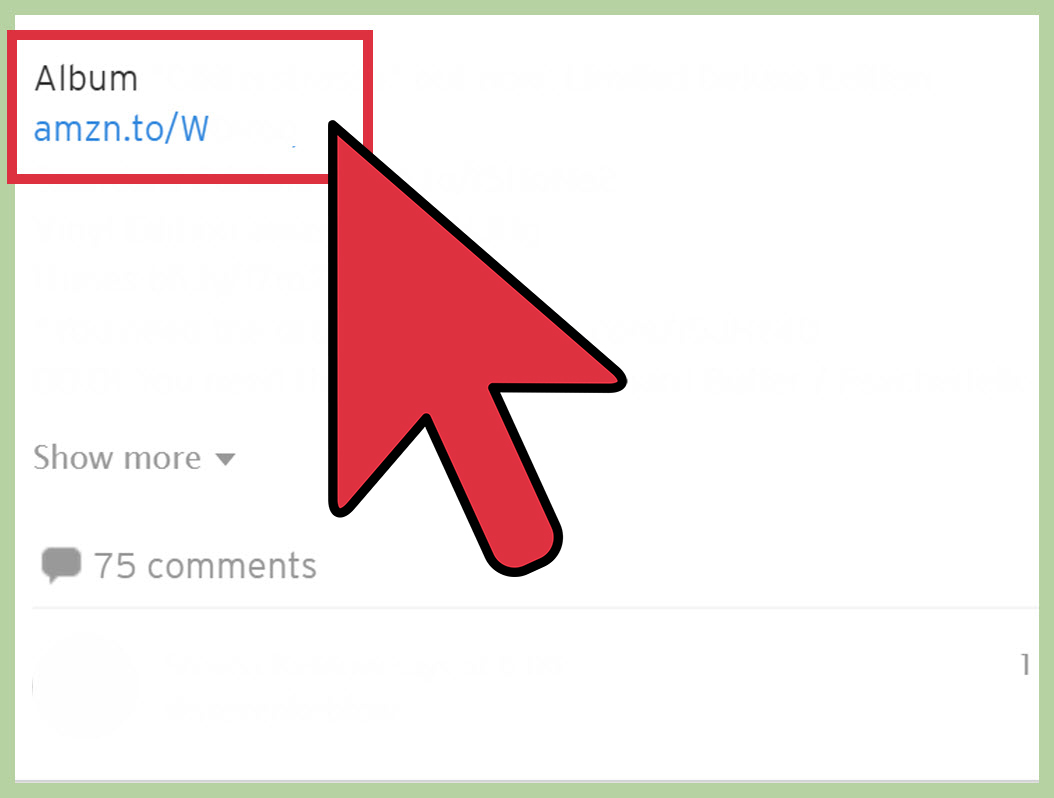
The third way to download SoundCloud playlists legally is to follow creator-approved external links. Many artists use SoundCloud as a discovery platform but host official downloads somewhere else. You might find a link in the track description, playlist description, pinned comment, artist bio, or “Buy” button.
These links may lead to a personal website, a label page, a digital store, a newsletter signup, a free download gate, or a platform where the artist sells high-quality files. This method is especially common for DJs, producers, independent musicians, sample-pack creators, and artists releasing promotional tracks.
Where to Look for Official Download Links
Start with the track description. Artists often write notes such as “Free download,” “Download here,” “Support on Bandcamp,” “Buy full version,” or “Available on my site.” Next, check the artist profile. Many creators include official links in their bio. If the track is part of a label release, check the label’s page too.
For playlists, open each track and look for its own download or purchase link. This takes more time, but it gives you the best chance of getting high-quality, authorized files. You may also discover bonus versions, extended mixes, WAV files, stems, liner notes, or other goodies. Sometimes the internet rewards patience with a downloadable ZIP file and a tiny burst of joy.
Why External Links Can Be Better Than Random Download Tools
Official creator links are safer, cleaner, and more respectful. Random downloader sites may expose users to pop-ups, misleading buttons, low-quality audio, broken files, malware risks, or copyright issues. Official links are more likely to provide the version the artist actually wants listeners to have.
There is also an ethical reason. Streaming and downloads are part of how many independent creators build an audience. If an artist asks listeners to download from a specific page, join a mailing list, or pay a small amount, that is part of the creator’s release strategy. Supporting that process helps keep the music ecosystem alive. Musicians need groceries too, unfortunately.
What You Should Avoid When Downloading SoundCloud Playlists
It may be tempting to search for tools that promise to download any SoundCloud playlist instantly. Be careful. If a tool bypasses SoundCloud’s download settings, captures streams, or saves files that the uploader did not make downloadable, it can violate SoundCloud’s terms and may raise copyright problems.
Beyond legal concerns, there are practical risks. Many unofficial download sites are overloaded with ads, fake buttons, browser notifications, and files that are not what they claim to be. Some may deliver poor audio quality. Others may ask for permissions they do not need. If a website looks like it was assembled during a lightning storm by twelve banner ads in a trench coat, close the tab.
The safest rule is simple: use the download features SoundCloud provides, use offline listening through SoundCloud Go or Go+, or use links the creator clearly provides. If none of those options exist, stream the playlist online or contact the creator for permission.
Common Problems and Fixes
The Playlist Saved Offline, But Some Tracks Are Missing
This usually happens because certain tracks are not available for offline listening. Rights holders can disable offline access. Try opening the track while online. If it streams but does not save offline, the issue is probably permissions, not your device.
The Download Button Is Missing
If there is no “Download file” button, the uploader has not enabled direct downloads for that track. Check the track description for an official external link. If there is none, the track is likely streaming-only.
Offline Tracks Disappeared After Reinstalling the App
Offline listening content is stored inside the app. If you uninstall SoundCloud, sign out, clear app data, or move to a new phone, you may need to save playlists again.
The Playlist Will Not Save Over Mobile Data
Check your download settings. If “Only download via Wi-Fi” is turned on, the app will wait until you connect to Wi-Fi before saving tracks. This is helpful for saving data, but confusing if you forgot the setting exists.
Which Method Is Best?
If your goal is simple offline listening, SoundCloud Go or Go+ is the best method. It saves playlists inside the app and keeps everything convenient. If your goal is to collect actual audio files, use creator-enabled downloads on desktop or official external links. If your goal is to download every track from any playlist regardless of permission, that is not a safe or recommended approach.
Here is the quick comparison:
| Method | Best For | File Download? | Legal and Safe? |
|---|---|---|---|
| SoundCloud Go/Go+ offline saving | Listening without internet in the app | No, app-only offline access | Yes |
| Creator-enabled track downloads | Downloading individual files from a playlist | Yes, when enabled | Yes |
| Official external creator links | High-quality downloads, purchases, free releases | Usually yes | Yes |
Experience: What It Is Actually Like to Download SoundCloud Playlists
In real use, downloading SoundCloud playlists is less like pressing a magic button and more like sorting a record crate. Some tracks are ready to go. Some are streaming-only. Some lead you to an official download page. Some disappear from offline mode because the rights holder changed permissions. It can be a tiny adventure, minus the map and with slightly more bass.
The smoothest experience usually comes from using SoundCloud Go or Go+. For example, imagine you have a playlist called “Late Night Focus,” filled with ambient tracks, lo-fi instrumentals, and mellow electronic music. You open the app, save the playlist offline, connect to Wi-Fi, and let the app do its job. Later, you can listen while traveling, studying, or sitting somewhere with internet so weak it feels powered by a sleepy hamster. This is convenient because the playlist remains inside SoundCloud, with artwork, titles, and playback order intact.
The downside is that offline saving is not the same as owning audio files. You cannot move those saved tracks into another music player, edit them, burn them to a CD like it is 2004, or use them in a DJ set outside the app. It is designed for listening, not file management. For most users, that is fine. For DJs, archivists, and collectors, it may feel limiting.
Downloading individual tracks from a playlist feels more hands-on. You might open a playlist with 30 songs and discover that only five have the “Download file” option. At first, that can feel disappointing. But those five tracks are usually the ones the creators intentionally released for download. The quality may also be better because you are getting the uploader’s original file format, depending on what they provided. This method works well when building a personal collection of free releases, demos, or artist-approved tracks.
External creator links can be the most rewarding method. Many artists use SoundCloud as the preview window and send listeners elsewhere for the actual download. You may click a link and find a full EP, a lossless version, bonus artwork, or a “name your price” release. Sometimes you will need to enter an email address or follow the artist’s page. That tradeoff can be worthwhile if you genuinely like the music. It also gives creators a direct connection with listeners, which is valuable for independent artists who are trying to build careers without a giant marketing machine wearing sunglasses indoors.
My practical advice is to treat SoundCloud playlists in layers. First, save the playlist offline if you mainly want mobile access. Second, download any tracks where the creator has enabled the button. Third, check official links for tracks you really love. Over time, you will build a clean library without relying on risky shortcuts.
Also, make a habit of organizing as you go. Create folders by genre, mood, artist, or project. Keep a simple text note with the playlist name and date you saved it. If you use the music for creative work, keep proof of permission, licenses, receipts, or creator notes. That small habit can save a giant headache later.
The best experience comes from respecting the platform’s design: SoundCloud is not just a file warehouse. It is a community of creators, listeners, labels, DJs, podcasters, and fans. When you download only what is offered, save playlists through official offline listening, and support artists through their links, you get the music you love without turning your browser history into a legal thriller.
Conclusion
Downloading SoundCloud playlists is possible, but the right method depends on what kind of access the creator allows. For everyday offline listening, SoundCloud Go or Go+ is the most convenient option. For actual files, use the official download button when it appears. For deeper collections, follow creator-approved external links. The key is to avoid tools that bypass permissions and focus on methods that are safe, legal, and respectful to artists.
SoundCloud is full of music you may not find anywhere else, from bedroom producers to serious label releases. The best way to enjoy it offline is not to force the platform open with questionable tools, but to use the doors creators and SoundCloud already provide. Your playlists stay cleaner, your devices stay safer, and the artists behind the music get the respect they deserve. Everybody wins, including your poor Downloads folder.
Note: This guide explains only official, creator-approved, and legally safer ways to download SoundCloud playlist content or save it for offline listening. It does not recommend bypassing download restrictions, ripping streams, or using tools that ignore creator permissions.