Every family has lived through some version of it: a grandparent holding a smartphone at arm’s length, squinting at a pop-up, and asking, “Is this the internet?” Meanwhile, the youngest person in the room suddenly becomes the unpaid Chief Technology Officer of Thanksgiving.
But here is the funny part: “teaching your grandparents to use the internet” is not a new cultural moment. It is just the latest chapter in a very old story. Long before Wi-Fi passwords, video calls, browser tabs, emojis, online banking, and mysterious cloud storage, younger people were helping older relatives understand whatever new machine had just invaded the living room.
Every generation has had its own version of digital literacy for seniors. It may not have been called “digital literacy,” of course. It was more like, “Please do not smack the television. The picture is supposed to be in color now.” From radio dials to VCR timers, from ATMs to answering machines, families have always passed practical tech knowledge across generations. Sometimes patiently. Sometimes loudly. Sometimes while wondering if anyone in the house actually read the manual.
This article explores 30 examples of technology teaching moments from previous generations that feel surprisingly similar to helping grandparents use the internet today. Along the way, we will look at what these moments reveal about older adults and technology, intergenerational learning, online safety, and why patience remains the most underrated tech support tool in the world.
Why Teaching Grandparents Tech Feels So Familiar
The internet may feel modern, but the learning curve is ancient. New tools always arrive with new vocabulary, new habits, and new worries. Older adults are not “bad at technology.” More often, they are being asked to learn systems that were not designed with their habits, eyesight, patience, or trust patterns in mind.
That matters because today’s internet is not just entertainment. It is banking, health care, family communication, travel planning, shopping, government forms, recipes, maps, photos, appointments, and the occasional cat video that somehow becomes a three-hour research project. Helping grandparents use the internet is really helping them participate more comfortably in daily life.
And when you zoom out, the pattern becomes clear: every generation has had to teach the previous one how to live with a new machine.
30 Previous-Generation Examples That Feel Like Teaching Grandparents the Internet
1. Explaining That the Radio Dial Was Not a Safecracker Puzzle
When radios became common household items, tuning in a station required patience, timing, and a surprisingly delicate wrist. Younger family members often helped older relatives find the right frequency without landing on a wall of static. Today, that same energy appears when explaining how to search Google without typing the entire question in all caps.
2. Teaching Someone Not to Yell Into the Telephone
Early telephone users sometimes treated the device like a tiny person trapped in a box. Speaking clearly was useful; shouting at it like it owed you money was not. This is very similar to explaining that voice assistants do not work better when you accuse them of being “stubborn.”
3. Showing How to Use a Rotary Phone Without Calling the Fire Department
Rotary phones required a specific motion: finger in hole, rotate, release, repeat. Pressing random numbers did nothing. In modern terms, it was the original “tap here, not there” lesson. Every smartphone tutorial owes a little debt to the rotary dial.
4. Explaining Long-Distance Calling Like It Was International Espionage
Calling another city once felt expensive and serious. Families discussed time zones, operator assistance, and whether the call was worth it. Today’s equivalent is teaching grandparents that video calling the cousin in Arizona does not cost $27 per minute, assuming they are on Wi-Fi.
5. Demonstrating the Television Antenna Dance
Before streaming, families adjusted antennas to catch a clear signal. Someone stood near the TV holding metal sticks while another person shouted, “A little to the left!” This was not entertainment; it was household choreography. Modern Wi-Fi troubleshooting is basically the same ritual with fewer antennas and more sighing.
6. Teaching the Difference Between VHF and UHF
Old televisions had knobs, channels, and mysterious band settings. Younger viewers learned which knob did what and became living user manuals. Today, the same skill is needed when explaining the difference between “the internet,” “the browser,” “the app,” and “that blue E thing.”
7. Convincing Relatives That Color TV Was Not Broken
When black-and-white television gave way to color, the settings could look strange. Skin tones went orange, grass looked radioactive, and someone always blamed the set. This resembles teaching grandparents that filters, brightness settings, and night mode are featuresnot signs that the phone is dying.
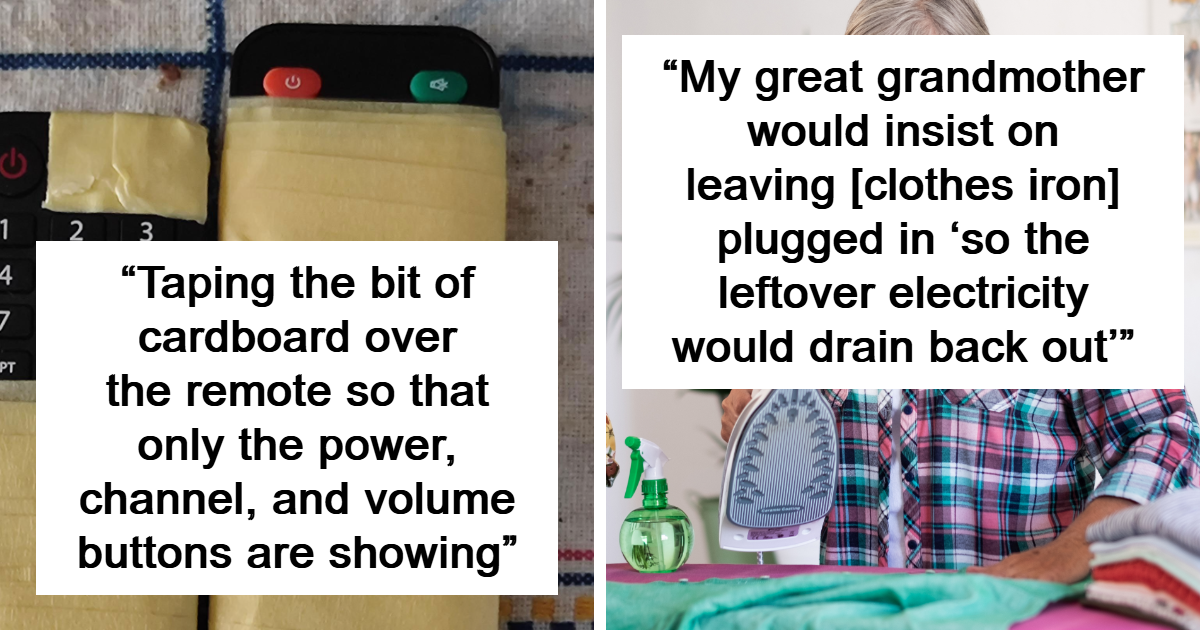
8. Explaining the TV Remote Control
The remote was revolutionary because it let people change channels without leaving the couch. It was also confusing because it multiplied buttons. Today’s version is the streaming remote with six branded buttons, one tiny home icon, and no obvious way to return to live television.
9. Teaching Someone How to Program a VCR
No previous-generation tech lesson is more legendary than programming a VCR. Recording a show required clock setting, channel selection, tape space, start time, end time, and faith. Helping a grandparent recover a forgotten password feels easy compared with setting a VCR to record “60 Minutes” in 1987.
10. Explaining Why the VCR Clock Blinked 12:00 Forever
The blinking VCR clock was the universal symbol of “we gave up.” It announced to the neighborhood that nobody wanted to read the manual. Today’s equivalent is the unread notification badge showing 18,742 emails.
11. Showing How to Use a Cassette Player Without Eating the Tape
Cassette tapes were wonderful until the machine decided to chew them like spaghetti. Younger users knew how to rewind with a pencil and rescue the tape. Modern tech support has the same spirit: calm hands, improvised tools, and the courage to say, “Please stop pressing buttons for one second.”
12. Teaching the Difference Between Record, Play, Pause, and Stop
Basic media controls were once physical buttons. Now they are icons on screens, hidden menus, or gestures. The triangle, square, circle, and double bars became a shared language. Teaching these symbols prepared families for today’s app-based world.
13. Explaining the Answering Machine Greeting
Recording an answering machine message could take ten attempts and one argument. Someone always sounded either too stiff or too cheerful. Today, the same awkwardness appears when setting up voicemail, profile photos, or a first Zoom background that does not make a person look like a floating head.
14. Teaching People to Wait for the Beep
The answering machine trained people to listen, wait, and then speak. Some never mastered it. They would leave messages that began with, “Hello? Are you there?” This survives today in video calls where someone says, “Can you hear me?” while muted.
15. Explaining the Fax Machine
The fax machine felt like magic: insert paper, dial number, and send a document through the phone line. It also jammed, screeched, and occasionally sent confidential paperwork to the wrong office. That is basically email attachments with more mechanical drama.
16. Teaching Someone Which Side of the Paper Goes Into the Fax
This tiny detail caused enormous confusion. Face up? Face down? Why did the other person receive a blank page? Today’s version is attaching the wrong file, uploading a photo sideways, or sending a screenshot of a document instead of the document itself.
17. Showing How an ATM Works
ATMs changed banking by allowing people to get cash without speaking to a teller. For older adults used to in-person banking, the machine required trust. That same trust issue appears today with mobile banking, two-factor authentication, and the question: “Is this really my bank or a trick?”
18. Explaining PIN Numbers Without Saying Them Out Loud
Teaching someone to protect a PIN was an early lesson in personal data security. It was simple but important: cover the keypad, do not share the number, and do not write it on the card. Today’s version includes strong passwords, password managers, and multifactor authentication.
19. Teaching How to Use a Microwave Without Starting a Science Fair
Microwaves introduced buttons, timers, power levels, and the unforgettable rule about metal. Helping someone use one safely was practical household education. It feels similar to explaining that clicking suspicious links can cause trouble even if the email “looks official.”
20. Explaining Digital Clocks
Digital clocks were easier to read but sometimes harder to set. After every power outage, the whole kitchen needed a time reset. Today, devices set themselves automatically, which is convenient until someone changes a time zone setting and accidentally lives in Denver for three weeks.
21. Teaching People How to Use a Calculator
Handheld calculators made arithmetic faster, but they also introduced memory keys, percent buttons, and mysterious symbols. Families had to explain not just what buttons did but when to trust the result. That is similar to teaching search literacy: the answer is fast, but it still needs judgment.
22. Explaining Home Computers
Early home computers required commands, floppy disks, patience, and emotional resilience. They did not warmly welcome beginners. Teaching older relatives to use them often meant explaining that the computer was not “angry”it simply needed the exact command, typed exactly right, because apparently computers are tiny bureaucrats.
23. Teaching the Difference Between Save and Save As
This lesson has survived for decades. Many people have lost documents because they did not understand where files went. Today, the mystery continues with downloads folders, cloud storage, phone galleries, and the immortal question: “Where did it go?”
24. Explaining Floppy Disks
Floppy disks taught people that information could live on a small square object. They also taught fear: magnets, bending, dust, and accidental overwriting. Modern cloud storage feels like the grandchild of that lesson, except now the small square object has become “somewhere online.”
25. Showing Someone How to Use a Printer
Printers have always been humbling. They jam, blink, refuse ink, and develop personalities at the worst possible time. Teaching a grandparent to print boarding passes today is not so different from teaching a parent to align dot-matrix paper decades ago. The printer remains undefeated.
26. Teaching Cable TV Menus
Cable television introduced guides, channel packages, parental controls, and remote combinations that felt like cheat codes. Today’s streaming menus are the same problem wearing nicer fonts. The question has changed from “What channel is it on?” to “Which app owns this show now?”
27. Explaining Caller ID
Caller ID taught people that not every call deserved an answer. It was an early form of personal filtering. Now the lesson has expanded to spam calls, scam texts, suspicious emails, fake social media accounts, and messages that pretend to be from delivery companies.
28. Teaching People How to Use a Camcorder
Camcorders promised family memories but required batteries, tapes, charging cables, and the ability to not record the inside of a camera bag for 14 minutes. Today’s phone cameras are simpler, but photo storage, sharing, and privacy settings add new layers of confusion.
29. Explaining Early Email
Email was the bridge between old and new communication. It looked like mail but behaved differently. People had to learn subject lines, attachments, forwarding, reply-all disasters, and spam. In many ways, teaching email was the warm-up act for teaching the entire internet.
30. Teaching Search Engines Without Falling Into the Rabbit Hole
Search engines changed how people found information. They also created a new problem: not everything online is accurate, safe, or helpful. Teaching grandparents to search well means teaching them to compare sources, avoid scams, question miracle cures, and resist the urge to believe a headline just because it was written in confident capital letters.
What These Examples Teach Us About Digital Literacy for Seniors
The pattern behind all 30 examples is simple: technology becomes easier when someone turns it into everyday language. A manual may explain a feature, but a family member explains why it matters. That difference is huge.
For older adults, internet basics are often tied to confidence. They may understand the goal perfectly well: send a message, pay a bill, join a video call, look up a recipe, or check a doctor’s appointment. The hard part is navigating the invisible steps between intention and result. Apps update. Buttons move. Password rules change. Security alerts appear with terrifying wording. Even experienced users get annoyed. Beginners just admit it more honestly.
Good tech help for seniors should be practical, respectful, and repeatable. Saying “It’s easy” rarely helps. Easy for whom? A teenager who grew up swiping glass before learning cursive will naturally feel different from someone who remembers when phones had cords and people memorized numbers. Better teaching sounds like this: “Here is what this button does. Here is what not to click. Here is how to get back if the screen changes.”
Online safety for older adults also deserves special attention. Scams can arrive by email, text, social media, pop-ups, phone calls, fake shopping sites, or messages pretending to be from banks, delivery services, government agencies, or even family members. The modern internet rewards caution. It is not rude to verify. It is not paranoid to pause. It is not embarrassing to ask for help before sending money, sharing personal information, or clicking a strange link.
How to Teach Grandparents the Internet Without Losing Your Mind
Start With What They Actually Want to Do
Do not begin with browser theory, app ecosystems, and cloud architecture. Start with something useful: video calling family, reading news, saving photos, ordering groceries, checking weather, or finding a church livestream. Motivation makes learning stick.
Use Familiar Comparisons
A browser is like a car that takes you to websites. A search engine is like a librarian with chaotic energy. A password is like a house key, except every door needs a different one and hiding it under the digital doormat is a terrible idea.
Write Down Simple Steps
Many people learn better when they can repeat a process. A short printed guide can be more useful than a 20-minute explanation. Use large text, plain words, and exact steps. “Tap the blue button that says Sign In” is better than “authenticate your account.”
Teach Recovery Before Disaster
Make sure they know how to recover passwords, identify trusted contacts, update devices, and recognize suspicious requests. Security is not a one-time lecture. It is a habit.
Be Patient, Because You Were Once Bad at Something Too
Everyone has needed help learning a tool. Maybe it was driving, taxes, cooking, parallel parking, or understanding why printers still behave like haunted furniture. Patience is not just kindness; it is effective teaching.
Experiences Related to Teaching Grandparents to Use the Internet
One of the most relatable experiences in modern family life is becoming tech support without applying for the job. You visit your grandparents for lunch, and before the soup is cool, someone hands you a phone with 47 open tabs, a weather app in a different language, and a notification saying storage is full. Nobody knows how it happened. The phone simply “started doing that.”
The first lesson is usually not technical. It is emotional. Many older adults feel embarrassed when they do not understand a device. They may joke about being “too old for this,” but underneath the joke is a real fear of making mistakes. That is why the best teaching begins with reassurance. The internet is confusing because it is confusing, not because the learner is incapable. Even younger users get tricked by bad design, hidden settings, fake buttons, and endless updates.
A helpful approach is to sit beside them rather than take the device away. When you grab the phone, fix everything quickly, and hand it back, the problem disappears but the skill does not grow. When you guide them through the steps, they gain confidence. It may take longer, but it works better. Let them tap. Let them read the screen. Let them make harmless mistakes. The goal is not speed; the goal is independence.
Another common experience is explaining that the internet is not one place. A grandparent may say, “I saw it on Google,” when they mean a website, a social media post, a search result, an ad, or a random image from 2013. This is a perfect moment to teach source awareness. Show them how ads can look like answers. Show them how official websites usually differ from lookalike pages. Show them that health advice, financial promises, and urgent warnings deserve extra caution.
Messaging apps create their own comedy. Grandparents may send one-word replies, accidental stickers, blurry photos, or voice messages that begin with ten seconds of room noise. But these small mistakes are also signs of connection. A clumsy video call still lets someone see a grandchild’s face. A forwarded recipe might lead to a family dinner. A photo album shared online can preserve memories that would otherwise sit in a drawer.
The deeper experience is that teaching grandparents the internet often becomes a two-way exchange. Younger people teach passwords, privacy settings, video calls, maps, and scam awareness. Older people teach patience, context, family history, practical judgment, and the underrated skill of not panicking when something changes. Previous generations adapted to radios, televisions, telephones, microwaves, ATMs, cable boxes, and home computers. They can adapt again.
So the next time a grandparent asks where the internet went, resist the urge to laugh too hard. Somewhere in family history, someone had to explain electricity, the telephone, the remote control, the answering machine, the VCR, and the printer. The tools change. The family lesson remains the same: we learn better when someone patient sits next to us and says, “Here, let me show you.”
Conclusion
Teaching grandparents to use the internet is not just a funny family chore. It is part of a long tradition of intergenerational learning. Every era has introduced tools that seemed strange at first and ordinary later. Radios, televisions, telephones, VCRs, ATMs, microwaves, computers, and smartphones all created moments where one generation helped another cross a technology bridge.
The internet may be more complex than a rotary phone, but the teaching principles are the same: explain clearly, repeat patiently, connect lessons to real life, and never make someone feel foolish for learning. The goal is not to turn grandparents into software engineers. The goal is to help them stay connected, informed, independent, and safe in a world where so much of daily life now happens online.
Note: This article is a fully rewritten synthesis based on widely recognized U.S. research and guidance about older adults, technology adoption, digital literacy, online safety, scam prevention, accessibility, and intergenerational learning. It contains no direct source links and is prepared for web publication.