Body-only HTML for direct publishing. Based on common Whirlpool support guidance and appliance service documentation; exact reset steps can vary by model.
If your Whirlpool refrigerator is glowing, blinking, or politely nagging you with a water filter light, congratulations: your fridge has decided to become a project manager. The good news is that resetting the light is usually simple. The slightly less fun news is that Whirlpool refrigerator water filter reset steps can vary by model, which is why one person swears you only need to press a button for three seconds while another is over there poking “Options” like they are cracking a safe.
This guide breaks it all down in plain English. You’ll learn how to reset a water filter light on a Whirlpool refrigerator, what the light actually means, what to do if it refuses to turn off, and how to avoid the most common mistakes. We’ll also cover model differences, practical troubleshooting, and real-life experiences so you do not end up in an accidental staring contest with your control panel.
What the Water Filter Light on a Whirlpool Refrigerator Means
On most Whirlpool refrigerators, the water filter indicator is a reminder tied to time, usage, or both. Its job is to tell you when it is probably time to replace the filter. Depending on the model, the indicator may change color, show a message such as Replace Filter, or display a symbol on the control panel.
In many cases, the water filter light does not automatically reset itself when you install a new filter. That means you can replace the filter correctly and still see the warning light hanging around like an overstaying houseguest. The fix is to manually reset the status.
As a general rule, Whirlpool refrigerators are designed for regular filter replacement every few months, often around the six-month mark under normal use. Heavy water usage, poor water quality, sediment, or a clogged filter can shorten that timeline. So if the light comes on suspiciously early, your fridge may not be dramatic. It may actually be right.
Before You Reset the Water Filter Light
Before you rush to reset the indicator, do a quick reality check. Resetting the light without changing the filter is like covering the check-engine light with tape. The glow may disappear, but the problem does not.
Make sure you have actually replaced the filter
If your water tastes odd, flows slowly, smells funny, or starts making that sad little dispenser trickle, a worn-out filter may be the real issue. Replacing the filter first is the smart move.
Confirm the filter is installed correctly
A filter that is not seated properly can cause the reset to fail or make the dispenser act up. Twist-in filters should lock into place securely, and push-in filters should click firmly. If it feels loose, it probably is.
Flush the new filter
After installing a new filter, many Whirlpool-compatible systems recommend flushing water through the dispenser to clear trapped air and carbon fines. Check your owner’s manual for the exact amount for your model. Skipping this step can leave you with sputtering water, cloudy glasses, or a light that makes you wonder whether anything was fixed at all.
How to Reset a Water Filter Light on a Whirlpool Refrigerator
Now for the main event. Here are the most common methods used to reset a Whirlpool refrigerator filter light. Because Whirlpool has produced a lot of refrigerator designs over the years, your model may use one of these methods instead of another.
Method 1: Press and Hold the Filter Reset Button
This is the easiest and most common setup.
- Locate the button labeled Filter Reset, Reset Filter, or Water Filter on the control panel.
- Press and hold it for about 3 seconds.
- Watch the indicator light or display message.
- If the reset works, the light may turn off, return to blue or green, or the warning message may disappear.
If your refrigerator has this dedicated button, consider yourself blessed by the appliance gods. This is the cleanest reset path and usually takes less time than opening the fridge and pretending to “check something important.”
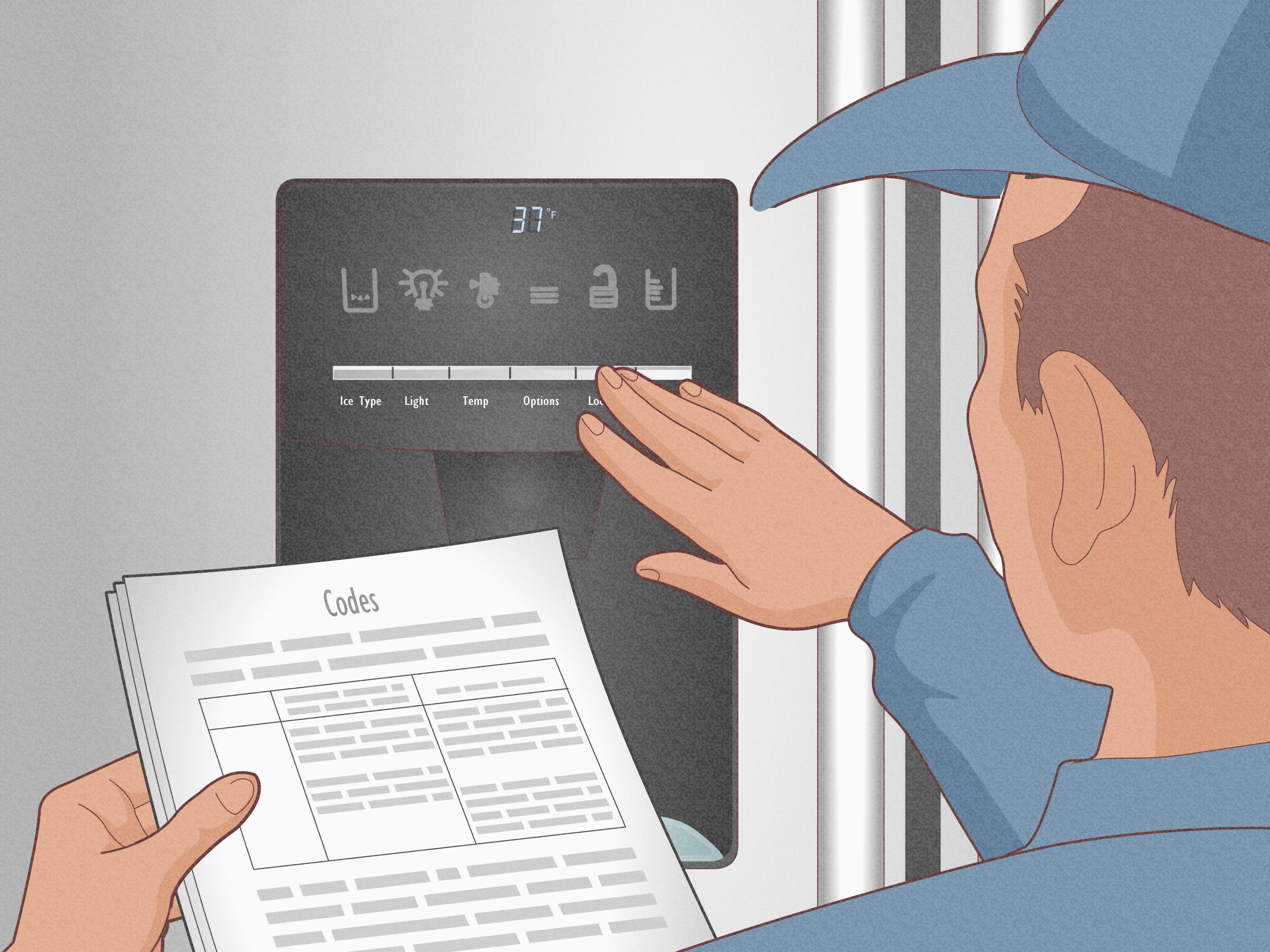
Method 2: Use the Options or Settings Menu
Many newer Whirlpool refrigerators use a digital display instead of a single dedicated reset key. In that case, the filter reset may live inside a menu.
- Wake up the display if needed.
- Tap Options, Settings, or Menu.
- Look for Water Filter, Filter Status, or Reset Filter.
- Select the reset option and confirm if prompted.
- Check that the warning light clears.
This method is common on French door models and refrigerators with more advanced touch controls. If your display panel looks fancy enough to run a small spaceship, the reset is probably hiding in a menu somewhere.
Method 3: Use a Button Combination
Some Whirlpool refrigerators, especially older or more model-specific designs, do not have a clearly labeled reset button. Instead, they use a combination of control panel buttons.
Common Whirlpool-family layouts may require you to press and hold a pair of buttons for a few seconds. The exact combination varies by model, so this is one place where your owner’s manual matters. If you try random button combos like you are entering a cheat code from a video game, you may lock the panel instead of resetting the filter light.
If your fridge does not show a filter reset button or menu option, check the control legend near the display or the use-and-care guide for wording tied to filter reset.
Method 4: Reset Through the Interior Controls
A few Whirlpool refrigerators place certain controls inside the fresh food compartment rather than on the front dispenser panel. If your exterior display is minimal or nonexistent, open the refrigerator door and inspect the upper interior controls. You may find the filter reset function there.
This method is less common, but it can save you from assuming your fridge has no reset option at all.
A Simple 6-Step Reset Process That Works for Most Whirlpool Models
If you want the shortest path possible, use this practical sequence:
- Replace the old water filter with a compatible new one.
- Lock the filter into place so it is fully seated.
- Flush water through the dispenser according to your model’s instructions.
- Find the reset method: dedicated button, menu option, or model-specific control combination.
- Press and hold or confirm the reset for about 3 seconds, unless your model says otherwise.
- Check the display to make sure the indicator is off, clear, or back to normal status.
That is the entire mission. No wrench. No advanced engineering degree. No need to negotiate with the refrigerator.
What to Do If the Water Filter Light Will Not Reset
Sometimes the light refuses to leave, even after a correct filter replacement. If that happens, work through these fixes.
1. Hold the button long enough
Three seconds is common, but some users let go too quickly. Press firmly and hold steadily.
2. Double-check the filter installation
If the filter is crooked, not fully locked, or the cap is not attached properly, the refrigerator may not recognize the change.
3. Confirm you used the correct filter
An incompatible or poorly fitting filter can create all kinds of strange behavior. Always verify the filter number recommended for your specific Whirlpool model.
4. Unlock the control panel
If the controls are locked, the reset command may not register. Look for a control lock icon or hold the lock button first if your model includes one.
5. Try a power reset
Unplug the refrigerator for a minute or switch it off at the breaker, then power it back on. This is not magic, but it can help the display reinitialize after a filter change.
6. Check the manual for model-specific instructions
This is the least glamorous step, but sometimes it is the right one. Whirlpool refrigerator controls are not always standardized, especially across older and newer lines.
How to Know the Reset Worked
After the reset, one or more of these things should happen:
- The Replace Filter message disappears.
- The indicator light turns off or changes to a normal color.
- The filter status returns to a fresh state.
- The dispenser resumes normal flow after flushing.
If the light stays on but water flow and taste are normal, it is usually a reset issue rather than a filter failure. If the light stays on and performance is poor, revisit the filter installation first.
Common Mistakes People Make
Resetting without replacing the filter
Yes, technically you can do it. No, it is not a brilliant long-term strategy.
Using the wrong filter model
This is one of the most common causes of trouble. Even filters that look similar may not seat correctly or allow the system to behave normally.
Forgetting to flush the system
If the water sputters or looks cloudy after replacement, air in the line may be the culprit. Flushing usually solves it.
Assuming every Whirlpool refrigerator works the same way
This is the big one. Whirlpool makes side-by-side, bottom-freezer, and French door models with different control layouts. The reset idea is similar, but the exact button path can change.
Helpful Tips for Ongoing Water Filter Maintenance
If you want fewer warning lights and less filter-related drama, these habits help:
- Write the filter replacement date on your calendar or phone.
- Keep a spare replacement filter on hand.
- Use your refrigerator regularly so the water system does not sit stagnant for long periods.
- Replace filters sooner if your household uses a lot of dispenser water or if local water contains more sediment.
- Pay attention to water taste, odor, and pressure instead of waiting only for the light.
The water filter light on Whirlpool refrigerator models is useful, but it is still just a reminder. Real-world performance matters too.
Real-World Experiences With Resetting a Whirlpool Refrigerator Water Filter Light
One of the most common experiences people report is pure confusion after doing everything “right.” They buy a new filter, install it, run a glass of water, and then notice the same stubborn warning light is still glowing. At that moment, it feels less like appliance maintenance and more like being judged by a plastic door panel. In reality, this is normal. Many Whirlpool refrigerators require a manual reset, so the lingering light does not necessarily mean the filter replacement failed.
Another common scenario involves people who replace the filter and then panic because the water sputters, spits air, or comes out a little cloudy. This often happens right after installation, especially if the new filter has trapped air or loose carbon particles that need to be flushed out. A lot of homeowners assume the filter is defective when really the refrigerator just needs a little time and a proper flush. It is one of those situations where the machine looks dramatic, but the solution is boringly simple.
There are also plenty of stories from people who spend ten minutes pressing random buttons because they assume all Whirlpool refrigerators use the same reset process. That is where frustration ramps up. On one model, a dedicated filter reset button does the trick instantly. On another, the reset is buried in an options menu. On yet another, the control panel uses a model-specific combination that is not obvious at all. The lesson here is surprisingly comforting: if your reset path feels oddly specific, that does not mean you are doing something wrong. It just means Whirlpool likes variety more than your patience does.
Some users also discover the control lock is turned on, which makes the refrigerator seem broken when it is really just ignoring every button press. Others find that the new filter was not twisted or pushed in all the way. That small installation issue can keep the system from recognizing the change, which then prevents the light from resetting properly. In real life, the fix is often less technical than expected. It is usually a matter of reseating the filter, unlocking the panel, and repeating the reset with a little more attention.
Then there is the very human experience of trying to save time by resetting the light without replacing the filter at all. Does that remove the warning? Sometimes, yes. Does it improve water quality? Absolutely not. Many people admit they did this once, only to notice reduced water flow or off-tasting water later. That moment tends to convert them into proper filter replacers for life.
Overall, the experience of resetting a Whirlpool filter light usually falls into one of two categories: either it takes three seconds and you feel like a genius, or it takes fifteen minutes and you suddenly have opinions about appliance interface design. Either way, once you learn your model’s method, the process becomes easy the next time around. And that is the real win: future-you gets cleaner water and fewer arguments with the refrigerator.
Final Thoughts
Learning how to reset a water filter light on a Whirlpool refrigerator is mostly about understanding your control panel. For many models, it is as simple as pressing and holding a reset button for three seconds. For others, you will need to use the menu or follow a model-specific control sequence. The key is to replace the filter first, install it properly, flush the line, and then reset the indicator.
Once you know your refrigerator’s preferred method, the whole task becomes quick, painless, and strangely satisfying. The light goes off, the water tastes fresh, and your fridge finally stops acting like it is deeply disappointed in you.