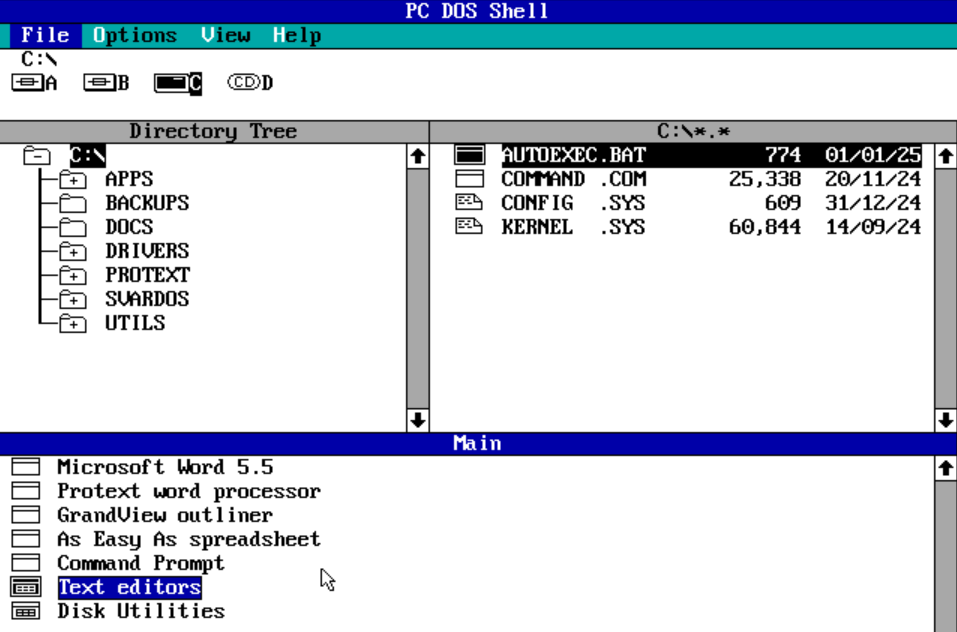
Every writer dreams of a magical room where the coffee is always warm, the chair does not attack the spine, and the internet politely disappears until the final paragraph is finished. Unfortunately, most of us write in the real world, where notifications bark, tabs multiply like rabbits, and the refrigerator suddenly becomes fascinating the moment a blank page appears.
The good news is that the ultimate distraction free writing environment is not a luxury cabin in the woods, although nobody is legally stopping you from becoming a mysterious forest novelist. It is a system. It combines the right physical space, digital setup, writing routine, and mental boundaries so your brain can do what it does best: turn messy thoughts into clear sentences.
This guide breaks down how to build a distraction free writing environment that actually works for bloggers, students, authors, copywriters, freelancers, and anyone who has ever opened a document and immediately checked email “just for one second.” Spoiler: it was not one second.
What Is a Distraction Free Writing Environment?
A distraction free writing environment is any space, digital or physical, designed to reduce interruptions and support deep focus. It does not have to be silent, expensive, minimalist, or suspiciously beige. The goal is simple: remove anything that pulls your attention away from writing and make it easier to return to the page when your mind wanders.
The best writing environment usually includes four core elements: a comfortable workspace, a low-distraction device setup, a clear writing goal, and a repeatable routine. When those pieces work together, writing feels less like wrestling a raccoon in a hoodie and more like entering a focused rhythm.
Why Distractions Destroy Good Writing
Writing is not just typing. It is thinking, choosing, connecting, questioning, deleting, rebuilding, and occasionally staring at the wall like the wall owes you money. Because writing requires working memory and sustained attention, every interruption has a cost.
Task switching is especially brutal. When you jump from your draft to email, from email to social media, and from social media to a video about a raccoon stealing cat food, your brain has to reload the writing task each time. That mental reload creates friction. You may return to the page, but your original sentence, tone, and argument often return late, wearing sunglasses and pretending nothing happened.
The Problem With “Just Checking”
The phrase “just checking” is the official theme song of lost writing sessions. A quick glance at a message may seem harmless, but it opens a loop in your attention. Suddenly, part of your brain is writing while another part wonders whether you should reply, schedule, search, buy, compare, or worry.
That is why the ultimate distraction free writing environment is not built on willpower alone. Willpower is useful, but it is also dramatic and easily bribed by snacks. A better strategy is to design your surroundings so the distracting choice is harder and the writing choice is easier.
Start With the Physical Writing Space
Your physical space sends signals to your brain. If you write from the same chair where you watch shows, answer messages, and lose arguments with comment sections, your mind may not instantly understand that it is time to focus. A dedicated writing spot helps create a mental shortcut: when you sit here, you write.
Choose One Primary Writing Location
Your writing location can be a desk, dining table, library corner, quiet café, or a specific chair by a window. The location matters less than consistency. When you repeatedly write in the same place, your brain begins to associate that environment with writing behavior.
Keep the area simple. You do not need a social-media-worthy desk with a plant named Aristotle. You need enough surface space for your device, notebook, water, and maybe one comforting object. Anything else should earn its place like it is auditioning for a very serious productivity movie.
Control Visual Clutter
Visual clutter creates tiny attention hooks. A pile of laundry whispers. A stack of bills clears its throat. A random object you have ignored for three months suddenly becomes the most important mystery in your life. Before writing, remove or cover the items that create mental noise.
A clean workspace does not mean sterile. It means intentional. Keep what supports writing and move what starts side quests.
Make Comfort Boringly Reliable
Discomfort is a distraction wearing a practical hat. If your chair hurts, your screen is too low, or your wrists feel awkward, your body will keep interrupting your mind. Adjust your chair height, place your screen at a comfortable angle, and make sure your lighting does not make your eyes feel like they are reading under interrogation.
Comfort should not be so cozy that you fall asleep on paragraph two. Aim for alert comfort: relaxed enough to stay, upright enough to think.
Build a Digital Writing Environment That Behaves
The modern computer is both a writing tool and a carnival. It can help you draft a brilliant essay, then immediately offer you twelve tabs, five alerts, and a news headline designed to turn your brain into soup. Digital focus requires boundaries.
Use a Minimal Writing App or Focus Mode
Distraction free writing software can help by hiding menus, sidebars, formatting panels, and other visual noise. Apps such as Ulysses, Scrivener, FocusWriter, iA Writer, and similar minimalist editors are built around the idea that writers need room to think. Even mainstream tools can help. Google Docs has pageless formatting for continuous writing, and Microsoft Word includes focus-style views that reduce interface clutter.
The best writing app is not the fanciest one. It is the one that lets you start quickly, stay focused, organize your work, and export in the format you need. If an app requires three tutorials before you can write one paragraph, it may be productivity cosplay.
Turn Off Notifications Before You Begin
Notifications are tiny attention thieves with excellent timing. Put your phone on Focus, Do Not Disturb, airplane mode, or in another room. On your computer, close messaging apps, silence email alerts, and block distracting websites if needed.
If you use website blockers, schedule them before the writing session begins. This removes the negotiation phase where your brain says, “Maybe we need social media for research,” even though the article is about vegetable soup.
Write Offline When Possible
Offline writing is underrated. If your research is complete, disconnecting from the internet can turn your device back into a writing machine instead of a glowing buffet of interruptions. Save source notes in advance, paste key quotes or facts into your outline, and then draft without the browser open.
For web writers, this is especially powerful. Research and writing are related, but they are not the same task. Mixing them too much can trap you in endless collecting instead of producing.
Create a Pre-Writing Ritual
A ritual tells your brain, “We are entering writing mode now.” It does not need candles, chanting, or a robe, unless that is your brand. A good writing ritual is short, repeatable, and practical.
A Simple Five-Minute Setup
Before each writing session, try this sequence: clear the desk, fill a glass of water, open only the document you need, write one sentence describing the goal, set a timer, and begin. That tiny routine reduces decision fatigue and helps you cross the awkward bridge between “I should write” and “I am writing.”
The first few minutes are often the hardest because your brain is still carrying residue from previous tasks. A ritual helps mark the transition. It is like changing the sign on the door from “general chaos” to “sentence factory.”
Separate Research, Drafting, Editing, and Formatting
One of the biggest mistakes writers make is trying to do every writing task at once. Researching while drafting while editing while formatting while judging your life choices is not a workflow. It is a blender.
Distraction free writing improves when each session has one main job. During research, collect ideas. During drafting, produce words. During editing, improve structure and style. During proofreading, catch errors. This separation keeps your brain from constantly switching modes.
Use Placeholders Instead of Breaking Flow
When you hit a missing fact, name, quote, or statistic, do not always stop to search. Add a placeholder such as “[check source]” or “[add example here]” and keep moving. This protects momentum. You can return later during the research or editing phase.
This trick feels almost too simple, but it works because it respects the fragile nature of drafting. First drafts are shy creatures. If you chase them with perfectionism, they hide under the couch.
Design Your Sound Environment
Some writers need silence. Others focus better with soft background noise, instrumental music, rain sounds, or café ambience. The ultimate distraction free writing environment is personal, so test what helps you enter flow.
Lyrics can be distracting for many writers because language competes with language. If you are drafting, instrumental music or steady ambient sound usually works better. If you are editing, silence may help you hear the rhythm of your sentences more clearly.
Protect Yourself From Sudden Interruptions
Unexpected noise is often more distracting than consistent sound. If you work in a shared space, use headphones, a closed door, or a visible signal that says you are writing. This signal can be as simple as a sticky note: “Writing until 10:30. Please interrupt only for fire, flood, or surprise cake.”
Set a Clear Writing Goal
A vague goal like “write article” is easy to avoid because it feels enormous. A specific goal makes the session manageable. Try targets such as “draft the introduction,” “write 600 words,” “revise section two,” or “outline five headings.”
Clear goals reduce the chance that you will open the document, panic politely, and reorganize your desktop icons instead.
Use Time Blocks or Word Counts
Some writers love word counts. Others prefer time blocks. Both can work. A 25-minute sprint is useful for starting. A 60- to 90-minute deep work block is better for complex drafting. Word-count goals are motivating when you need measurable output, while time goals are helpful when the task involves thinking, restructuring, or editing.
The key is to choose one target per session. Do not demand a perfect draft, 2,000 words, a polished headline, emotional healing, and inbox zero before lunch. That is not productivity. That is a hostage situation.
Train Your Attention Like a Writing Muscle
Focus is not a personality trait reserved for monks and people who label their spice jars. It is a skill. You build it by practicing single-tasking, noticing distraction, and returning to the work without turning every lapse into a courtroom drama.
When your mind wanders, gently bring it back to the next sentence. That return is the practice. The goal is not perfect concentration. The goal is fewer escapes and faster returns.
Keep a Distraction List Beside You
During a session, your brain will generate urgent fake tasks: check shipping, look up a quote, reorganize files, learn Italian, buy socks. Instead of obeying, write each distraction on a list. Promise yourself you can review the list after the session.
This method works because it gives the thought a parking space. You are not ignoring it; you are refusing to let it drive the bus.
The Best Tools for a Distraction Free Writing Setup
Tools cannot write for you, but they can remove friction. A strong setup might include a minimalist editor, a notes app, cloud backup, a timer, and a website blocker. Keep it simple. The more tools you add, the more time you spend maintaining the system instead of writing.
Recommended Tool Categories
Minimal writing apps: Choose an editor that supports full-screen writing, clean typography, and easy organization. Ulysses, Scrivener, iA Writer, FocusWriter, Google Docs, and Word can all work depending on your needs.
Blocking tools: Use app and website blockers when temptation is predictable. Blocking social media, news, shopping, video platforms, or email during writing blocks can protect attention.
Timers: A simple timer creates a container for effort. It tells your brain the session has a beginning and an end, which makes focus feel less endless.
Notes and outlines: Keep research notes separate from the draft. A clean outline reduces the urge to browse when you are unsure what comes next.
Common Mistakes to Avoid
Waiting for the Perfect Mood
The perfect writing mood is unreliable. It shows up late, asks for coffee, and leaves when the work gets hard. Build a repeatable environment instead of waiting for inspiration to send a calendar invite.
Over-Optimizing the Setup
There is a fine line between creating a writing environment and procrastinating with desk accessories. If you spend more time choosing fonts than writing sentences, the setup has become the distraction.
Editing Too Early
Editing the first sentence for twenty minutes can kill momentum. Draft first. Improve later. A rough paragraph can be revised. A paragraph you never write cannot.
Experience Notes: What a Distraction Free Writing Environment Feels Like in Real Life
The first thing you notice when you build a distraction free writing environment is not instant genius. Sorry. No thunderclap, no glowing cursor, no dramatic music. What you notice first is resistance. Your hand reaches for the phone that is not there. Your brain asks whether email might contain something urgent. Your eyes look for another tab to open. The silence feels almost suspicious.
Then, after a few minutes, something changes. The document becomes less threatening. The first sentence may be clumsy, but it exists. The second sentence starts arguing with the first. By the third paragraph, your mind begins to hold more of the topic at once. Connections appear. Examples volunteer themselves. The work stops feeling like a cold start and begins to feel like a conversation.
In practice, the best environment is rarely perfect. A dog may bark. Someone may knock. A delivery truck may perform a symphony outside your window. The difference is that your system gives you a way back. You know what you are writing, where your notes are, what tools are allowed, and when the session ends. That structure makes interruptions less fatal.
One of the most useful personal lessons is that distraction free writing is not about removing the entire world. It is about removing unnecessary decisions. When the phone is already silenced, you do not debate every buzz. When the browser is closed, you do not negotiate with every curiosity. When your outline is ready, you do not have to invent the whole article while also drafting it. The environment carries part of the discipline for you.
Another real-world lesson: the writing space should match the writing task. For brainstorming, a notebook and a walk may work better than a desk. For drafting, full-screen mode and a timer may be ideal. For editing, a larger screen and quiet room can help you see structure. For proofreading, printing the piece or changing the font can make old mistakes visible. The ultimate setup is flexible, not fragile.
Over time, a distraction free writing environment builds trust. You begin to believe that you can sit down and produce something without performing a dramatic battle against the internet every day. You learn your patterns: when you write best, what sounds help, which apps derail you, and how long you can focus before quality drops. That self-knowledge is more valuable than any single tool.
And yes, there will still be bad sessions. Some days the words arrive like polite guests. Other days they crawl in wearing muddy boots. But a strong environment increases the odds. It makes writing less dependent on mood and more dependent on practice. That is the real magic: not a perfect room, but a repeatable doorway back into the work.
Conclusion
The ultimate distraction free writing environment is not one universal setup. It is a personalized system that protects attention, reduces friction, and makes writing easier to begin. Start with your physical space, simplify your digital tools, silence notifications, separate writing stages, and create a small ritual that tells your brain it is time to focus.
You do not need a cabin, a luxury desk, or a dramatic personality transformation. You need fewer interruptions, clearer goals, and a writing setup that helps you stay with the sentence in front of you. Build that, and the blank page becomes less of a monster and more of a workspace. Still annoying sometimes, but at least it stops breathing fire.
Note: This article is written as original, web-ready content based on widely accepted writing productivity practices, attention research, and current distraction free writing tools. It is designed for publication without unnecessary citation placeholders or hidden reference markers.