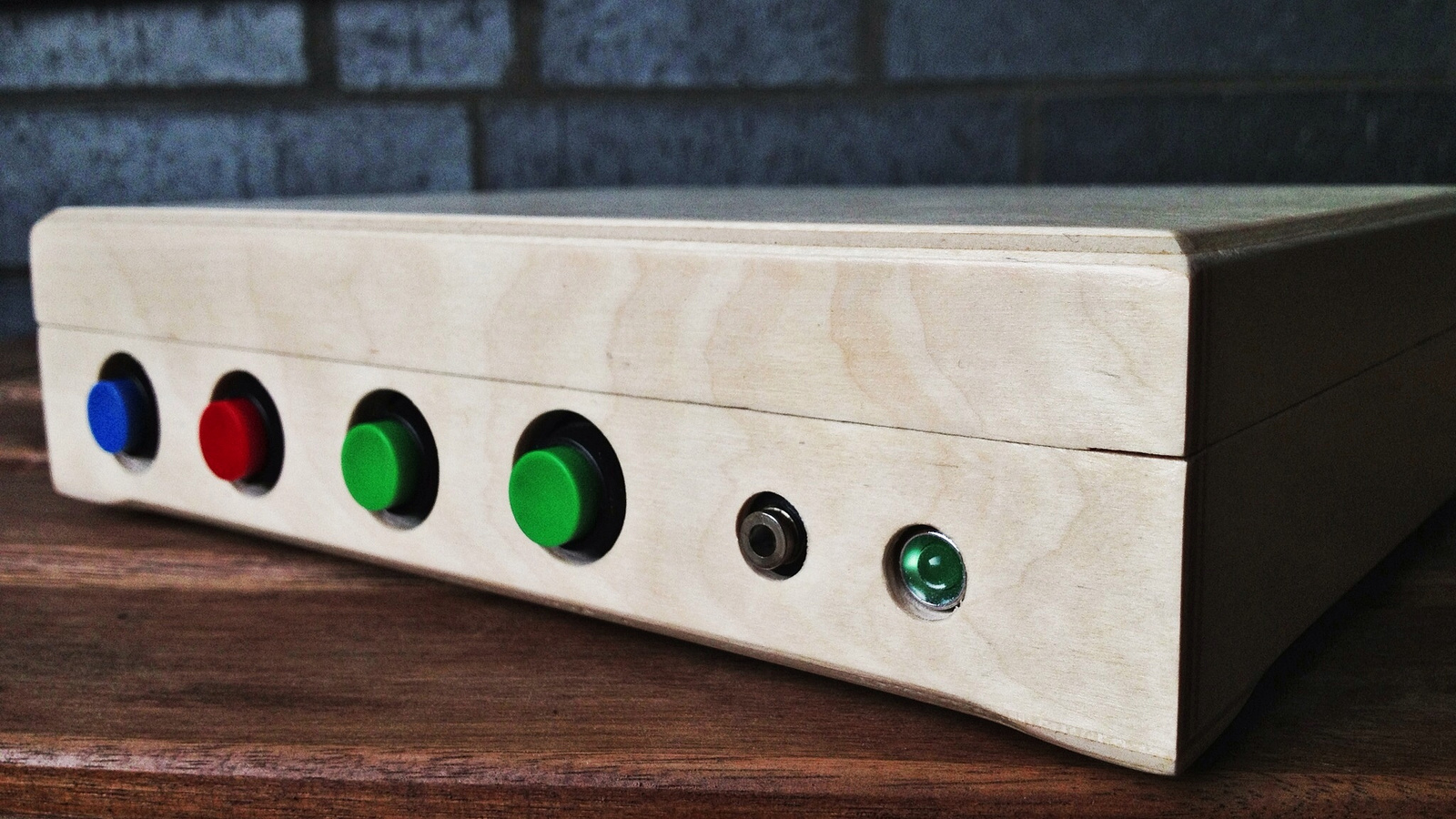
Reading should never feel like solving a puzzle with the lights off. For people who are blind, have low vision, or live with a print disability, audiobooks are more than entertainment. They are school, work, independence, comfort, curiosity, and sometimes the difference between “I need help” and “I’ve got this.” That is exactly where an RFID audio book reader for the visually impaired becomes exciting: it turns a simple card, tag, or labeled object into a doorway to sound.
Imagine placing a tagged book case, card, or tactile label on a reader and instantly hearing the right audiobook begin. No tiny touchscreen. No menu maze. No “Where did that button go?” moment. The RFID tag acts like a physical shortcut. The reader recognizes the tag, matches it to an audio file, and starts playback. It is a wonderfully practical idea because it respects how many visually impaired users already navigate the world: by touch, routine, audio cues, memory, and simple physical organization.
This article explores how RFID audiobook readers work, why they matter, what features make them accessible, and how families, libraries, educators, makers, and care teams can use them to support independent reading. We will also look at real-world services such as talking book libraries, accessible reading apps, NFC labeling tools, and assistive technology design principles that shape better devices for blind and low-vision readers.
What Is an RFID Audio Book Reader?
An RFID audio book reader is a device that uses radio-frequency identification technology to trigger audio playback. In plain English: a small tag has a unique ID, and the reader knows what to do when it detects that ID. If the tag is linked to The Secret Garden, the device plays that audiobook. If another tag is linked to a mystery novel, a Bible chapter, a school lesson, or a medication instruction recording, the reader plays that instead.
RFID stands for radio-frequency identification. The system usually includes three parts: an RFID tag, an RFID reader, and software that connects the tag ID to an action. In this case, the action is playing audio. The tag may be placed inside a card, under a sticker, on a book case, on a folder, or on a household object. Many systems use passive RFID or NFC-style tags, meaning the tag does not need its own battery. The reader supplies the energy needed to identify it.
For visually impaired users, the magic is not the radio frequency. The magic is the interface. Instead of needing to see a screen, scan a shelf visually, or operate a complicated app, the user can select a physical item by touch and place it near the reader. It feels more like choosing a record than operating a computer, which is exactly why the idea is so appealing.
Why Audiobook Access Matters for Blind and Low-Vision Readers
Accessible reading is not a luxury feature. It is a core part of education, employment, culture, and everyday life. In the United States, millions of people live with vision loss or blindness, and the need for accessible books continues to grow as the population ages. Public services such as the National Library Service for the Blind and Print Disabled, BARD, state talking book libraries, Bookshare, Learning Ally, Perkins Library, and other accessible reading programs help bridge that gap.
However, access is not only about whether an audiobook exists. It is also about whether a person can actually find it, start it, pause it, resume it, and enjoy it without frustration. A smartphone app may be powerful, but it may not be ideal for every user. Some people are comfortable with screen readers and gestures. Others prefer buttons, tactile labels, and single-purpose devices. A well-designed RFID talking book reader fits into that second category beautifully.
The Problem With “Accessible” Tech That Is Still Too Complicated
Technology can be technically accessible and still feel exhausting. A phone may support VoiceOver or TalkBack, but a user still has to remember gestures, unlock the device, open the app, search the library, select the title, choose the playback speed, and avoid accidentally tapping the wrong thing. That is a lot to ask when someone simply wants to hear chapter three before bedtime.
An RFID audiobook player reduces the task to a physical action: choose the labeled item and scan it. That is the design equivalent of cutting a tangled extension cord into one neat cable. Less friction means more reading. More reading means more independence. And more independence means fewer moments where a person has to ask, “Can you start this for me?”
How an RFID Audio Book Reader Works
The basic workflow is simple. First, an audiobook file is stored on the device, a memory card, a local server, or a connected media system. Second, an RFID tag is assigned to that audiobook. Third, the user scans the tag. Fourth, the reader detects the tag’s ID and starts the matching audio file.
Core Components
A typical RFID audiobook reader may include:
- RFID or NFC tags: small cards, stickers, buttons, key fobs, or labels linked to specific audio content.
- RFID reader module: the hardware that detects the tag and sends its ID to the system.
- Audio storage: local MP3 files, DAISY books, WAV files, or structured audiobook folders.
- Playback software: a program that maps tag IDs to titles and controls play, pause, resume, and navigation.
- Speaker or headphone output: built-in speakers, Bluetooth audio, USB speakers, or a headphone jack.
- Tactile controls: large buttons for play/pause, volume, rewind, fast forward, sleep timer, and power.
Many DIY projects use a Raspberry Pi, RFID reader, simple buttons, and open-source audio software. More polished versions might use custom electronics, a rugged case, better speakers, rechargeable batteries, cloud syncing, or library integration. The goal is not to build the flashiest device. The goal is to build one that works every Tuesday afternoon when the user wants the next chapter and nobody else is home.
Why RFID Is a Smart Fit for Accessibility
RFID and NFC tags are useful because they make digital content physical. That matters. For blind and low-vision users, physical organization can be far more dependable than a visual menu. A card can have braille, raised dots, a shaped corner, a rubber band, a tactile sticker, or a large-print label. A user can arrange cards in a box by genre, author, school subject, or reading priority.
The result is a hybrid system: digital audio with analog simplicity. It is a little like giving every audiobook its own doorbell. Tap the tag, and the book announces itself.
RFID vs. Barcodes and QR Codes
Barcodes and QR codes can also link physical items to digital content, but they usually require camera alignment and visual positioning. That can be difficult for someone who cannot see the code clearly. RFID tags do not need line-of-sight in the same way. The user can place a card near the reader, and the device can detect it without requiring perfect aim. That one difference can turn an annoying tool into a daily habit.
Best Features of an Accessible RFID Audiobook Reader
A device for visually impaired users should not be designed like a regular music player with a few accessibility features sprinkled on top like parsley. Accessibility has to be baked into the whole experience.
1. Large, Tactile, Easy-to-Learn Controls
The best controls are obvious by touch. A raised play button, separate volume buttons, a concave rewind button, and a power switch with a clear click can make the device easier to learn. Avoid flat, identical buttons unless you enjoy creating tiny mysteries for people who did not ask to become detectives.
2. Spoken Feedback
The reader should speak useful confirmations. For example: “Book selected: Charlotte’s Web,” “Paused,” “Volume five,” or “Battery low.” Spoken feedback prevents guesswork and helps users trust the device. A short confirmation tone can also be useful, but speech is clearer for important actions.
3. Resume Playback
Any audiobook reader worth inviting into the house should remember where the listener stopped. Losing your place in a 14-hour novel is not a feature; it is a tiny tragedy. Resume playback is essential, especially for seniors, students, and anyone listening across multiple sessions.
4. Simple Tag Management
Caregivers, librarians, teachers, or family members should be able to assign new RFID cards without needing a computer science degree and three cups of coffee. A simple admin mode, web dashboard, mobile app, or text file mapping can make the system easier to maintain.
5. Durable Physical Design
A good RFID audio book reader should survive real life: kitchen counters, bedside tables, classroom shelves, curious grandchildren, and the occasional dramatic cable yank. Rounded edges, non-slip feet, a stable base, and a sturdy power connector all matter.
6. Flexible Audio Sources
The device should support common audio formats such as MP3 and structured audiobook folders. Depending on the intended use, it may also need to support DAISY-style navigation, chapter markers, playlists, podcasts, language lessons, or locally recorded instructions.
Who Can Benefit From an RFID Audio Book Reader?
The obvious audience is people who are blind or visually impaired, but the usefulness goes wider. Many people benefit from an audio-first, screen-free reading experience.
Seniors With Vision Loss
Age-related macular degeneration, glaucoma, cataracts, diabetic eye disease, and other conditions can make print reading difficult or impossible. Some older adults also find smartphones frustrating. A card-based talking book reader can feel friendlier because it uses physical objects and predictable controls.
Children With Visual Impairments
For children, RFID cards can make reading playful. A child can choose a story card, scan it, and hear the book start. Cards can include textures, braille labels, shapes, or raised stickers. This supports early literacy, choice-making, and independence. Also, children love tapping things on other things. Finally, a productive use for that superpower.
Students With Print Disabilities
Students with dyslexia, physical disabilities, or learning differences may also benefit from audio access. RFID cards can organize textbook chapters, study guides, vocabulary lists, or recorded teacher instructions. A student can scan “Biology Chapter 7” and start studying without hunting through folders.
Libraries and Community Centers
Libraries already play a huge role in accessible reading through talking book programs, BARD support, large print collections, braille materials, and technology training. RFID audiobook stations could help patrons browse featured titles, local history recordings, oral archives, or instructions for using library services.
Real-World Inspiration: Talking Books, BARD, Bookshare, and Smart Labels
An RFID audiobook reader fits into a larger ecosystem of accessible reading. The National Library Service for the Blind and Print Disabled provides free braille and talking book services to eligible readers through a nationwide network. BARD allows eligible users to download audio and braille materials to supported devices. Bookshare offers accessible ebooks and reading tools for people with qualifying reading barriers. Perkins Library provides a large collection of accessible formats, including braille, large print, and audiobooks. APH supports accessible learning through products, resources, and services for people who are blind or low vision.
There are also smart labeling systems such as NFC-based tags that help blind and low-vision users identify household items, medications, documents, and clothing. These systems show how powerful tag-and-scan interactions can be. The same principle can work beautifully for audiobooks: label the thing, scan the thing, hear the thing.
Designing the User Experience: Keep It Human
The best RFID audiobook reader is not the one with the longest spec sheet. It is the one the user enjoys using. Human-centered design begins by asking real questions: Where will the reader sit? How will the user identify each card? Can the user hear the speaker clearly? What happens if the wrong card is scanned? Can the user recover from mistakes without help?
Example Setup for a Home Reader
Picture a small device on a bedside table. Next to it is a box of tactile audiobook cards. Each card has braille at the top, a large-print title, and a textured sticker category: smooth for fiction, rough for history, soft felt for devotional books, and a raised star for favorites. The listener selects a card, taps it on the top of the reader, and hears, “Playing: The Adventures of Sherlock Holmes.” The device resumes from the last position. A large button pauses playback. Two raised arrow buttons skip backward or forward. Volume buttons speak the level aloud.
That is not futuristic. That is simply thoughtful.
Privacy, Copyright, and Content Considerations
When building or publishing audiobook access tools, content rights matter. Public domain recordings, personally owned files, licensed audiobooks, school-approved materials, and accessible library content each come with different rules. A personal RFID reader used at home is different from a public device distributing copyrighted files. Libraries, schools, and organizations should confirm licensing and accessibility rules before loading content.
Privacy also matters. If a device connects to the internet, stores listening history, or uses accounts, designers should limit data collection. Many users do not want their reading habits tracked. A local-first design that stores books and tag mappings on the device can be simpler, safer, and more reliable.
DIY vs. Commercial RFID Audio Book Readers
A DIY RFID reader can be affordable and flexible. Makers often use Raspberry Pi boards, RFID modules, Python scripts, speakers, and simple buttons. This approach is excellent for custom needs, such as creating a reader for a family member, classroom, or local library project. It also allows unusual features, such as custom voice prompts, offline playback, or special tactile controls.
A commercial product, on the other hand, should offer reliability, support, warranty coverage, safety-tested hardware, better casing, and easier setup. For many families, that support is worth paying for. The ideal future may include both: open-source projects for experimentation and polished accessible devices for everyday users who just want to read without becoming part-time technicians.
Practical Tips for Setting Up an RFID Audiobook System
Start With a Small Library
Begin with five to ten books, not fifty. A small collection helps users learn the system without feeling overwhelmed. Add more titles once scanning, pausing, resuming, and organizing feel natural.
Create Tactile Card Categories
Use different textures, shapes, notches, or braille labels to distinguish cards. Do not rely only on large print if the reader may have changing vision. A simple tactile system can prevent mix-ups and make browsing more enjoyable.
Use Clear Spoken Titles
When the device announces a title, keep it short and useful. “Playing: Pride and Prejudice” is better than “Audio file 000374B final edited version.” Nobody wants their audiobook reader to sound like a printer error.
Include a Help Card
A special RFID help card can speak instructions: “Press the large round button to pause. Press the right arrow to skip forward. Hold the power button for three seconds to turn off.” This is especially helpful for new users or shared devices.
Plan for Updates
Books change. Preferences change. Storage fills up. Build a simple process for adding, removing, and backing up content. A caregiver or librarian should be able to update the library without rebuilding the entire system.
Common Mistakes to Avoid
The first mistake is making the device too complex. More features can create more problems. A visually impaired reader may prefer five dependable actions over twenty confusing ones.
The second mistake is forgetting audio quality. If the speaker is tinny, distorted, or too quiet, the device becomes tiring. Clear speech matters, especially for older adults or users with hearing loss.
The third mistake is poor card design. If every card feels the same, users may still need sighted help. Add braille, tactile markers, orientation cues, and consistent placement.
The fourth mistake is ignoring error recovery. If a scan fails, the device should say so. If a file is missing, it should explain the problem. Silence is not accessible feedback; it is a cliffhanger nobody asked for.
The Future of RFID Audiobook Readers
The next generation of RFID audiobook readers could combine local audio, cloud libraries, voice search, braille display support, haptic feedback, and smart home integration. A user might scan a card to play a book, ask a voice assistant for the next chapter, or receive spoken recommendations based on a locally stored favorites list.
Libraries could create tactile browsing kits for patrons. Schools could prepare RFID study packs for students. Families could record personal stories and link them to cards, turning the device into a memory library. Imagine a grandchild recording, “Grandpa, this is the story you told me about your first car,” and linking it to a card with a tiny raised car sticker. That is not just assistive technology. That is connection.
Experience Notes: Living With an RFID Audio Book Reader
The first thing users often notice about an RFID audio book reader is not the technology. It is the relief. A reader who has struggled with touchscreens may feel a small but meaningful sense of control when a physical card starts the exact book they wanted. There is no need to remember where an app icon lives, no need to ask someone to scroll, and no need to hope the screen reader lands on the right button. The book is simply there, waiting behind a tag.
In a home setting, the experience can become part of a comforting routine. A listener may keep favorite book cards in a small wooden box near a chair. Morning might begin with a devotional card. Afternoon might be for a history book. Evening might belong to a mystery novel, because apparently detectives solve crimes best when the rest of the house is quiet. Over time, the cards become familiar objects. The user remembers their order, textures, and favorite titles, just as sighted readers remember the look of book spines on a shelf.
For caregivers, the biggest advantage is often reduced interruption. Instead of stopping work, cooking, or errands to start an audiobook, they can prepare the system once and let the user choose independently. This matters emotionally. People do not want to feel like every small pleasure requires assistance. When a person can start a book alone, pause it alone, and return to it later alone, the device supports dignity as much as entertainment.
In classrooms, RFID cards can make accessible reading feel less separate from ordinary learning. A teacher can create cards for chapters, poems, vocabulary lists, or recorded instructions. Students can scan the correct card at a reading station and follow along with braille, large print, tactile graphics, or digital text. This also helps classmates understand that accessibility tools are not strange or magical. They are simply tools, like pencils, headphones, or calculators.
In libraries, an RFID audiobook reader can become a welcoming demonstration piece. Patrons who are new to vision loss may feel overwhelmed by all the options: talking book machines, smartphone apps, BARD downloads, braille displays, magnifiers, and screen readers. A simple tag-and-play station gives them an immediate win. They scan a card, hear a title, and understand the concept in seconds. That first successful interaction can encourage them to explore more services.
The most important lesson from real use is that accessibility depends on details. The reader should not slide across the table when a card touches it. The volume should not reset too loudly. Buttons should not be so close together that one press causes three surprises. Cables should be easy to locate. The power state should be spoken. The system should recover gracefully after an outage. These small details are the difference between a clever prototype and a beloved daily companion.
There is also joy in personalization. A family can record custom prompts in a familiar voice. A library can create themed card sets. A child can decorate story cards with tactile shapes. A senior can keep a “favorites” ring of cards beside the bed. The RFID audio book reader works best when it feels less like equipment and more like a personal bookshelf that happens to speak.
Ultimately, the experience is not about replacing braille, smartphones, screen readers, or traditional talking book players. It is about adding another path to reading. Some days, the best interface is a phone. Other days, it is a button. And sometimes, the best interface is a small card that says, in its own quiet way, “Your story is ready.”
Conclusion
An RFID audio book reader for the visually impaired is a practical, human-centered way to make reading easier, faster, and more independent. By connecting physical tags to digital audio, it removes many of the barriers that screens and complex menus can create. It is useful for blind readers, people with low vision, seniors, students with print disabilities, libraries, classrooms, and families who want a simpler way to enjoy books.
The best systems are not necessarily the most advanced. They are the ones with clear speech, tactile controls, reliable scanning, resume playback, simple organization, and thoughtful design. Whether built as a DIY Raspberry Pi project or developed as a polished commercial device, the goal is the same: make stories easier to reach.
Books have always been more than paper. They are memory, knowledge, imagination, companionship, and sometimes a very good excuse to ignore laundry for one more chapter. RFID audiobook readers help make sure those experiences remain available to readers who navigate the world differently. That is technology doing what technology should do: getting out of the way so life can happen.
Note: This article is intended for educational and informational use. Product builders, schools, libraries, and care organizations should consider user testing, copyright permissions, privacy protection, and accessibility standards before deploying any RFID audiobook system.