You change the battery, jump-start your Honda, or disconnect power for five innocent minutes, and suddenly your radio acts like it has joined a secret society. The screen flashes CODE, the cabin goes quiet, and your perfectly normal commute turns into a suspiciously silent documentary about traffic lights.
Relax. In most cases, getting a Honda radio code is not difficult. Honda uses radio and navigation anti-theft codes to help protect factory audio units after power loss. That means the system may lock after a dead battery, battery replacement, radio removal, or major electrical repair. The good news: if you own the vehicle and can gather the right details, you can usually retrieve the code quickly through the owner’s manual packet, Honda’s online tool, customer support, or a Honda dealer.
This guide explains how to get Honda radio code information the right way, including where to find the code, how to locate the radio serial number, how to use the official Honda lookup process, and what to do when the code does not work on the first try. No wizard hat required. A pen, your VIN, and a little patience will do.
What Is a Honda Radio Code?
A Honda radio code is a security code assigned to a specific factory audio or navigation unit. When the unit loses power, some Honda systems disable the radio until the correct code is entered. This is why a radio can work perfectly one day and demand a code the next morning after a battery replacement.
On many older Honda models, the radio code is a five-digit number entered with the preset buttons. Some systems may use a four- or five-digit code, depending on the model and audio unit. Newer Honda vehicles may reactivate differently, sometimes by pressing and holding the volume/power knob while the system reconnects with the vehicle control unit. If the audio unit cannot be recognized, a Honda dealer may need to inspect it.
Before You Start: Gather These Details
Getting the code is much faster when you have the right information ready. Think of it like packing for a road trip, except instead of snacks and sunglasses, you need numbers that look like they belong in a spy movie.
You May Need:
- Your VIN: The 17-character Vehicle Identification Number, usually visible at the lower driver-side windshield, on the driver door jamb, registration, title, or insurance card.
- Your radio serial number: An audio-unit number that identifies the exact radio or navigation unit.
- Proof of ownership: Registration, title, insurance document, or ID may be requested by a dealer.
- Contact details: Honda’s online retrieval process may ask for information such as email, phone number, address, or ZIP code.
- Your owner’s manual packet: Many Hondas originally came with an anti-theft radio card or sticker.
How to Get Honda Radio Code: 5 Quick & Easy Ways
1. Check the Owner’s Manual, Glove Box, and Anti-Theft Card
The easiest method is also the one most people forget because it feels too obvious. Look inside the owner’s manual packet, glove box, center console, service booklet, and any small cards that came with the vehicle. Many Honda models included an Anti-Theft Radio Identification Card or a sticker showing the radio code and sometimes the serial number.
The label may say something like Anti-Theft Radio Code, Radio Code, or simply Code. The actual Honda radio code is usually a short number, often five digits. Do not confuse it with the longer serial number. The serial number identifies the radio; the code unlocks it.
For example, if you find a card showing Code: 35142 and Serial: 12345678, the code you enter into the radio is 35142. The longer number is only used if you need to retrieve the code again later.
If you bought your Honda used, check carefully. Previous owners sometimes write the code inside the manual, on the radio section page, on a service receipt, or on a small sticker inside the glove box. Is it the most secure hiding place in the universe? No. Is it convenient when your radio goes silent? Absolutely.
2. Use Honda’s Official Radio/Navi Code Lookup
If the card is missing, the official Honda Radio/Navi Code lookup is one of the best ways to retrieve your Honda radio code. To use it, you typically need the VIN, the radio or navigation serial number, and owner/contact information that helps verify the request.
This method is especially useful when the vehicle still has the original factory radio. The process usually works like this:
- Find your VIN.
- Find the radio or navigation serial number.
- Enter the required information into Honda’s official code retrieval page.
- Receive the radio or navigation code.
- Write the code somewhere safe outside the vehicle records packet if possible.
The online route is quick when everything matches. However, if the radio was replaced, the vehicle has an aftermarket unit, or the information on file does not match, the lookup may fail. That does not automatically mean disaster. It usually means you should contact Honda customer support or a dealer for help verifying the installed unit.
3. Retrieve the Honda Radio Serial Number from the Display
The radio serial number is the most important missing puzzle piece when the code card is gone. On many Honda radios from the 2000s and early-to-mid 2010s, you can display the serial number without removing the radio from the dashboard.
A common method is:
- Turn the ignition to ON or ACC, but do not start the engine.
- Turn the radio off so the display is blank.
- Press and hold preset buttons 1 and 6 together.
- While holding those buttons, press the radio power button.
- Write down the serial number shown on the screen.
Some units display the serial number in two parts, often beginning with letters such as U and L. For example, the screen might show U1234 and then L5678. In that case, the serial number may be the digits combined: 12345678.
On some touchscreen or navigation units, you may need to open the system settings menu and look for System Information, Device Information, Audio Unit Serial Number, or a similar option. Be careful here: navigation-equipped vehicles can show more than one serial number. You may see a navigation serial number, audio serial number, or other device IDs. For a radio unlock, you need the radio or audio unit serial number unless the navigation system specifically asks for a navigation code.
Older Honda models may not show the serial number electronically. In those cases, the serial number may be printed on a label attached to the radio body. That usually means the radio must be partially removed. If you are not comfortable removing dashboard trim, let a Honda technician or qualified installer handle it. Dashboard clips have a talent for breaking at the worst possible moment.
4. Call Honda Customer Service
Another direct option is to contact Honda customer service. This can be helpful if the online lookup does not work, if you are unsure whether you have the correct serial number, or if you recently bought the vehicle used and the owner information may not match Honda’s records.
Before calling, prepare:
- Your VIN
- The radio or navigation serial number
- Your name and contact details
- Proof of ownership if requested
- The year, model, and trim of your Honda
Customer support may guide you to the correct retrieval path or recommend visiting a dealer if the system cannot verify the code. This is not Honda being dramatic. The code exists as an anti-theft measure, so they need to confirm the radio belongs with the vehicle and the person requesting the code is authorized.
5. Visit or Contact a Honda Dealer
A Honda dealer can often retrieve the radio code using your VIN, radio serial number, and proof of ownership. This is the best option when the online tool fails, the serial number is not easy to access, the radio has been replaced, or a navigation system is involved.
Call the service department first and ask what they require. Some dealers may provide the code over the phone or by email after verification. Others may ask you to bring the vehicle in, especially if the radio serial number cannot be confirmed or the installed unit does not match Honda’s records.
There may be no charge, a small lookup fee, or a labor charge if the technician must remove the radio or diagnose an issue. The cost depends on the dealer and the situation. If you are already scheduling service for a battery, electrical repair, or infotainment issue, ask them to retrieve and record the radio code at the same visit.
How to Enter a Honda Radio Code
Once you have the code, entering it is usually simple:
- Turn the ignition to ACC or ON.
- Turn on the radio.
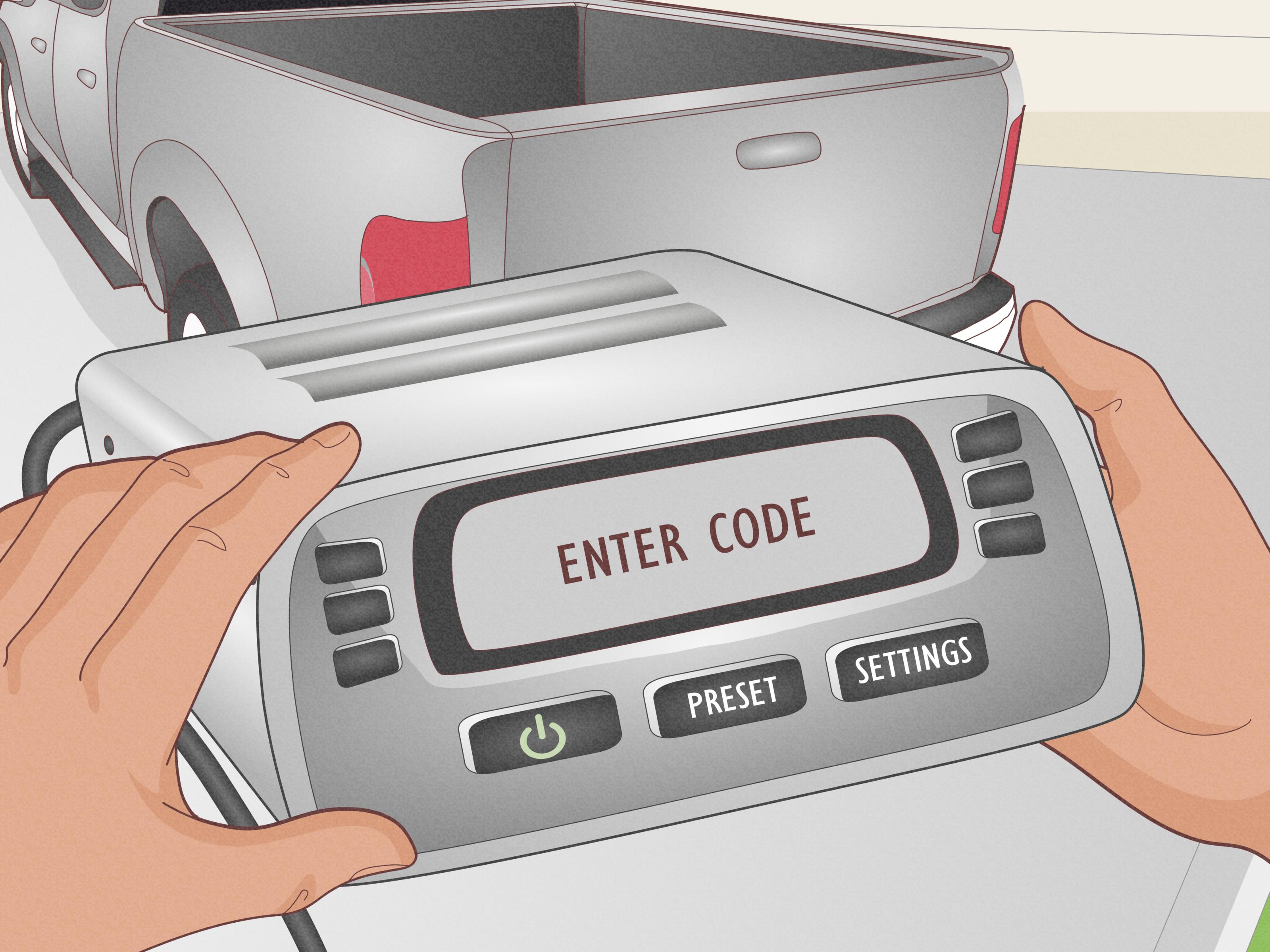
- Wait for the display to show CODE.
- Enter the code using the preset buttons or touchscreen keypad.
- If the code is correct, the radio should unlock and start working again.
Example: if your code is 35142, press preset buttons 3, 5, 1, 4, and 2 in order. On touchscreen models, tap the numbers shown on the screen.
Take your time. Too many incorrect attempts can trigger a lockout or error message. This is one of those rare moments where slow and boring is better than fast and heroic.
What If the Honda Radio Code Does Not Work?
If the code fails, do not keep guessing. Repeated wrong entries can make the process more annoying. Instead, troubleshoot calmly:
Check the Digits Again
Handwritten codes can be messy. A 1 can look like a 7, a 5 can look like an S, and a tired human can turn any number into abstract art. Confirm the code from the original card, online result, or dealer message.
Confirm the Serial Number
The wrong serial number can produce the wrong code. This happens most often on vehicles with navigation, satellite radio, Bluetooth modules, or replaced audio units. Make sure you used the audio unit serial number required for the radio code.
Consider a Replaced Radio
If a previous owner replaced the radio with another factory Honda unit, the original VIN record may not match the installed radio. A dealer can usually help, but they may need to inspect the unit or confirm the serial number physically.
Wait Out a Temporary Lockout
Some Honda radios temporarily lock after several wrong attempts. Depending on the system, you may need to leave the ignition on with the radio powered for a period before trying again. If the screen shows ERR, LOCK, or keeps rejecting the code, stop entering numbers and contact a dealer for model-specific guidance.
Special Note for Newer Honda Models
Not every newer Honda requires manual code entry after power loss. Some late-model audio systems may reactivate when you turn the vehicle on and press and hold the volume/power knob for more than two seconds. The system may reconnect with the vehicle control unit and unlock automatically. If it does not recognize the audio unit, dealer service may be required.
So, if your newer Honda asks for a code or shows an audio theft-protection message, check the owner’s manual for your exact model year. A 2007 Civic, a 2012 Accord, a 2017 Pilot, and a 2024 HR-V may not follow identical procedures. Honda likes consistency, but infotainment technology has changed a lot since the CD-slot era.
Common Mistakes to Avoid
- Using the VIN as the radio code: The VIN identifies the vehicle, not the unlock code.
- Entering the serial number as the code: The serial number retrieves the code; it does not unlock the radio.
- Guessing repeatedly: Too many wrong attempts can trigger a lockout.
- Using a random online generator: Stick with Honda, your dealer, or reputable repair sources.
- Ignoring proof of ownership: Dealers may require it for security reasons.
- Mixing up radio and navigation serials: Navigation-equipped models can have multiple IDs.
Quick Example: A 2008 Honda CR-V After Battery Replacement
Let’s say you replaced the battery in a 2008 Honda CR-V and the radio now displays CODE. First, check the glove box and owner’s manual packet for a radio code card. If you find the five-digit code, enter it using the preset buttons.
If the card is gone, turn the ignition to ACC, switch the radio off, hold preset buttons 1 and 6, and press the power button. Write down the serial number displayed on the screen. Then use Honda’s code retrieval process with the VIN and serial number. If the lookup does not work, call a Honda dealer with the VIN, serial number, and proof of ownership.
Once the correct code is entered, the radio should unlock. You may need to reset the clock and favorite stations afterward. Congratulations: your car is no longer judging you in silence.
Real-World Experience: What Getting a Honda Radio Code Is Actually Like
In real life, the Honda radio code hunt usually starts with one sentence: “I only disconnected the battery for a minute.” That minute is enough. The car starts fine, the lights work, the air conditioner blows, and then the radio screen asks for a code like it is guarding a treasure chest. Most owners experience a quick wave of panic because the silence feels bigger than the problem actually is.
The first practical lesson is to search the simple places before doing anything technical. Many people jump straight to online lookup tools, but the code may be sitting in the glove box on a small card, tucked into the owner’s manual, or written on an old service document. A five-minute paper search can save a thirty-minute digital scavenger hunt. It is not glamorous, but neither is removing a radio from the dashboard because you skipped page one of the mystery novel.
The second lesson is that the serial number matters more than people expect. Owners often have the VIN ready because it is easy to find, but the radio serial number is the key that unlocks the lookup process. On many older Hondas, the 1-and-6 button method feels oddly satisfying because the radio suddenly reveals its serial number like it has been waiting for the secret handshake. On some models, though, the button method does not work, or the vehicle has a touchscreen without traditional preset buttons. That is when the owner’s manual, system information menu, or dealer support becomes important.
The third lesson is not to rush code entry. If your code is 52413, enter 52413 slowly and carefully. Do not mash buttons like you are defusing a movie bomb. A wrong digit can lead to error messages, and several wrong attempts can create a lockout. When that happens, the fix may be as simple as waiting or as annoying as needing dealer help. Either way, guessing is the villain of this story.
The fourth lesson is that used cars can add plot twists. A previous owner may have replaced the radio, lost the anti-theft card, written the wrong code in the manual, or placed the sticker somewhere creative. If the VIN and serial number do not match Honda’s records, it does not always mean you did something wrong. It may simply mean the installed audio unit has a different history than the vehicle. A dealer can usually sort this out, especially when you bring proof of ownership.
Finally, once you get the correct Honda radio code, store it smartly. Keep a copy in your home records, password manager, maintenance folder, or phone notes. Avoid relying only on a glove box sticker because the next time the battery dies, you may be standing in a parking lot, hungry, late, and emotionally unprepared to read tiny faded numbers upside down. The best Honda radio code experience is the one you only have to solve once.
Conclusion
Learning how to get Honda radio code information is mostly about knowing where to look and which numbers matter. Start with the owner’s manual packet, glove box, and anti-theft card. If the code is missing, retrieve the radio serial number, use Honda’s official lookup option, contact customer support, or ask a Honda dealer for help.
The most important rule is simple: do not guess. A Honda radio code is tied to the specific audio or navigation unit, and too many wrong entries can create extra hassle. With your VIN, serial number, and proof of ownership ready, you can usually bring your Honda’s audio system back to life quickly. Then you can return to the important things, like podcasts, playlists, traffic reports, and pretending you do not sing at red lights.