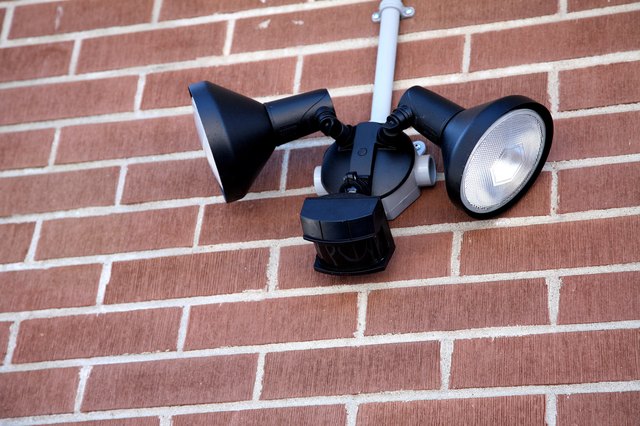
Yes, temperature can affect motion activated lightsbut not always in the way people expect. A typical motion light does not literally “see” a person walking by. Most models use a passive infrared, or PIR, sensor that watches for changes in infrared energy. In everyday terms, it notices when a warm object moves across a cooler background, or when a cooler object moves across a warmer one. Temperature contrast is the secret sauce.
When outdoor air and nearby surfaces approach human skin temperature, the sensor may struggle to separate you from the scenery. In freezing weather, detection contrast can remain strong, but batteries, frost, condensation, and out-of-range electronics may cause different failures. Heat and cold both matter; they simply create different kinds of mischief.
How Motion Activated Lights Detect Movement
Most residential motion lights rely on PIR technology. Behind the familiar white or frosted lens are infrared-sensitive elements divided into detection zones. When nothing moves, those elements receive a fairly steady infrared pattern from pavement, walls, plants, and other surfaces. When a person, animal, or warm vehicle crosses several zones, the pattern changes and the electronics switch on the light.
PIR sensors are called “passive” because they do not transmit a beam. They receive infrared radiation already present in the scene. This makes them inexpensive, efficient, and useful for porch lights, floodlights, solar fixtures, and indoor occupancy switches. It also explains why temperature matters: the sensor needs a detectable thermal change, not movement alone.
What About Microwave or Dual-Technology Sensors?
Some fixtures use microwave, radar, ultrasonic, camera-based, or dual-technology detection. Reflected-signal sensors depend less on body-to-background temperature contrast, although their batteries and electronics still have operating limits. “Not PIR” does not mean “immune to weather.”
How Hot Weather Affects Motion Activated Lights
High heat is usually the biggest challenge for PIR detection. A person’s visible surface temperature varies with clothing, humidity, shade, perspiration, and wind. Even so, when walls, pavement, or air temperatures climb close to the temperature of exposed skin and clothing, the difference becomes smaller. The sensor has less contrast to interpret.
Reduced Detection Range
A light that normally detects someone at 30 feet may respond only when that person reaches the driveway or porch during a hot afternoon. The fixture may not be broken. Sun-baked brick, asphalt, roofing, fences, and metal siding can fill its view with strong infrared energy, effectively making a person blend into the background.
Missed or Delayed Activation
Weak thermal contrast can produce late, inconsistent, or missed triggers. Walking directly toward a PIR sensor is often harder to detect than crossing its field of view because fewer detection zones are crossed. Add extreme heat, and the sensor may suddenly become very selective about its guests.
False Triggers From Moving Heat
Hot conditions can also cause unwanted activations. Dryer vents, HVAC exhaust, pools, grills, hot engines, reflective surfaces, and rapidly warming objects may create changing heat patterns. Branches or ornamental grass moving in front of a sun-heated wall can add more confusion. The detector sees changing infrared zones, not a helpful label saying “just a shrub.”
Heat Stress on LEDs and Electronics
The sensor is only one part of the fixture. Excess heat can reduce LED output and shorten the life of drivers, batteries, seals, and circuit components. A light mounted against a dark, sun-baked wall may operate much hotter than the weather report suggests, especially if the housing has poor airflow.
How Cold Weather Affects Motion Activated Lights
Cold weather can actually improve PIR contrast because a person is much warmer than snow, siding, or frozen ground. Detection may feel sharper in winter. However, cold introduces several practical problems that can erase that advantage.
Battery Output Drops
Battery-powered and solar motion lights are especially vulnerable. Cold slows the chemical reactions inside many batteries, reducing available voltage and capacity. The result may be dim output, short run time, delayed activation, weak wireless communication, or a fixture that works after lunch but quits after midnight. Cold-rated lithium cells may perform across a wider temperature range than ordinary alkaline batteries, but only use a chemistry approved by the manufacturer.
Frost, Ice, and Snow Block the Sensor
A thin frost layer can reduce infrared energy reaching the PIR element. Snow can cover the sensor or solar panel, while ice may shift an adjustable head out of position. Before replacing the fixture, clean the lens gently and make sure winter weather has not turned your security light into a tiny white igloo.
Condensation Creates Intermittent Problems
Rapid temperature changes can produce condensation inside a poorly sealed housing. Moisture may fog the lens, corrode contacts, or create temporary electrical faults. Damaged gaskets, cracked housings, and upward-facing openings make this more likely.
Electronics Have Minimum Ratings
Every motion light has an operating-temperature range. Many indoor occupancy sensors are rated only for temperatures at or above freezing, while outdoor products may be designed for subzero conditions. An “outdoor” label describes weather exposure, but it does not guarantee reliable operation in every climate. Always compare the product’s rating with the coldest and hottest temperatures at the installation site.
Temperature Effects on Solar Motion Lights
Solar motion activated lights combine a PIR sensor, rechargeable battery, solar panel, controller, and LED. Temperature therefore gets several chances to interfere. During winter, the panel may convert sunlight efficiently, but days are shorter, the sun sits lower, cloud cover increases in many regions, and snow may block charging. Meanwhile, the cold battery stores and delivers less usable energy.
In hot weather, solar-cell efficiency generally declines as cell temperature rises, and battery aging may accelerate. Keep the panel clean, aim it toward strong daily sun, remove snow promptly, and avoid placing the battery compartment directly against a surface that becomes extremely hot.
Why the Same Light Acts Differently by Season
Seasonal changes alter more than air temperature. They change clothing, sunlight, vegetation, animal activity, battery output, and the temperature of nearby surfaces. That is why a fixture may work perfectly in October, become sluggish in July, and react to every neighborhood cat in January.
- Summer: Warm backgrounds reduce PIR contrast, while vents and sun-heated surfaces may create false triggers.
- Winter: Thermal contrast may improve, but batteries weaken and frost or snow can obstruct the sensor.
- Spring and fall: Fast temperature swings, windblown plants, rain, and condensation can produce inconsistent behavior.
- Direct sun: The housing may become far hotter than ambient air, stressing electronics and changing the infrared scene.
Common Temperature-Related Symptoms and Fixes
| Symptom | Likely Cause | What to Try |
|---|---|---|
| Short detection range on hot days | Low person-to-background contrast | Aim across the walking path, adjust sensitivity carefully, or choose temperature-compensated detection |
| Light activates near a dryer vent | Moving warm air triggers the PIR sensor | Re-aim or relocate the sensor away from heat sources |
| Battery light becomes dim in freezing weather | Cold reduces battery output | Install fresh approved batteries and reduce the on-time or brightness setting |
| Light stops after snow or freezing rain | Lens or solar panel is covered | Clean and dry the fixture, inspect seals, and restore solar exposure |
| Fixture resets during extreme heat | Driver, battery, or control electronics may be overheating | Check the rating, improve placement, or install a more suitable outdoor model |
| Detection improves after sunset | Cooler surfaces create better thermal contrast | This may be normal; fine-tune the sensor under nighttime conditions |
How to Improve Performance in Extreme Temperatures
Check the Temperature Rating
Read the manual or specification sheet before buying. Choose a fixture rated beyond the realistic temperature extremes of your location rather than one that barely qualifies on paper.
Aim Across the Path of Travel
PIR sensors usually work best when a person crosses multiple detection zones. A small aiming change can outperform an enthusiastic twist of the sensitivity knob.
Avoid Artificial Heat Sources
Keep the sensor away from dryer vents, HVAC outlets, exhaust fans, grills, boilers, reflective metal, and places where hot vehicles regularly stop.
Keep the Lens and Panel Clear
Remove dirt, spiderwebs, frost, snow, and leaves. Do not place decorative glass or screening in front of the lens unless the manufacturer specifically permits it.
Use the Correct Batteries
Follow the manufacturer’s recommendation and never mix old and new cells. An incompatible rechargeable battery may create charging, performance, or safety problems.
Allow a Warm-Up Period
After power is restored or batteries are changed, many PIR devices need time to stabilize. Wait for the stated warm-up period before deciding the sensor has failed.
Consider Dual-Technology Detection
For severe heat, complicated backgrounds, or repeated false triggers, a dual-technology sensor may provide more dependable control by combining PIR with microwave or ultrasonic sensing.
Is the Sensor Bad, or Is the Weather to Blame?
Test the fixture during moderate weather and repeat the test during the problem conditions. Walk across the detection area at several distances, clean the lens, install fresh batteries when applicable, and temporarily remove nearby heat or movement sources.
If performance changes predictably with temperature, the fixture may be operating near its design limits. If it fails in mild weather, flickers continuously, contains water, smells burned, or trips a breaker, stop troubleshooting and address the electrical or hardware problem. A qualified electrician should inspect hardwired fixtures when wiring, grounding, overheating, or water intrusion may be involved.
Practical Experiences and Real-World Lessons
The following are composite homeowner scenarios based on common motion-light behavior, not claims of personal product testing.
The July Driveway Mystery
A driveway floodlight works beautifully in spring but stops detecting people at the sidewalk during July afternoons. The owner turns sensitivity to maximum, and the light begins reacting to a warm car, moving branches, and an air-conditioning exhaust plume.
The better solution is to aim the sensor so visitors move across its detection zones and reduce the amount of sun-heated pavement in view. A temperature-compensated outdoor sensor may also help. Maximum sensitivity is not always maximum reliability; sometimes it is simply an invitation to every thermal oddity on the block.
The Winter Solar Light That “Forgot” Its Job
A solar motion light installed in August runs brightly for several minutes. By December, it glows weakly for 20 seconds and shuts off. The PIR sensor may still be working. The real issue is an energy budget: shorter days, a lower sun angle, dust or snow on the panel, and reduced battery output in cold weather.
Cleaning and repositioning the panel may restore charging. Replacing an aged battery with the exact approved type can also help. A lower brightness setting or shorter timer reduces demand. When a solar light becomes lazy in winter, investigate charging and storage before blaming detection.
The Porch Light With a Midnight Personality
A porch light responds poorly on hot afternoons but becomes remarkably alert after midnight. At night, brick, concrete, and siding cool down, increasing the infrared contrast between a person and the background. The fixture has not repaired itself under the moon; the scene has simply become easier to interpret.
Re-aiming the detector away from the hottest wall and toward a shaded walkway may improve daytime performance. In a very hot climate, a model designed with temperature compensation offers a better long-term fix.
The Garage Light Triggered by “Nothing”
A garage-side light repeatedly switches on with no person in sight. The culprit is a dryer vent below the sensor plus ornamental grass moving in front of a heated wall. Warm exhaust crosses several PIR zones while the grass changes the infrared pattern. To the electronics, that is not “nothing.” It is a lively little heat parade.
Relocating or re-aiming the sensor works better than shortening the timer. The timer controls how long the light stays on; it does not eliminate the trigger.
The Frozen Lens Problem
After freezing rain, a battery floodlight remains unresponsive until sunlight melts a thin ice film on the lens. This shows why temperature-related failures may be optical rather than electronic. A clean lens and protected mounting position can matter as much as sensitivity settings.
These scenarios suggest one useful troubleshooting method: separate detection, power, charging, and lighting. Ask whether the sensor detected motion, whether the controller switched the light, whether the power source supplied enough energy, and whether the LED driver operated normally. That approach prevents seasonal troubleshooting from becoming a random parts-replacement hobby.
Final Answer: Does Temperature Affect Motion Activated Lights?
Yes. Temperature affects motion activated lights through PIR contrast, battery chemistry, electronics, LED heat management, solar charging, moisture, frost, and nearby heat sources. Hot weather can reduce sensitivity when the background approaches human temperature. Cold weather may improve thermal contrast but weaken batteries and create frost or condensation problems.
Choose a fixture rated for the local climate, mount it away from artificial heat sources, aim it across the expected path of movement, keep the lens and solar panel clean, and use the recommended batteries. When a light behaves differently by season, do not immediately declare it haunted. The weather is usually a more employable suspect.