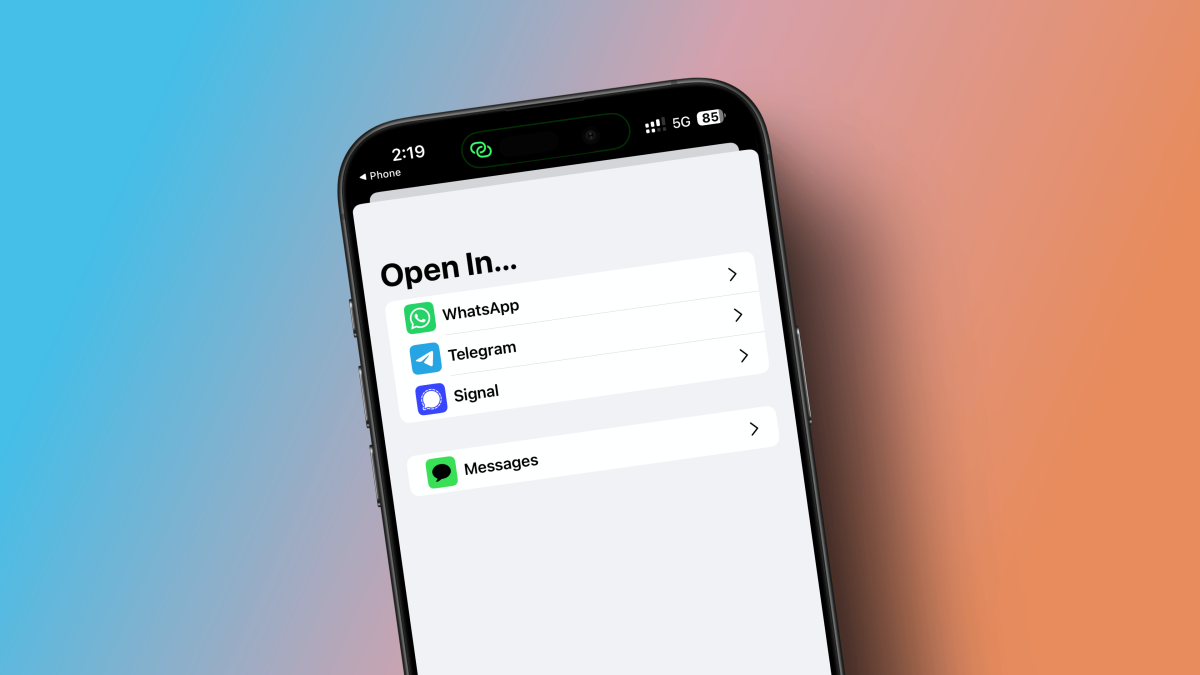
At Made by Google, the shiny new Pixel 10 did not arrive alone. It showed up with a whole suitcase full of AI tricks, and one of the most interesting was a feature called Magic Cue. That name sounds like it belongs to either a magician, a pool hall, or a very ambitious espresso machine. In reality, it is Google’s latest attempt to make phone AI feel less like a chatbot waiting for orders and more like a quiet assistant that notices what you need before you start tapping through six different apps.
That difference matters. Most mobile AI still behaves like a very smart intern: helpful, eager, but mostly waiting for instructions. Magic Cue aims to behave more like a competent assistant who already pulled up your flight details before you called the airline, found your dinner reservation when your friend texted “What time are we meeting?”, or surfaced the right vacation photos before you started doom-scrolling your camera roll. In other words, Pixel 10 is not just trying to answer questions. It is trying to save you from the digital scavenger hunt your phone usually creates.
And honestly, that is a much more interesting pitch. Smartphones have spent years becoming more powerful while somehow still making simple tasks feel weirdly annoying. The problem is rarely a lack of information. The problem is friction. Your flight confirmation is in Gmail, the address is in Calendar, the photos are in Google Photos, the message is in Messages, and your patience has already left the building. Magic Cue is Google’s bet that AI becomes truly useful when it reduces that friction instead of generating another paragraph you did not ask for.
What Is Magic Cue, Exactly?
Magic Cue is a proactive AI feature on the Pixel 10 series that connects information across apps and surfaces relevant suggestions in the moment. The key idea is context. Instead of asking you to open Gemini and type a prompt, Magic Cue watches for situations where a helpful suggestion would make sense. If you are texting, calling, checking weather for a trip, browsing in Maps, or dealing with a shopping or travel detail, it can pull the right nugget of information from the right place and present it as a quick action.
That might sound small, but small is the whole point. The best software improvements are often the ones that remove tiny bits of daily annoyance. Magic Cue is not trying to write your novel, replace your therapist, or explain quantum physics while you brush your teeth. It is trying to help you answer practical, boring, everyday questions faster. And that is exactly why it has a shot at being useful.
Google has positioned Magic Cue as a feature woven across the phone rather than a single standalone app. That is an important distinction. It lives in the flow of what you are already doing. If someone asks for your Airbnb address, Magic Cue can surface it. If you call an airline, it can bring up your flight details. If a friend asks for photos from a recent trip, it can tee up relevant pictures so you do not have to excavate them from the archaeological layers of your gallery.
How Pixel 10 Turns AI Into a Practical Assistant
It works across apps instead of inside one silo
One reason Magic Cue feels different from older assistant features is that it tries to connect the dots between services. Google’s examples revolve around apps people already use all day: Gmail, Calendar, Messages, Screenshots, the Phone app, Maps, and other parts of the Pixel experience. Rather than treating each app like its own island nation, Magic Cue acts like a bridge. It can grab a detail from one place and make it useful somewhere else.
That sounds obvious, but phones are still surprisingly bad at this. We have all had the moment where we know the information exists, but not where it lives. Maybe the restaurant booking is in your email, maybe your friend sent the address in a text, maybe you took a screenshot three days ago, maybe future you was supposed to be organized and did not quite get there. Magic Cue is designed for that exact mess.
It is proactive, not purely reactive
This is where Google’s strategy starts to separate itself from the old voice assistant model. Traditional assistants wait. You tap, speak, ask, and then they respond. Magic Cue tries to anticipate. It does not need a dramatic wake word every time you want help. It looks at what you are doing and offers a suggestion if the moment makes sense. In theory, that makes the experience feel lighter and faster, because the assistant fades into the background until it is needed.
There is also a philosophical shift here. The future of phone AI may not belong to the assistant with the biggest personality. It may belong to the one that interrupts you the least while still being useful. Magic Cue is Google leaning into that idea.
It is built around actions, not just answers
Google is not only trying to surface information. It also wants Magic Cue to suggest actions. That could mean opening a location in Maps, pulling up your calendar when someone asks if you are free, sharing relevant photos in Messages, or helping you finish a task instead of merely reminding you that the task exists. This matters because people do not usually need “information” in the abstract. They need the next step.
If AI only tells you where the reservation is stored, that is mildly helpful. If it lets you share the time and location in one tap, that is a real improvement. It turns the assistant from a lookup tool into a task-completion shortcut.
Why Google Chose the Pixel 10 for This Feature
Magic Cue is not just software theater. Google tied it closely to the Pixel 10’s hardware-and-AI stack, especially Tensor G5 and Gemini Nano. The company’s pitch is that the phone can do more contextual reasoning quickly and privately because the AI system is built into the device experience rather than bolted on afterward like a flashy accessory nobody asked for.
That matters because context-sensitive assistance only works if it feels fast and trustworthy. If suggestions appear too late, they are annoying. If the feature feels invasive, people turn it off. Google’s answer is a mix of on-device intelligence and privacy-focused processing. The company has also emphasized that users can choose which apps and data sources Magic Cue can use, and they can disable it entirely if they do not want their phone playing helpful detective.
Later updates also suggest Google sees Magic Cue as an evolving platform, not a one-and-done launch bullet point. Post-launch Pixel updates have expanded or refined Magic Cue behavior, including more timely suggestions and new recommendation scenarios. That matters because features like this rarely emerge perfect on day one. They need training wheels, tuning, and a lot of real-world use to stop feeling like a demo and start feeling dependable.
Where Magic Cue Could Actually Be Useful
Let’s talk about the part that matters most: does this feature solve real problems, or is it just another AI novelty wearing a nice blazer?
The strongest use cases are the ones tied to common daily chaos. Travel is an obvious one. When plans are spread across emails, weather forecasts, calendar entries, and text threads, a contextual assistant can be genuinely handy. If Magic Cue can surface your flight number during a call, show weather at your destination, or help you share reservation details without app-hopping, that is practical value.
Messaging is another sweet spot. A lot of life now happens in chat bubbles: dinner plans, work meetups, family logistics, photos, addresses, “what time are we leaving?”, “where did you book it?”, “can you send me that picture?” These are not hard questions. They are just tedious questions. Magic Cue is at its best when it removes that tedium.
Shopping and order support could be a sleeper hit too. If you are dealing with returns, deliveries, or customer service, being able to surface order numbers, recently viewed products, or purchase details in the moment is exactly the kind of low-glamour convenience people end up loving. Nobody brags about this at parties, but everybody appreciates it when they are on hold.
Photo sharing may also be more important than it sounds. People take thousands of images and then immediately lose them in the fog. If someone asks for “the beach photos from last weekend” and your phone knows what that means, that is not just clever AI. That is your phone finally acting like it has met you before.
The Catch: Helpful, but Still Early
Now for the less magical part. Magic Cue is promising, but it is also clearly a first-generation feature. Several early impressions and reviews suggest that while the concept is strong, the execution still has limits. In some cases, reviewers found it genuinely useful. In others, they found it sparse, inconsistent, or not always visible enough in daily use.
That is not shocking. Contextual AI has a harder job than a normal assistant. It has to know when to appear, what to surface, and when to stay quiet. Be too aggressive and it becomes creepy or cluttered. Be too cautious and people forget it exists. Google appears to have set a fairly high bar for when Magic Cue shows up, which may help avoid spammy suggestions, but it can also make the feature feel elusive at launch.
There are also ecosystem limits. While Google has broadened the list of places where Magic Cue suggestions can appear, the experience still leans heavily on Google’s own services and selected environments. That makes sense from an engineering standpoint, but it also means the dream of a totally universal assistant is not here yet. If your life happens mainly in Google apps, Magic Cue may feel smarter. If your digital life sprawls across every third-party app under the sun, the magic may be a little more occasional.
Privacy concerns also remain part of the conversation, even with Google’s privacy-first messaging. Many people will love the convenience right up until they remember how much personal context the feature needs to be useful. Google’s controls help, and the ability to manage data sources matters, but this is still a feature built on access, inference, and timing. Users will have to decide whether the convenience is worth the trade-off.
Why This Matters Beyond One Pixel Feature
Magic Cue is more than a Pixel 10 bullet point. It is a preview of where smartphone AI is heading. For years, mobile AI has been measured by what it can say. Increasingly, it will be measured by what it can do quietly in the background without making people change their habits.
That is a much higher bar. People do not want to “use AI” as a hobby every time they text a friend or call customer support. They want their phones to help them with less effort. If Magic Cue succeeds, it will be because it makes AI feel invisible in the best way: always ready, rarely noisy, and occasionally brilliant.
It also gives Google a stronger story in the broader AI race. Other companies are still figuring out how to blend assistants, on-device intelligence, privacy, and app context into one coherent experience. Magic Cue suggests Google’s answer is not to build the loudest assistant, but the most context-aware one. That is a smart lane to choose. The next era of AI on phones probably belongs to systems that reduce friction, not systems that generate more of it.
Experience: What Living With Magic Cue Could Feel Like
To understand why Magic Cue is interesting, imagine a completely ordinary Thursday, because that is where smartphone features either earn their keep or quietly become settings you forget exist.
You wake up, check the weather, and remember you are flying out tomorrow. Normally, this begins a small ritual of digital archaeology: find the airline email, double-check the departure time, confirm the terminal, maybe search your inbox for the hotel confirmation because your brain now refuses to trust itself before coffee. With Magic Cue, the ideal experience is that the phone notices the travel context and brings those details closer to the surface before you go hunting.
Later, a friend texts, “Can you send me the restaurant address for tonight?” That question should take three seconds. Somehow it always takes three minutes. You search Messages, then Calendar, then Gmail, then wonder whether the reservation app sent a push notification you dismissed like a fool. Magic Cue’s promise is to cut the drama. Instead of asking you to remember where the information lives, it tries to understand what information matters in the moment. That is a subtle shift, but it changes how a phone feels. The device becomes less like a filing cabinet and more like a helpful person handing you the right sticky note.
Then there is the airline call, perhaps the most spiritually exhausting modern activity after resetting a password. You are on hold. You know they are about to ask for a confirmation number. You also know that confirmation number is somewhere in Gmail, hiding behind a search term you will absolutely miss on the first try. If Magic Cue surfaces that information during the call, the feature goes from “neat demo” to “please never take this away from me.”
Photo sharing is another place where the experience could matter more than the spec sheet suggests. People do not organize photos nearly as well as they imagine they do. We tell ourselves we will make albums. We do not make albums. So when someone asks for “those photos from the lake house,” the request often triggers a long scroll through screenshots, receipts, accidental selfies, and one mysterious picture of a sandwich. If Magic Cue can narrow that chaos into something usable, it is doing real work.
Of course, the everyday experience will depend on consistency. A contextual assistant only feels magical if it appears reliably enough to build trust. If it works beautifully twice and then vanishes for a week, users will stop depending on it. That is why Google’s follow-up improvements matter. Magic Cue is not just selling convenience. It is trying to build a habit. And habits are formed by repeatable usefulness, not keynote applause.
In the best-case scenario, living with Magic Cue would not feel like “using AI” at all. It would just feel like your Pixel 10 finally understands the assignment.
Final Thoughts
Magic Cue may end up being one of the most important ideas in the Pixel 10, not because it is flashy, but because it is practical. Google is betting that the future of AI on phones is not a giant talking button. It is a quiet system that knows when to help, what to surface, and when to get out of the way.
That does not mean Google has nailed it already. The feature still looks early, somewhat limited, and dependent on Google’s ecosystem to shine. But the direction is smart. If Magic Cue keeps improving, it could become the kind of feature people miss the moment they switch to another phone. And that is usually the sign of a meaningful innovation: not that it makes a big entrance, but that it makes everyday life a little less annoying.
For now, Pixel 10’s Magic Cue looks like Google’s clearest attempt yet to turn AI into a genuinely helpful little assistant. Not a robot overlord. Not a productivity motivational speaker. Just a smart, timely nudge when your digital life starts acting like a cluttered junk drawer. Frankly, that is the kind of AI most people have wanted all along.