Note: This article uses “Twitter” because many people still search for that name, while also referring to the platform as X where helpful.
Someone unfollowed you on Twitter. The follower count dropped by one, your eyebrow went up by two, and now your brain has opened a tiny detective agency called “Who Betrayed Me LLC.” The bad news: Twitter, now officially called X, does not send a neat little notification saying, “Sarah from accounting has left the building.” The good news: there are still practical ways to figure out who unfollowed you, especially if you track your audience before the mystery begins.
Whether you are a creator, small business owner, marketer, journalist, meme wizard, or just someone who notices numbers the way a hawk notices snacks, knowing who unfollowed you can be useful. It can help you understand what content people respond to, whether your audience is full of real humans or vanishing bot confetti, and whether your posting strategy needs a tune-up.
Still, this topic needs a little common sense. Not every unfollow is personal. People deactivate accounts, clean up their feeds, change interests, protect their peace, or accidentally follow and unfollow while half-awake. Sometimes your follower count drops because locked, spammy, or suspicious accounts disappear from public counts. In other words, one unfollower does not mean your social media career is now a tragic opera.
Below are five realistic ways to see who unfollowed you on Twitter, along with the pros, cons, examples, privacy warnings, and smart next steps.
Before You Start: Can Twitter Show Who Unfollowed You Directly?
Not in the simple way most users want. Twitter/X lets you view your followers, following list, notifications, and account data, but it does not provide a built-in “recent unfollowers” tab. If someone unfollows you quietly, the platform generally keeps that quiet. No siren. No dramatic thunder. No tiny animated raccoon pointing at the culprit.
That means every reliable method works by comparison. You need a “before” list and an “after” list. If a username was in yesterday’s follower list but is missing today, that account probably unfollowed you, deactivated, got locked, was removed from counts, or became hidden because of spam-related filtering. The more regularly you track, the easier it becomes to tell the difference.
Also, be careful with tools that promise instant access to every historical unfollower. A service cannot usually show accurate unfollower history from before you connected your account unless it already had legitimate access to your previous data. If a tool says it can reveal everything from the dawn of Twitter time, raise one eyebrow and keep your password far away.
1. Use a Reputable Twitter/X Unfollower Tracker
The easiest way to see who unfollowed you on Twitter is to use a reputable unfollower tracker or social media analytics tool. These tools connect to your account, monitor follower changes, and display accounts that recently unfollowed you. Some also show new followers, people you follow who do not follow back, inactive accounts, follower growth charts, and audience insights.
How It Works
After you authorize the tool, it records your follower list at regular intervals. When the list changes, the tool compares the new version with the old version. If a username disappears, it can be marked as an unfollower. Many tools only start tracking after you connect them, so do not expect them to reveal every unfollower from last year unless that data was already being collected.
Popular Types of Tools
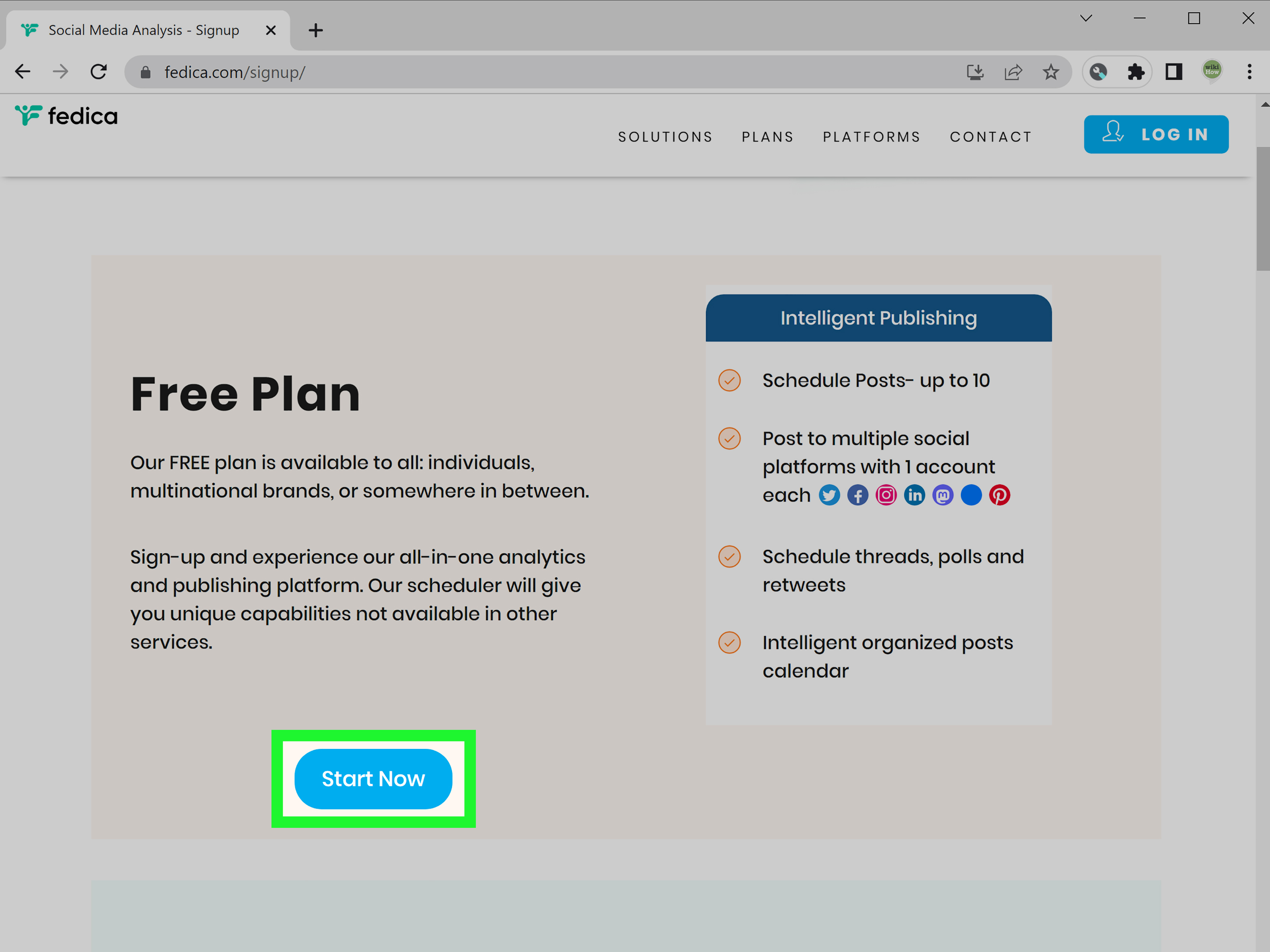
There are dedicated unfollower trackers, broader audience analytics platforms, and professional social media dashboards. Some are designed for creators who simply want to know “who unfollowed me?” Others are built for businesses that need reporting, campaign tracking, engagement metrics, and team workflows. For example, platforms in this category may include follower analytics, new follower and unfollower reports, audience growth trends, and publishing tools.
What to Check Before Connecting a Tool
Before giving any third-party app access to your Twitter/X account, check four things. First, see whether the tool uses legitimate account authorization instead of asking for your password directly. Second, review what permissions it requests. A tracker that only needs analytics should not need unlimited power over your digital kingdom. Third, read the privacy policy and look for clear information about data storage and deletion. Fourth, confirm that you can revoke access later from your X account settings.
This matters because third-party apps can create security and privacy risks. If a tool looks outdated, has strange reviews, uses aggressive automation, or promises suspicious shortcuts, do not connect it. Your follower list is useful, but it is not worth handing your account keys to a digital raccoon wearing a fake badge.
Best For
This method is best for creators, influencers, social media managers, agencies, and business accounts that want ongoing tracking with minimal manual work. It is also useful if you care about patterns, not just individual names. For example, if you lose followers every time you post ten promotional tweets in a row, the tracker is not just showing you who left; it is quietly suggesting that your sales pitch may need fewer fireworks and more value.
Pros
- Fast and convenient once connected.
- Can show recent unfollowers, new followers, and follower growth trends.
- Useful for long-term audience analysis.
- Often includes filters, charts, and reports.
Cons
- Many tools require a paid plan for full unfollower tracking.
- Some only track unfollowers after you connect the account.
- Low-quality apps may create privacy or security concerns.
- Tool accuracy can depend on X API access and platform changes.
2. Compare Your Followers Manually With a Spreadsheet
If you do not want to connect a third-party tool, the old-school spreadsheet method works surprisingly well. It is not glamorous, but neither is flossing, and both can prevent future pain.
The idea is simple: save a list of your followers on a schedule, then compare it with a newer list. If an account was in the first list but not in the second, that account is a likely unfollower. This method is especially practical for smaller accounts or niche creators who have a manageable follower base.
How to Do It
Open your Twitter/X profile and go to your followers list. Record usernames in a spreadsheet. You can create columns such as “Username,” “Display Name,” “Date First Seen,” “Still Following,” and “Notes.” Repeat the process weekly or monthly. Then compare the older list with the newer list.
For example, suppose your spreadsheet from June 1 includes @examplefan, @coffeecritic, and @techreader. On June 15, @coffeecritic is missing. That account may have unfollowed, deactivated, changed username, or been removed from visible counts. Before emotionally drafting a courtroom speech, search the username to see whether the account still exists.
How to Make the Spreadsheet Useful
Do not just track names. Add context. If you are running a brand account, note what you posted during the period. Did you launch a product? Change your tone? Post a controversial opinion? Start publishing 37 motivational quotes before breakfast? The point is not to stalk individual unfollowers; the point is to identify patterns.
You can also create a simple content log. Write down major posts, campaign dates, unusual posting frequency, or big changes in your niche. When follower loss happens, compare it with your content calendar. A few unfollows after a viral post may be normal because viral visibility attracts random people who were never your real audience. A steady drop after low-value promotional content is more useful feedback.
Best For
This method is best for privacy-conscious users, small accounts, researchers, and anyone who wants control without relying on third-party software. It is also great for people who enjoy spreadsheets, which is a perfectly respectable personality type and not at all a cry for help.
Pros
- No third-party app permissions required.
- Free and fully controlled by you.
- Great for small accounts and manual audits.
- Helps connect follower changes with content decisions.
Cons
- Time-consuming for large accounts.
- Not automatic.
- Can miss changes between tracking dates.
- Requires careful organization to avoid mistakes.
3. Download Your Twitter/X Data Archive
Another method is to download your X data archive. Your archive can include account information and data related to your activity, including lists connected to your account. This is useful if you want a more official snapshot of your account data instead of relying only on what you see in the app interface.
How It Helps With Unfollower Tracking
An archive is not usually the quickest way to catch someone who unfollowed you yesterday, but it can help with periodic audits. Download your archive on a regular schedule, such as once a month. Save each archive in a dated folder. Then compare follower-related files between months.
For example, if your May archive includes an account and your June archive does not, that account may have unfollowed or otherwise disappeared from your follower data. This approach is slower than a live tracker, but it has one big advantage: the data comes from your account export, not from a random app with a suspicious owl logo.
When This Method Makes Sense
Use the archive method when you want a serious record of your account over time. It is especially helpful for journalists, researchers, businesses, public figures, and creators who want to preserve their own social media data. It can also be useful before changing strategy, rebranding, deleting old posts, or running a campaign.
Think of it like taking a monthly photo of your digital garden. You may not notice every leaf that falls, but after a few months, you can see whether the roses are thriving or whether your audience has quietly been replaced by tumbleweeds.
Pros
- Uses your own official account data.
- Good for long-term records and audits.
- Does not require permanent third-party tracker access.
- Useful for comparing account changes over time.
Cons
- Not instant.
- Requires downloading and organizing files.
- May be too technical for casual users.
- Still requires comparison between archive dates.
4. Use Notifications, Search, and Your Followers List Like a Detective
This is the lightweight detective method. It works best when you suspect a specific person unfollowed you or when your follower count changes shortly after a new follow notification. Twitter/X may notify you when someone follows you, but if that person disappears later, you need to investigate manually.
How to Check a Specific Account
Search for the person’s profile. If the account exists, visit the profile and look for signs that they still follow you. Depending on the interface and privacy settings, you may see relationship indicators such as whether you follow each other. You can also search your followers list for their username.
If the account no longer appears, several things could have happened. They may have unfollowed you. They may have deactivated. Their account may be locked or limited. They may have changed their username. They may have been hidden from certain visible lists because of spam-related filtering. This is why one missing name should be treated as a clue, not a confession.
Use Recent Notifications as a Starting Point
If you received a notification that someone followed you and then your follower count dropped shortly after, check that account first. Some people follow and unfollow quickly. Some bots do this to get attention. Some accounts follow thousands of people hoping for follow-backs, then clean up their list later. It is annoying, but it is also common enough that you should not build a three-act revenge drama around it.
Best For
This method is best for casual users who only want to check one or two accounts. It is not efficient for large-scale analysis, but it is free, fast, and does not require connecting another app.
Pros
- No third-party tools needed.
- Good for checking specific usernames.
- Fast for small mysteries.
- Helps confirm whether an account still exists.
Cons
- Not practical for large follower lists.
- Does not create historical records.
- Can be inconclusive if the account is locked, deactivated, or renamed.
- Easy to overthink, which Twitter already provides as a free feature.
5. Use a Professional Social Media Dashboard or API-Compliant Workflow
If you manage a brand, publication, creator network, or agency account, unfollower tracking should be part of a bigger analytics workflow. Instead of obsessing over one person who left, track audience growth, content performance, engagement rate, impressions, posting frequency, and campaign timing.
Professional dashboards can show follower growth and audience trends. Some platforms also include new follower and unfollower metrics, campaign reports, team collaboration, inbox management, and content scheduling. These tools are usually more expensive than simple unfollower trackers, but they provide better context.
Why Context Matters
Imagine your account loses 40 followers after a post. Panic? Not necessarily. What if that same post gained 600 new followers, 2,000 profile visits, and strong engagement from your target audience? In that case, the 40 unfollows may be the cost of reaching a better audience. Social media growth is not about keeping every random passerby. It is about attracting the right people and giving them a reason to stay.
For technical teams, an API-compliant workflow may also be possible, depending on X developer access, pricing, permissions, and rules. The basic concept is the same: collect follower IDs or follower data at approved intervals, store snapshots securely, and compare changes over time. However, this must be done within X’s platform rules, rate limits, automation policies, and privacy expectations.
Avoid Aggressive Automation
Do not use tools that mass follow, mass unfollow, churn followers, or promise instant growth through automation. X has rules against bulk, aggressive, or indiscriminate follow and unfollow behavior. If a tool’s entire marketing message sounds like “press this button and become famous by lunchtime,” step away from the button.
Best For
This method is best for businesses, agencies, advanced creators, media teams, and developers who need structured reporting. It is less useful for someone who simply wants to know whether their cousin unfollowed them after Thanksgiving.
Pros
- Provides deeper analytics beyond individual unfollowers.
- Useful for teams, campaigns, and reporting.
- Can connect follower loss to content performance.
- Better for long-term social media strategy.
Cons
- Often requires a paid subscription.
- May be too complex for casual users.
- Exact unfollower names may depend on tool features and access.
- Requires careful permission and compliance management.
What Should You Do After Someone Unfollows You?
First, breathe. Then resist the urge to send a message that begins with “I noticed something.” That road leads to awkwardness, screenshots, and possibly becoming the main character in a group chat.
Instead, treat unfollows as data. One unfollow means almost nothing. Ten unfollows after a specific type of post may mean something. A steady decline over several weeks definitely deserves attention. Look at your content mix. Are you posting too often? Are you sharing too many promotions? Did your account shift from useful insights to nonstop hot takes? Did you accidentally become a reply guy with a newsletter?
Good audience analysis asks better questions:
- Which posts gained followers?
- Which posts led to follower drops?
- Are unfollows coming after promotional content?
- Are inactive or suspicious accounts disappearing?
- Is my follower count dropping while engagement quality improves?
- Am I attracting the right audience or just chasing numbers?
Sometimes losing followers is healthy. If you changed your niche, clarified your opinions, improved your brand voice, or stopped posting generic content, some people will leave. That is not failure. That is audience alignment. A smaller audience that cares is often more valuable than a larger audience that scrolls past you like you are a terms-of-service update.
Privacy and Safety Tips When Tracking Twitter Unfollowers
Unfollower tracking can be useful, but do it safely. Never give your Twitter/X password directly to a third-party website. Use official authorization flows whenever possible. Review app permissions before approving access. Revoke access to tools you no longer use. Avoid browser extensions with poor reviews, vague ownership, or excessive permissions. Do not use services that promise fake followers, automated follow-backs, or mass unfollowing.
Also remember that follower information can be sensitive. If you manage a business or client account, store exported data responsibly. Do not publish lists of unfollowers to shame people. That is not analytics; that is social media karaoke with bad lighting.
Real-World Experience: What Tracking Twitter Unfollowers Actually Teaches You
After tracking unfollowers for a while, most people learn something unexpected: the names matter less than the patterns. At first, it feels personal. You see a familiar username disappear and think, “Ah, so this is how loyalty dies.” But after a month or two, the emotional drama fades and the data becomes more useful.
For example, many creators notice that follower loss often happens after viral posts. That sounds backward, but it makes sense. A viral post reaches people outside your usual audience. Some follow you because one post made them laugh, helped them, or annoyed them in a fascinating way. Then they see your regular content and realize your account is not what they expected. They unfollow. This is normal. Viral reach brings attention, and attention brings both fans and tourists.
Another common pattern is promotional fatigue. A creator might post helpful tips all week, then spend two days pushing a product, webinar, affiliate link, or newsletter. A few unfollows appear. That does not mean selling is bad. It means the ratio may be off. A healthy account usually balances value, personality, proof, and promotion. If every post sounds like it escaped from a landing page, people leave. Audiences enjoy value; they tolerate promotion when trust already exists.
Brands often learn that unfollows spike when the account stops sounding human. If every post is polished until it has no fingerprints, followers drift away. People do not open Twitter hoping to read committee-approved beige sentences. They want useful information, speed, personality, humor, opinions, or a clear reason to care. Tracking unfollowers can reveal when your voice has become too robotic, too repetitive, or too self-centered.
Personal accounts learn a different lesson: not everyone who unfollows you dislikes you. Some people clean their feed aggressively. Some reduce screen time. Some switch interests. Some delete accounts. Some only followed during one event, trend, or conversation. Treating every unfollow as rejection is a fast way to turn social media into a tiny emotional treadmill.
The most useful habit is to review unfollower data weekly, not hourly. Hourly checking turns your brain into a notification bell. Weekly checking gives you enough distance to see patterns. Look at what you posted, who engaged, who followed, who left, and whether the audience you want is getting stronger. If your best-fit audience is growing, a few unfollows are just digital housekeeping.
One more lesson: do not chase everyone back. If someone unfollows because your content became more focused, that may be a win. If you run a cooking account and lose followers after posting more serious recipe testing, maybe you are shedding people who only wanted food memes. If you run a tech account and lose followers after publishing deeper analysis, maybe casual readers are leaving while serious readers stay. Growth is not just addition. Sometimes it is subtraction with better lighting.
In practice, the best unfollower tracking setup is simple. Use a trustworthy analytics tool or a spreadsheet. Review changes weekly. Connect drops to content themes. Protect your account permissions. Learn from patterns, ignore noise, and never let one missing follower boss around your entire content strategy.
Conclusion
Seeing who unfollowed you on Twitter is possible, but it usually requires tracking over time. The five best methods are using a reputable unfollower tracker, comparing follower lists manually, downloading your X data archive, checking notifications and specific profiles, and using a professional analytics dashboard or API-compliant workflow.
The smartest approach depends on your goal. Casual users can use manual checks or a simple spreadsheet. Creators may prefer a dedicated unfollower tracker. Brands and agencies should use deeper analytics that connect follower loss with content performance. Whatever method you choose, protect your account, avoid shady automation, and remember that unfollows are not always bad. Sometimes they are just your audience becoming more accurate.
In the end, the question is not only “Who unfollowed me?” The better question is “What can I learn from the people who stayed?” That is where real Twitter growth begins.