Student self-management sounds like one of those serious educational phrases that should arrive wearing a blazer and carrying a clipboard. But in real life, it is much simpler: it means helping students manage their time, attention, emotions, assignments, goals, and choices without needing an adult to hover nearby like a human notification bell.
Whether a student is in elementary school, high school, college, or somewhere in the wild middle known as “I forgot my homework but remembered my snacks,” self-management tools can make school feel less chaotic. These tools do not magically turn every student into a color-coded productivity machine. They do something better: they give students practical systems for planning, tracking, reflecting, and recovering when the day goes sideways.
The best tools for student self-management are not always fancy apps or expensive programs. Sometimes the hero is a checklist. Sometimes it is a timer. Sometimes it is a planner with coffee stains, crossed-out deadlines, and one suspicious doodle of a dragon. What matters is that the tool helps the student understand what needs to be done, when it needs to happen, and how to keep going when motivation decides to take a long lunch break.
What Is Student Self-Management?
Student self-management is the ability to regulate behavior, organize tasks, manage emotions, set goals, monitor progress, and adjust strategies. It is closely connected to executive function skills such as planning, working memory, focus, organization, time management, emotional control, and learning from mistakes.
In the classroom, self-management may look like a student checking a planner before starting homework, using a timer to stay focused, taking a short break before frustration explodes into pencil drama, or reviewing a test to figure out what went wrong. At home, it might look like preparing a backpack the night before, following a bedtime routine, or using reminders to complete chores and assignments.
Good self-management is not about being perfect. It is about becoming aware. A student who can say, “I work better when I start with the hardest assignment,” or “I need to put my phone across the room during math,” is already building a powerful academic skill. That kind of self-knowledge is worth more than a backpack full of unused highlighters.
Why Student Self-Management Tools Matter
Students are expected to juggle assignments, tests, projects, friendships, extracurricular activities, family responsibilities, digital distractions, and sleep. That is a lot for a developing brain. Adults sometimes forget this because we have calendars, reminders, sticky notes, and the emotional support of coffee.
Self-management tools reduce the mental load. Instead of trying to remember everything, students can externalize information. A calendar holds deadlines. A checklist holds steps. A reflection journal holds patterns. A timer holds attention accountable. These tools help students move from “I have so much to do” to “I know my next step.”
For students with ADHD, executive function challenges, anxiety, learning differences, or busy schedules, tools are not shortcuts. They are supports. Just as glasses help a person see clearly, organization tools help students see their responsibilities clearly. The goal is not dependency. The goal is gradual independence.
1. Planners and Calendars
A planner is one of the most classic tools for student self-management, and for good reason. It helps students see assignments, deadlines, tests, practices, and personal commitments in one place. A calendar makes time visible. Without it, next Friday can feel like a mythical land far, far away until it arrives with a science project attached.
How students can use planners effectively
Students should write down assignments as soon as they receive them, break larger projects into smaller milestones, and check the planner at the beginning and end of each school day. For example, instead of writing “history project due May 20,” a student might write: “Choose topic,” “Find three sources,” “Create outline,” “Make slides,” and “Practice presentation.”
Digital calendars such as Google Calendar, Outlook Calendar, or Apple Calendar work well for students who like alerts and color coding. Paper planners work well for students who remember better by writing things down. The best planner is not the prettiest one. It is the one the student will actually use after week two.
2. Checklists
Checklists are small but mighty. They turn vague responsibilities into clear actions. “Get ready for school” becomes “Pack laptop, charge phone, bring math folder, fill water bottle, grab lunch.” Suddenly, the morning routine stops being a guessing game hosted by panic.
Checklists are especially helpful for recurring tasks, multi-step assignments, writing projects, lab reports, test preparation, and classroom routines. They support working memory because students do not have to hold every step in their head at once.
Examples of useful student checklists
A homework checklist might include: read directions, gather materials, complete first problem, check answers, put assignment in folder, and mark it done in the planner. A writing checklist might include: brainstorm, outline, draft, revise, edit, cite sources, and submit. A test-prep checklist might include: review notes, make flashcards, complete practice questions, explain the topic aloud, and sleep like a responsible mammal.
3. Timers and Focus Tools
Timers help students understand time more accurately. Many students underestimate how long tasks take or overestimate how long they can focus. A timer gives structure without judgment. It simply says, “Here is the container for this task. Try not to climb out of it.”
The Pomodoro Technique is a popular approach: work for a set period, such as 25 minutes, then take a short break. Younger students may need shorter intervals, such as 10 or 15 minutes. Older students may prefer 45-minute focus blocks for deeper work.
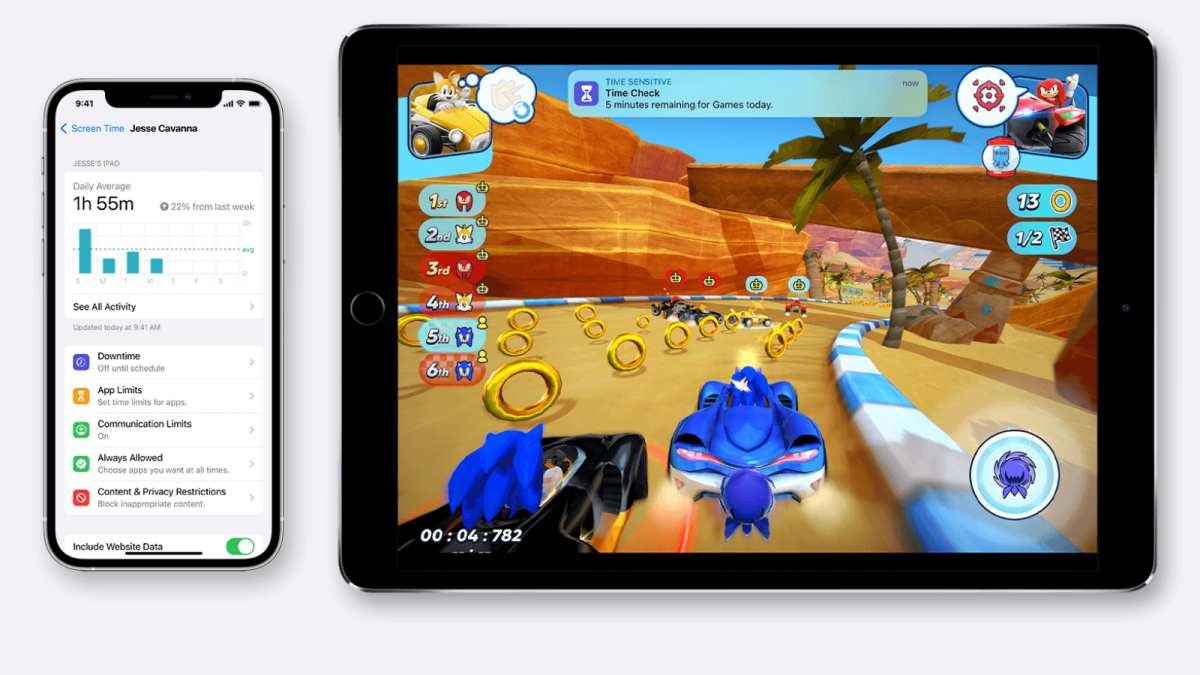
Focus apps, phone alarms, kitchen timers, visual timers, and browser blockers can all help. Visual timers are especially useful because students can see time shrinking, which sounds alarming but is actually helpful.
4. Goal-Setting Tools
Goals give direction. Without goals, students may work hard but still feel scattered. A strong student goal is specific, measurable, realistic, and time-bound. “Do better in math” is a wish. “Complete 20 minutes of math practice four days this week” is a plan.
SMART goals for students
SMART goals help students turn big intentions into clear actions. A student might set a goal such as, “I will review biology notes for 15 minutes every Monday, Wednesday, and Friday before dinner for the next two weeks.” This goal is specific, measurable, achievable, relevant, and time-bound.
Goal-setting sheets, weekly action plans, academic coaching forms, and habit trackers can help students choose one or two priorities at a time. That last part matters. A student who tries to fix sleep, study habits, exercise, room cleaning, essay writing, and world peace in one week will probably end up overwhelmed and eating cereal from the box.
5. Self-Monitoring Charts
Self-monitoring is a powerful self-management strategy. It asks students to observe their own behavior and record what they notice. For example, a student might track whether they started work on time, stayed focused, brought materials, participated respectfully, or completed assignments.
The point is not to shame students. The point is to build awareness. When students track behavior, they often begin to see patterns: “I focus better after lunch when I sit near the front,” or “I forget homework on days when I do not check my backpack before leaving.” Once a pattern is visible, it becomes easier to change.
Simple self-monitoring example
A daily self-monitoring chart might ask students to rate themselves from 1 to 3 on preparation, focus, effort, and completion. At the end of the week, the student reviews the chart and chooses one improvement. This keeps reflection short, practical, and less dramatic than a full academic autobiography.
6. Reflection Journals
Reflection helps students learn from experience instead of simply surviving it. A reflection journal can be a notebook, digital document, form, or weekly worksheet. Students can answer questions such as: What worked this week? What was difficult? What distracted me? What helped me recover? What will I try next?
This tool is useful after tests, projects, presentations, group work, or challenging weeks. It helps students build metacognition, which means thinking about their own thinking. That may sound fancy, but it is basically the brain holding a team meeting with itself.
Reflection journals work best when they are brief. A student does not need to write a novel every Friday. Three thoughtful sentences can be enough if they lead to a better plan.
7. Study Trackers
Study trackers help students measure study time, strategies, and results. Many students say they “studied,” but that can mean anything from active practice to staring at a textbook while mentally redecorating their room. A study tracker adds clarity.
Students can track what subject they studied, how long they studied, what strategy they used, and how confident they feel afterward. Useful study strategies include retrieval practice, spaced repetition, practice tests, summarizing from memory, teaching the topic to someone else, and reviewing mistakes.
Over time, students can compare effort with performance. They may discover that rereading notes for two hours is less effective than doing practice questions for 30 minutes. This is not because notes are evil. It is because active learning usually beats passive staring contests.
8. Digital Organization Tools
Digital tools can support student self-management when used wisely. Apps such as Google Keep, Microsoft OneNote, Notion, Trello, Todoist, Evernote, and school learning management systems can help students organize tasks, notes, files, and deadlines.
The danger is tool overload. A student does not need seven apps to manage one essay. Too many systems can become a digital junk drawer. The best approach is to choose a small set of tools: one calendar, one task list, one note-taking system, and one file storage system.
Digital organization example
A student might use Google Calendar for deadlines, Google Drive for class folders, Google Docs for assignments, and a simple task app for daily to-dos. Another student might prefer a paper planner and one digital reminder app. The right system depends on the student’s habits, age, school requirements, and comfort with technology.
9. Routines and Visual Schedules
Routines reduce decision fatigue. When students know what happens first, next, and last, they spend less energy figuring out how to begin. This is helpful for morning routines, homework time, bedtime, study sessions, and classroom transitions.
Visual schedules work especially well for younger students and students who benefit from predictable structure. A visual schedule might use pictures, icons, written steps, or color-coded blocks. For older students, a weekly schedule can show class time, homework blocks, meals, exercise, work shifts, and rest.
A good routine is flexible enough for real life. If a plan collapses because the printer becomes possessed or the bus is late, students need a recovery step. Self-management is not about never falling off track. It is about knowing how to get back on without declaring the whole week ruined.
10. Emotion Regulation Tools
Students cannot manage assignments well if emotions are running the entire control room. Stress, frustration, boredom, anxiety, and disappointment can all affect learning. Emotion regulation tools help students pause, name what they feel, and choose a response.
Useful tools include breathing exercises, calm-down cards, feelings charts, break passes, grounding strategies, movement breaks, positive self-talk scripts, and problem-solving worksheets. These tools are not just for “little kids.” High school and college students also need ways to reset when stress starts driving the bus.
Example of an emotion regulation plan
A student might use a three-step plan: pause, breathe, choose. First, they pause before reacting. Second, they take three slow breaths. Third, they choose one action, such as asking for help, taking a short break, rereading directions, or starting with the easiest problem. Simple does not mean weak. Simple means usable under pressure.
11. Assignment Trackers
An assignment tracker is a dedicated system for recording homework, projects, tests, due dates, submission status, and missing work. It can be a spreadsheet, notebook page, app, or printable template.
Students often lose points not because they cannot do the work, but because they forget to submit it, misread the deadline, or leave it in the mysterious black hole known as “my folder.” An assignment tracker helps prevent those avoidable losses.
A strong tracker includes the class, assignment name, due date, estimated time, materials needed, completion status, and submission confirmation. For long-term projects, it should include mini-deadlines. A due date without mini-deadlines is just a cliff with a calendar on it.
12. Accountability Systems
Self-management does not mean students must do everything alone. Accountability systems provide support while still encouraging independence. These systems may include study partners, teacher check-ins, family meetings, academic coaching, tutoring, peer groups, or weekly progress reviews.
The best accountability is not nagging. It is collaborative. Instead of “Did you do your homework?” a better question is, “What is your plan for getting it done?” Instead of “Why are you behind?” try, “What got in the way, and what support would help?”
When students are part of the planning process, they are more likely to use the tools. Nobody loves a system that feels like it was dropped from the sky by the Department of Adult Decisions.
How Teachers Can Support Student Self-Management
Teachers can support self-management by modeling tools, giving students practice, and gradually fading support. For example, a teacher might first demonstrate how to break down an essay, then guide the class through planning one, then ask students to create their own project timeline.
Classrooms can also include visual directions, posted routines, assignment calendars, reflection forms, self-monitoring checklists, and regular goal-setting moments. These supports benefit many students, not only those with identified challenges.
Teachers should also explain why tools matter. Students are more likely to use a planner or checklist when they understand the purpose. “This helps your brain stop carrying everything at once” is more motivating than “Because I said so,” even if the second one is tempting on a Tuesday.
How Parents Can Help Without Taking Over
Parents and caregivers can help students build self-management by creating predictable routines, offering choices, and asking planning questions. The goal is to guide, not rescue. If adults manage every deadline, backpack, and study session, students may complete work but miss the chance to develop independence.
Helpful questions include: What is due this week? What is your first step? How long do you think it will take? What might get in the way? What will you do if you get stuck? These questions help students think ahead and build problem-solving skills.
Families can also hold short weekly planning sessions. Ten minutes on Sunday can prevent five evenings of chaos. Add snacks and the meeting becomes almost civilized.
How Students Can Choose the Right Tools
The best self-management tool is the one that matches the student’s real life. A student who hates writing by hand may not stick with a paper planner. A student who gets distracted by apps may do better with a notebook. A student who forgets everything unless it buzzes may need digital reminders.
Students should test one tool at a time for at least two weeks. They can ask: Did this tool make school easier? Did I actually use it? Was it too complicated? Did it help me start tasks, finish tasks, or remember tasks? The answer should guide the next adjustment.
Self-management is personal. Some students need colorful systems. Others need plain lists. Some like detailed plans. Others need a simple “today only” board. There is no trophy for having the fanciest system. The prize is getting things done with less stress.
Common Mistakes to Avoid
One common mistake is choosing tools that are too complicated. A planner with 47 sections may look impressive, but if students need a tutorial to write down homework, the system is probably doing too much.
Another mistake is expecting instant change. Self-management skills develop through practice. Students need modeling, reminders, feedback, and time. Forgetting to use a tool does not mean the student failed. It means the system may need to be simpler, more visible, or connected to an existing habit.
A third mistake is using tools only after problems happen. Self-management works best as prevention. It is easier to check a planner daily than to rebuild an entire semester from missing assignments and emotional rubble.
Real-World Experiences With Tools for Student Self-Management
In real classrooms and homes, self-management tools work best when they feel practical instead of perfect. Consider a middle school student who constantly forgets assignments. At first, the adults may assume the student is careless. But after introducing a simple assignment tracker, the pattern becomes clear: the student writes homework in different places, sometimes on a worksheet, sometimes in the margins of a notebook, sometimes in the ancient memory palace of “I’ll remember later.” Spoiler: later remembers nothing.
Once the student begins using one consistent tracker, the situation changes. The tracker does not make homework fun, and it certainly does not make algebra start telling jokes, but it creates a reliable place to look. The student checks it before leaving school and again before starting homework. After a few weeks, missing assignments decrease. More importantly, the student begins to trust the system.
Another example is a high school student overwhelmed by long-term projects. The student sees “research paper due in three weeks” and freezes. Three weeks feels both far away and terrifyingly close, like a deadline wearing camouflage. A teacher introduces a project map with mini-deadlines: choose topic by Friday, find sources by Tuesday, outline by Thursday, draft by next Monday, revise by Wednesday, submit by Friday. The student now has smaller steps. Each step is less scary than the whole project. Progress becomes visible.
For college students, self-management often becomes more urgent because external structure decreases. No one may remind them daily to study, sleep, eat something that is not shaped like a triangle, or begin an essay before midnight. A weekly planning session can be a game changer. Students who block time for classes, meals, study sessions, exercise, work, and rest often discover that they have more time than they thought, but less random time than they hoped.
One powerful experience comes from using reflection after exams. A student may earn a disappointing grade and immediately think, “I am bad at this subject.” Reflection creates a better question: “What did my preparation actually look like?” The student may realize they reread chapters but did not practice solving problems. Or they studied late at night while exhausted. Or they understood concepts but did not manage test time well. Reflection turns failure into information. That does not make the grade pleasant, but it makes the next attempt smarter.
Timers also create memorable results. Many students believe they can focus for hours, but after using a timer, they notice attention drifting after 18 minutes. This is not a character flaw. It is data. The student can then use shorter focus blocks, scheduled breaks, and a distraction list. When a random thought appears, such as “Should I reorganize my entire closet right now?” the student writes it on the distraction list and returns to the task. The closet can wait. Probably.
Self-monitoring charts are especially helpful when students struggle with behavior or attention. A student who tracks “started work within two minutes” or “used respectful language during group work” becomes an active participant in improvement. The chart should be simple and private enough to preserve dignity. Students do not need public scoreboards for every human wobble. They need feedback they can use.
Students also learn from choosing the wrong tool. A beautiful digital productivity app may fail because it takes too many clicks. A paper planner may fail because it stays at home. A checklist may fail because it is too long. These failures are not wasted. They teach students what kind of system fits their brain. The process is a bit like trying on shoes: the shiny pair is useless if it gives you blisters by lunchtime.
The biggest lesson from real experience is that self-management grows through small wins. A student remembers to pack materials three days in a row. A student starts homework before dinner twice in one week. A student uses a breathing strategy instead of shutting down. These moments may look tiny from the outside, but they build confidence. Over time, tools become habits, and habits become independence.
Conclusion
Tools for student self-management help students take ownership of their learning, behavior, time, and emotions. They make school responsibilities visible, manageable, and less overwhelming. Planners, checklists, timers, goal sheets, self-monitoring charts, reflection journals, study trackers, routines, digital tools, and accountability systems all serve the same larger purpose: helping students become more independent learners.
The best approach is simple: choose one tool, use it consistently, reflect on whether it works, and adjust. Students do not need perfect systems. They need usable systems. With the right tools and enough practice, self-management becomes less like a mystery and more like a skill. And once students learn how to manage themselves, they carry that ability far beyond schoolinto college, careers, relationships, and all the adult responsibilities that somehow still do not come with a manual.