Packing an iMac without the original box feels a little like trying to move a grand piano wrapped in optimism. It is sleek, expensive, glass-heavy, and not exactly thrilled about being bounced around in the back of a truck. The good news: you can absolutely pack an iMac safely without the factory box if you use the right materials, protect the screen correctly, and avoid the classic mistake of treating it like just another office gadget.
This guide walks you through how to pack an iMac without the original box for a local move, long-distance move, storage, or shipping. You will learn what supplies to buy, how to protect the display, how to keep the computer stable inside the box, and which packing shortcuts are not clever at all. If you are moving a 24-inch iMac, an older 21.5-inch model, or a larger 27-inch iMac, the same principles apply: protect the glass, absorb shock, keep it upright, and give every loose accessory its own job instead of letting it become a tiny wrecking ball.
Why an iMac Needs Special Packing
An iMac is not just a desktop computer. It is an all-in-one computer with delicate display glass, internal components, ports, and a built-in stand. That means one bad bump can affect far more than just the outer shell. Unlike a tower PC, you cannot simply toss the monitor in one box and the computer in another. The screen and the machine are one unit, so your iMac packing materials need to protect both at the same time.
The original Apple box is ideal because it was engineered around the exact shape of the machine. But if that box left your life years ago, do not panic. A properly sized TV box, mirror box, or heavy-duty monitor box can work beautifully. The trick is making the replacement packaging behave like a custom-fit box, which means building in screen protection, corner protection, side cushioning, and zero room for dramatic internal movement.
What You Need to Pack an iMac without the Original Box
Before you start wrapping like a packing ninja, gather everything first. Midway improvisation is how people end up taping a power cord to a blanket and calling it a system.
- Double-wall cardboard box, TV moving box, mirror box, or specialty electronics box
- Second outer box if you plan to ship the iMac
- Foam corner protectors or thick foam sheets
- Anti-static bag or large plastic computer bag
- Packing paper or a soft lint-free cloth for the screen
- Bubble wrap
- Moving blanket or furniture pad
- Packing tape
- Stretch wrap
- Zip bags for cords and accessories
- Labels or marker for “Fragile” and “This Side Up”
- Optional silica gel packs if humidity is a concern
If you are buying supplies from scratch, prioritize foam and a sturdy box over gimmicky extras. Fancy labels do not save screens. Cushioning does.
Before You Pack: The Smart Prep Work
1. Back up your data first
Before you think about cardboard, think about your files. Use Time Machine or another backup method and make sure your photos, documents, and settings are safe. Packing protects the hardware. A backup protects your sanity.
2. Shut the iMac down and unplug everything
Turn off the machine completely. Disconnect the power cord, external drives, keyboard, mouse, hubs, and anything else attached to it. If you use a complicated setup, take a few photos of the cable arrangement before you unplug everything. Future you will appreciate this more than present you can imagine.
3. Clean the screen gently
Dust and grit can scratch the display once you start wrapping. Use a soft lint-free cloth and, if needed, a little water on the cloth, not on the screen. Skip harsh cleaners, window spray, and anything that sounds like it should live under a kitchen sink.
4. Decide whether you are moving it or shipping it
This matters. A short car ride across town is not the same as sending an iMac through a carrier network. For a local move, one strong box and careful handling may be enough. For shipping, double-boxing an iMac is the better move because it adds another layer of impact protection.
Step-by-Step: How to Pack an iMac without the Original Box
Step 1: Protect the screen first
The display is the star of the show and also the diva. It needs special treatment. Start by placing a clean lint-free cloth, foam sheet, or smooth packing paper over the screen. This creates a soft barrier so the bubble wrap does not leave marks or press directly against the glass.
Never tape anything directly to the display. Tape should only attach to the outer wrap or the iMac’s casing if absolutely necessary. Think of the screen like sunglasses with a law degree: it scratches easily and remembers everything.
Step 2: Add corner protection
Corners take abuse during moving and shipping, so pad them generously. Use foam corners if you have them. If not, cut thick foam to fit around each corner. This is one of the best ways to reduce damage from drops, bumps, and side pressure.
Step 3: Wrap the iMac body
Slide the iMac into an anti-static bag or large plastic bag if you have one. This helps guard against dust and minor moisture exposure. Then wrap the entire computer in two to three layers of bubble wrap. Go around the body and stand carefully, keeping the wrap snug but not so tight that you are compressing the screen area.
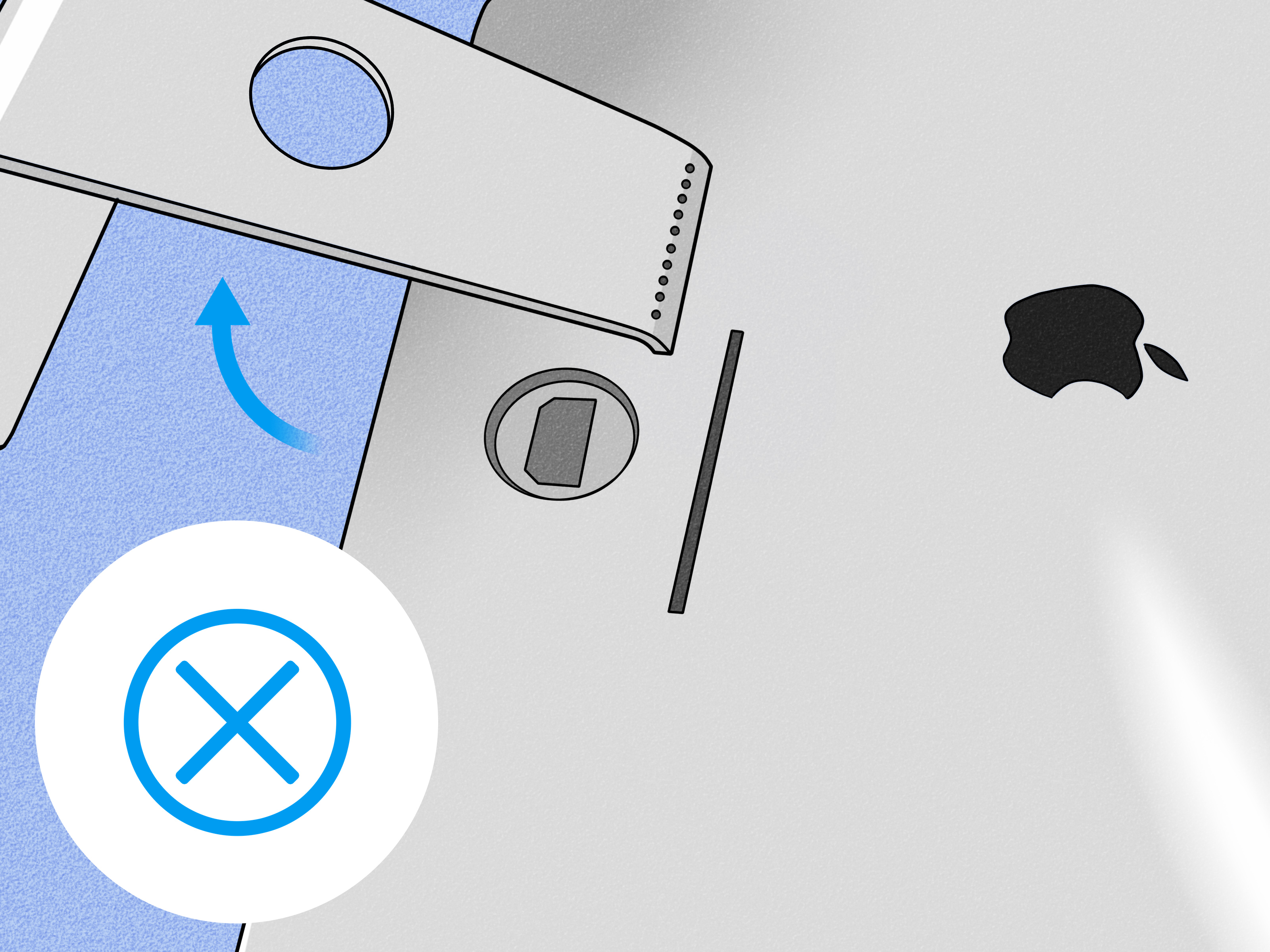
If your iMac model has a standard stand that is not designed for easy removal, do not force it. Pack around it. A broken stand is a terrible souvenir.
Step 4: Wrap the whole unit in a moving blanket
After the bubble wrap, add a moving blanket or furniture pad around the iMac for one more protective layer. This is especially useful for local moves and long drives where vibration is the main enemy. Secure the blanket with stretch wrap or tape on the outside of the blanket, not against the computer itself.
Step 5: Pack accessories separately
Power cords, keyboards, mice, adapters, and external drives should be packed in labeled bags or small boxes. Do not let them float loose inside the iMac box. A charging cable may look innocent, but in transit it can turn into a glass-punching menace.
If you must place accessories in the same box, isolate them in a padded compartment away from the screen and main body of the iMac.
Step 6: Build a cushioned base inside the box
Line the bottom of the box with thick cushioning. Foam sheets are ideal. Crumpled packing paper and bubble wrap can help, but the goal is to create a shock-absorbing base, not a saggy nest. You want the iMac supported evenly, not leaning like it has had a very long week.
Step 7: Place the iMac upright inside the box
Set the wrapped iMac upright in the box. This is one of the most important rules when figuring out how to move an iMac safely. Large flat-panel electronics are generally safer upright because laying them flat can expose the screen to pressure and vibration in all the wrong ways.
Once the iMac is inside, fill the side gaps with foam, padded inserts, or tightly packed cushioning so the computer cannot shift. You want a snug fit on all sides. If the iMac can wobble, your box is not done yet.
Step 8: Cushion the top and seal the box
Add cushioning above the iMac before closing the box. Then tape every seam securely with strong packing tape. Label the box clearly with FRAGILE, THIS SIDE UP, and COMPUTER. Labels do not guarantee gentle treatment, but they do improve your odds.
Step 9: Double-box it if shipping
If you are shipping the iMac through FedEx, UPS, or another carrier, place the packed inner box inside a slightly larger outer box. Add cushioning on all sides between the two boxes. This double-boxing method creates an extra impact zone and is one of the smartest upgrades you can make for high-value electronics.
Best Packing Setup for Different Situations
For a local move in your own car
If you are only driving across town, you can often get away with a simpler setup: screen barrier, bubble wrap, moving blanket, snug TV or monitor box, and upright transport. Place the box in the back seat or cargo area where it can stay upright and cannot slide. Use other soft items or tiedown straps to stabilize it. Do not stack heavy boxes on top of it. Your blender can fend for itself.
For a moving truck
Use a heavy-duty box and plenty of padding, then position the iMac box upright between other flat, stable items. Mattresses, secured furniture, or padded panels can help prevent side movement. Avoid placing the iMac near loose tools, heavy bins, or anything with the personality of a bowling ball.
For shipping across the country
This is where you want the full treatment: anti-static protection, screen barrier, corner foam, bubble wrap, moving blanket, snug inner box, outer shipping box, and ample cushioning between the two. For a costly model, consider professional packing service or added declared value protection. A premium computer deserves premium paranoia.
Mistakes to Avoid When Packing an iMac
- Skipping the backup: Hardware can be replaced. Family photos from 2014 cannot.
- Putting bubble wrap directly on the screen without a barrier: This can leave marks or create pressure points.
- Using a giant box with lots of empty space: Room to move is room to break.
- Letting accessories ride loose in the same box: Cords and adapters are not padding.
- Laying the iMac flat: Upright transport is usually the safer move for large flat-panel electronics.
- Using weak single-wall cardboard: Flimsy boxes are a confidence trick.
- Forcing the stand off: If it is not designed to be removed easily, do not improvise with brute force and hope.
- Over-taping the computer itself: Tape belongs on packaging, not on the iMac’s display or finish.
A Quick Checklist before the Box Leaves Your House
- Data backed up
- iMac fully shut down
- All cables disconnected and labeled
- Screen covered with soft barrier
- Corners padded
- Body wrapped in anti-static layer and bubble wrap
- Accessories packed separately
- Box cushioned on all sides
- iMac packed upright
- Outer box added for shipping
- Labels attached clearly
What the Experience Is Actually Like: Real-World Lessons from Packing an iMac without the Original Box
The first surprise most people have when packing an iMac without the original box is how quickly the job turns from “I’ll knock this out in ten minutes” into “Why am I now measuring foam like I work in a tiny shipping laboratory?” That is normal. An iMac looks simple on a desk, but once you unplug it, you realize it is part sculpture, part display, part expensive anxiety generator.
In real-world moves, the hardest part is usually not the wrapping. It is finding the right box and resisting the temptation to settle for a box that is merely “close enough.” Close enough works for socks. It does not work for a glass-front all-in-one computer. People often discover that the best solution is a flat-screen TV box, mirror box, or specialty monitor box, then spend most of the packing time customizing the inside so the iMac fits tightly and stays upright.
Another common experience is underestimating how important the screen barrier is. Plenty of otherwise careful packers assume bubble wrap alone is enough. Then they learn that screens do better when a soft cloth, smooth paper, or foam sheet goes on first. That extra layer feels minor when you are packing, but it is one of those details that separates “arrived fine” from “why does this corner look stressed?”
There is also the accessory problem. In theory, a keyboard, mouse, and power cable seem harmless. In practice, once they share a box with the iMac, they become chaos in small-object form unless each one is bagged, padded, and positioned away from the computer. People who have packed electronics before usually learn the same lesson: loose accessories are not companions, they are projectiles.
The emotional experience is funny, too. The moment you tape up the box, you will probably feel either deeply accomplished or deeply suspicious. That is why a good test matters. Gently press on the sides. Lift the box a little. If you feel shifting, hear sliding, or sense any wobble, reopen it and add more padding. The best packers are not the fastest ones. They are the ones willing to admit, “Nope, that sounds bad,” before the truck door closes.
For local moves, many people say the most reassuring setup is transporting the iMac in their own vehicle, upright, stabilized, and away from heavy cargo. For shipping or long-distance moves, the big lesson is that professional packing can be worth the money if the iMac is especially valuable or if you simply cannot find the right materials. Sometimes the cheapest plan is not the one with the lowest upfront cost. Sometimes the cheapest plan is the one that does not end with replacing a computer.
And finally, nearly everyone who packs an iMac without the original box comes away with the same conclusion: it is absolutely doable, but it rewards patience. This is a “measure twice, cushion three times, and move like you are carrying a very judgmental aquarium” kind of project. Once you accept that, the process becomes far less stressful and a lot more successful.
Final Thoughts
If you are wondering how to pack an iMac without the original box, the answer is simple in principle and detailed in execution: back it up, protect the screen, pad the corners, wrap the body, box it snugly, keep it upright, and double-box it for shipping. That combination gives your iMac its best chance of arriving safely whether you are heading across town or across the country.
The original box may be gone, but safe packing is still very much on the table. With the right materials and a little patience, you can move or ship an iMac without turning the experience into a tragic tech opera.