AirPods Max are gorgeous, powerful, and wonderfully Apple-likemeaning they do some things brilliantly and other things in a way that makes you stare at them like they just stole your sandwich. The biggest mystery? Whether you can actually turn them off.
Can You Turn Off AirPods Max?
The short answer is: no, you cannot turn off AirPods Max in the traditional sense. There is no power button, no “Shut Down” menu, and no secret Digital Crown spell that powers them off completely. Unlike many over-ear Bluetooth headphones, AirPods Max are designed to manage power automatically.
Instead of turning off, AirPods Max enter low-power or ultra-low-power states when they are not being used. The headphones detect when they are removed from your head, when they are stationary, and when they are placed inside the Smart Case. Apple’s idea is simple: you should be able to take them off, put them down, pick them up later, and continue listening without thinking about power management. Convenient? Mostly. Confusing? Absolutely.
This design works beautifully when everything behaves as expected. You remove the headphones, they go to sleep, and battery loss stays reasonable. But if you are used to holding down a power button until a light blinks goodbye, the AirPods Max can feel like a luxury car with no ignition switch. Fancy, yes. Slightly dramatic, also yes.
How AirPods Max Save Battery Without Turning Off
AirPods Max rely on automatic power-saving stages. When you stop using them, they eventually reduce activity to preserve battery. When you place them in the Smart Case, they enter a deeper power-saving state faster. This is why Apple recommends storing them in the Smart Case when they are not in use.
Low-Power Mode
Low-power mode is the “nap” stage. Your AirPods Max are not fully off, but they reduce battery use. They may still be available for fast reconnection, which is why they can wake quickly when you put them back on.
Ultra-Low-Power Mode
Ultra-low-power mode is the deeper sleep state. In this mode, AirPods Max preserve battery more aggressively. The Smart Case helps trigger this behavior, which is why that odd little case matters more than it looks. Yes, it has been compared to a tiny handbag, a headphone diaper, and other things too rude for polite tech journalismbut it does have a real job.
For everyday users, the practical rule is easy: if you are done listening for the day, put AirPods Max in the Smart Case. If you are only pausing for lunch, setting them on a desk is usually fine. If you are putting them away for several days, use the case and charge them before storage.
Does the Smart Case Turn Off AirPods Max?
No, the Smart Case does not turn AirPods Max off like a power switch. It places them into an ultra-low-power state to help preserve battery. That distinction matters because the headphones may still lose a small amount of charge over time.
The Smart Case uses magnets to tell the headphones they are being stored. Once the AirPods Max recognize that signal, they reduce background activity. This is the closest thing to “turning off” AirPods Max, even though technically they remain in a managed sleep state.
Should You Always Use the Smart Case?
If you care about battery life, yes. The Smart Case is not the most protective case in the world, and many users wish Apple included a sturdier travel case. But for power management, it is important. If you leave AirPods Max outside the case overnight, they should still conserve power, but using the case gives them the clearest instruction: “We are done here. Go to sleep.”
Can You Turn Off AirPods Max Without the Case?
You cannot manually turn off AirPods Max without the case. However, you can set them down and allow them to enter low-power mode automatically. The headphones are designed to detect inactivity and reduce power use on their own.
That said, the Smart Case remains the better option when you want to save as much battery as possible. Leaving them on a desk is acceptable for short breaks, but it is not the best long-term storage method. Think of it like closing a laptop lid versus putting the laptop in a padded sleeve. Both pause the action, but one is clearly more intentional.
What If You Lost the Smart Case?
If you lost the Smart Case, your AirPods Max will still work. They will still enter power-saving behavior after inactivity. But battery preservation may not be as efficient, and you lose the easiest way to trigger the deepest sleep state. You can buy a replacement Smart Case or use a third-party case with sleep magnets, but choose carefully. Not every third-party case reliably triggers low-power behavior.
How Long Does the AirPods Max Battery Last?
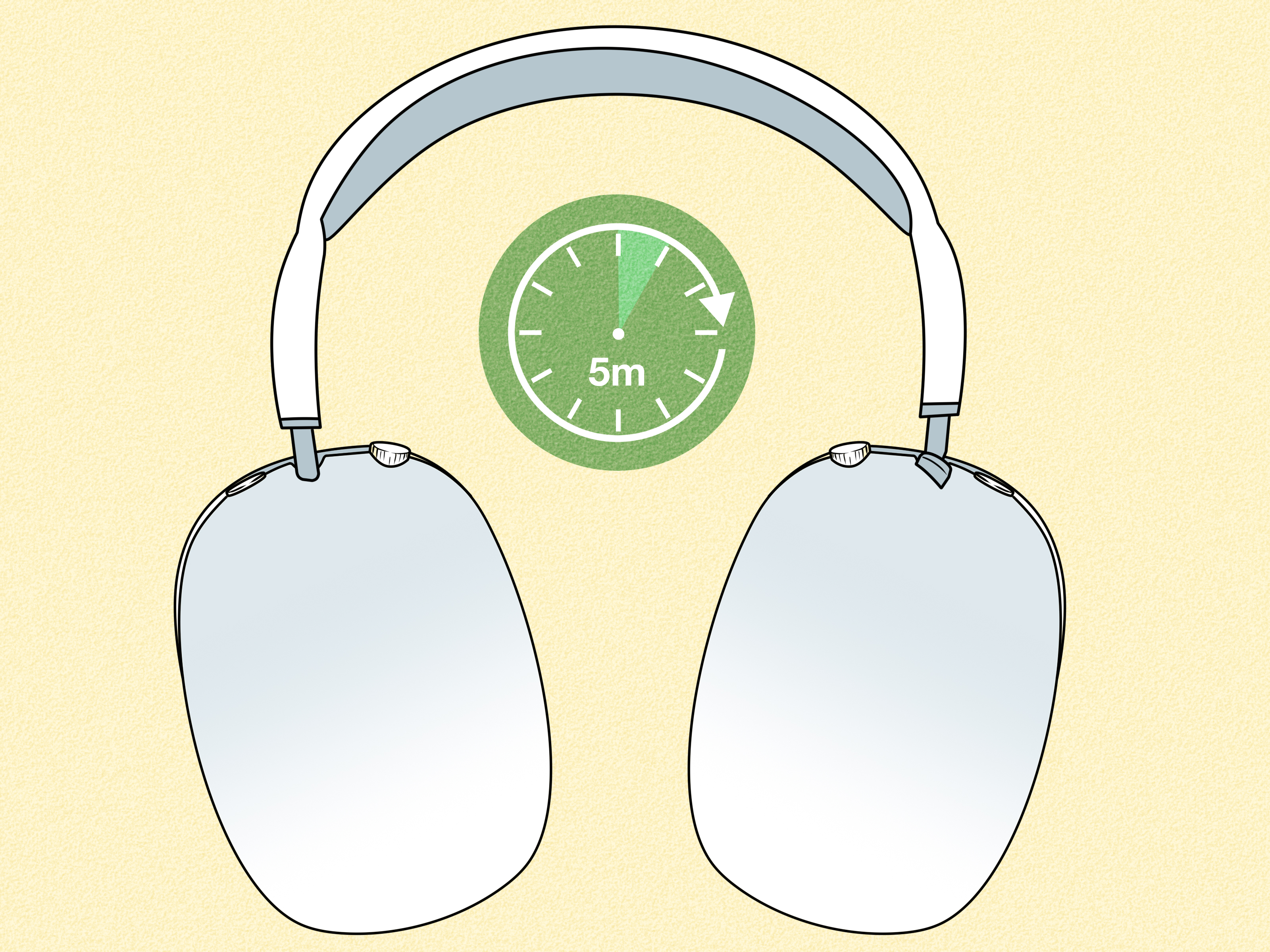
Apple rates AirPods Max for up to 20 hours of listening time on a single charge with Active Noise Cancellation enabled. They also support quick charging: around five minutes of charging can provide roughly 1.5 hours of listening time, depending on model, settings, volume, battery age, and environment.
In real life, battery life depends on how you use them. Loud volume, long calls, Spatial Audio, cold temperatures, frequent switching between devices, and older batteries can all affect performance. If you bought your AirPods Max years ago and they no longer last as long as they did on day one, that is normal lithium-ion battery behavior, not necessarily a personal betrayal by Cupertino.
Why Didn’t Apple Add a Power Button?
Apple’s design philosophy often favors automatic behavior over manual controls. AirPods Max are built to feel like part of the Apple ecosystem: put them on and they connect, take them off and they pause, place them in the case and they sleep. The missing power button is part of that “it just works” idea.
The problem is that “it just works” can become “it just makes me nervous” when users see battery drain and cannot press a button to stop it. Many competing headphones from Sony, Bose, Sennheiser, and others include physical power buttons because they give users a sense of control. AirPods Max trade that control for convenience.
Whether that is good depends on your habits. If you use AirPods Max every day, automatic sleep is usually fine. If you use them once a week, you may wish Apple had included a normal off switch. Sometimes simplicity is elegant. Sometimes simplicity steals 8% battery while you are sleeping.
Can You Turn Off Noise Cancellation on AirPods Max?
Yes, but this is different from turning off the headphones. AirPods Max let you switch between listening modes such as Active Noise Cancellation and Transparency mode. Depending on your model and software version, you may also be able to customize which modes the listening mode button cycles through.
To switch modes, press the noise control button on the right ear cup. On iPhone or iPad, you can also open Control Center, press and hold the volume slider while wearing AirPods Max, and choose the listening mode you want. Turning off noise control may save a little battery, but it does not power down the headphones.
Noise Cancellation Off vs. AirPods Max Off
This is a common mix-up. “Off” in listening mode means the noise processing mode is off. It does not mean the headphones are powered off. Your AirPods Max are still connected, awake, and ready to play audio.
How to Restart or Reset AirPods Max
If your AirPods Max behave strangely, restart them before assuming the battery is doomed. To restart, press and hold the Digital Crown and the noise control button at the same time until the status light flashes amber. This can help with connection problems, audio glitches, or unresponsive controls.
If problems continue, you can reset AirPods Max to factory settings. This removes them from your Apple account pairing setup and lets you reconnect them fresh. Resetting is especially useful before selling, gifting, or troubleshooting stubborn issues.
When Should You Restart Them?
Restart AirPods Max if they will not connect, the battery indicator seems wrong, audio cuts out, or the headphones appear frozen. Restarting is not the same as turning them off, but it can solve many issues that feel like power problems.
Why Are My AirPods Max Losing Battery Overnight?
Some battery loss overnight is normal. AirPods Max are never truly off, so a small drop can happen. But a huge dropfrom 80% to 10%, for exampleis not normal and may indicate a problem.
Common Reasons for Battery Drain
- The headphones were not seated correctly in the Smart Case.
- The Smart Case magnets did not trigger sleep mode properly.
- The headphones stayed connected to a nearby device.
- Firmware or software needed updating.
- The battery has aged after years of use.
- A third-party case failed to activate low-power behavior.
To reduce battery drain, place the headphones carefully in the Smart Case, make sure your iPhone, iPad, or Mac is updated, charge the headphones fully, and restart them if the battery percentage behaves oddly. If the problem continues, contact Apple Support because rapid drain may point to a hardware or battery issue.
How to Save Battery on AirPods Max
You do not have a power button, but you still have options. The goal is to help AirPods Max enter the deepest sleep state quickly and avoid unnecessary connection activity.
1. Use the Smart Case
This is the biggest battery-saving habit. When you are finished listening, put AirPods Max in the Smart Case instead of leaving them loose on a desk, couch, bed, or mysterious pile of laundry.
2. Keep Firmware and Devices Updated
AirPods firmware updates install automatically when the headphones are charging and near a paired Apple device connected to the internet. Keeping your iPhone, iPad, and Mac updated can also improve connection behavior.
3. Avoid Extreme Temperatures
Very hot or cold conditions can reduce battery performance. Do not leave AirPods Max in a parked car on a hot day unless your goal is to make premium headphones experience emotional damage.
4. Turn Down Volume When Possible
Higher volume can use more battery. You do not need to listen at whisper level, but if your playlist is loud enough to notify the neighbors, your battery is probably working harder too.
5. Restart When Battery Readings Look Weird
If the battery percentage jumps, freezes, or drains strangely, restart the headphones. This may refresh the connection and fix temporary reporting glitches.
AirPods Max Power Questions: Quick FAQ
Do AirPods Max ever fully turn off?
Not in a user-controlled way. They use automatic low-power and ultra-low-power states instead of a true manual off mode.
Can I force AirPods Max to shut down?
No. You can restart or reset them, but you cannot force a normal shutdown. The only way they become completely inactive is when the battery is drained, which is not a useful daily strategy.
Do AirPods Max charge inside the Smart Case?
Yes. You can charge them inside the Smart Case by aligning the case cutout with the charging port. Depending on your model, AirPods Max use Lightning or USB-C for charging.
Should I leave AirPods Max charging overnight?
Occasional overnight charging is generally fine because modern battery systems manage charging automatically. Still, for long-term battery health, avoid constant heat and unnecessary charging in very warm environments.
Why do AirPods Max wake up so fast?
Because they are not fully off. Their sleep behavior allows quick reconnection when you put them back on, which is one of the benefits of Apple’s automatic design.
Is the Smart Case required?
It is not required for listening, pairing, or charging, but it is strongly recommended for preserving battery when AirPods Max are not in use.
Real-World Experience: Living With AirPods Max and No Power Button
Using AirPods Max every day teaches you one thing quickly: these headphones want to be treated less like regular Bluetooth headphones and more like a tiny Apple device with ear cushions. At first, the missing power button feels strange. You finish listening, reach for a button, find nothing, and briefly wonder whether the headphones are silently judging you. They are not. Probably.
The biggest adjustment is learning to trust the sleep system. If you use AirPods Max several times a day, the no-power-button design becomes convenient. You take them off for a phone call, set them down, return later, and they reconnect almost instantly. There is no boot-up delay, no long press, and no robotic voice announcing “power on” like a budget speaker from 2014. In that sense, the design feels premium.
The experience changes when you travel. The Smart Case saves battery, but it does not protect the headphones as well as many people expect from a high-end product. In a backpack, the exposed headband and ear cups can make you nervous. Many owners buy a third-party hard case for physical protection, then discover they also need to make sure the case supports sleep magnets. Otherwise, the headphones may stay more active than expected. This is where the AirPods Max experience becomes very Apple: beautiful, clever, and slightly dependent on buying one more accessory.
For office use, the automatic sleep behavior is easier to love. Put the headphones on, join a video call, switch to music, remove them when someone walks over, and everything pauses naturally. The Digital Crown remains one of the best volume controls on any headphone. It feels precise, smooth, and satisfying, like turning the tiny steering wheel of a luxury spaceship. The noise control button is also simple enough that you do not need a manual after the first day.
Battery anxiety usually appears after long gaps. If you listen on Monday, leave the headphones out until Friday, and expect a full battery, you may be disappointed. AirPods Max are designed for regular use and smart storage, not being abandoned on a shelf like a gym membership in February. The best habit is boring but effective: when you stop listening, put them in the Smart Case. When the battery gets low, charge for a few minutes and keep going.
In daily life, the lack of a power button is not a dealbreaker for everyone. For heavy Apple users, it can feel seamless. For people who value manual control, it can feel unnecessarily stubborn. The truth sits in the middle. AirPods Max do not need a power button to work well, but they would be easier to understand if they had one. Sometimes good design removes friction. Sometimes it removes a button people actually wanted.
The practical lesson is simple: stop searching for the hidden off switch. There is not one. Use the Smart Case, keep software updated, restart if something acts weird, and charge before long trips. Once you accept that AirPods Max sleep instead of shut down, they become much less mysteriousand much easier to enjoy.
Conclusion
So, can you turn off AirPods Max? Not manually. AirPods Max do not have a traditional power button and do not offer a standard shutdown option. Instead, they rely on automatic low-power behavior and the Smart Case to preserve battery. For most users, the best routine is simple: use them, enjoy them, then place them in the Smart Case when finished.
If your AirPods Max battery drains quickly, check that they are seated correctly in the case, restart them, update your devices, and watch for unusual battery behavior. The design may be unusual, but once you understand how AirPods Max manage power, the whole system becomes much less confusing. Still, would a tiny power button hurt? No. Would Apple add one just because we asked nicely? Also probably no.