Downloading songs on YouTube Music sounds simple until Android throws in a few plot twists: subscription rules, Wi-Fi settings, storage limits, mysterious missing download buttons, and that one playlist that refuses to save right before your flight boards. The good news? Once you understand how offline listening works, downloading music on Android becomes less like solving a tech riddle and more like packing snacks before a road trip.
This guide explains how to download songs on YouTube Music, what “download” actually means inside streaming apps, and how other popular Android music apps handle offline playback. We will cover YouTube Music, Spotify, Apple Music, Amazon Music, TIDAL, Deezer, SoundCloud, Pandora, Audiomack, and Bandcamp. We will also talk about storage, sound quality, legal limits, and real-world habits that make offline listening smoother.
One important note before we press the imaginary download button: this article focuses on legal in-app downloads and offline listening. It does not recommend ripping songs from YouTube, using “Premium unlocked” APKs, or trusting suspicious downloader websites that look like they were built during a thunderstorm. Those methods can violate terms, hurt artists, and turn your phone into malware’s new vacation home.
What “Downloading Songs” Really Means on Android
In most Android music apps, downloading songs does not mean you receive regular MP3 files that you can move anywhere forever. Instead, the app saves encrypted offline files inside its own storage. You can play them in that app while your subscription is active, your account is signed in, and the track remains available in your region.
Think of it like borrowing a library book with a very organized librarian. You can read it offline, keep it in your bag, and enjoy it on the train. But you do not own the printing press. If your subscription ends, the app is uninstalled, or the song’s licensing changes, the download may disappear or stop playing.
That distinction matters because people often search for “how to download music on Android” expecting permanent audio files. Some services, such as Bandcamp or purchased Amazon Music MP3s, are closer to ownership. Streaming services such as YouTube Music, Spotify, Apple Music, TIDAL, Deezer, and Pandora mainly provide offline access inside the app.
How to Download Songs on YouTube Music for Android
YouTube Music is one of the easiest Android apps for offline listening, especially if you already use YouTube Premium or YouTube Music Premium. With a paid YouTube Music Premium membership, you can download songs, albums, playlists, music videos, and many podcast episodes for offline playback.
Download a song manually
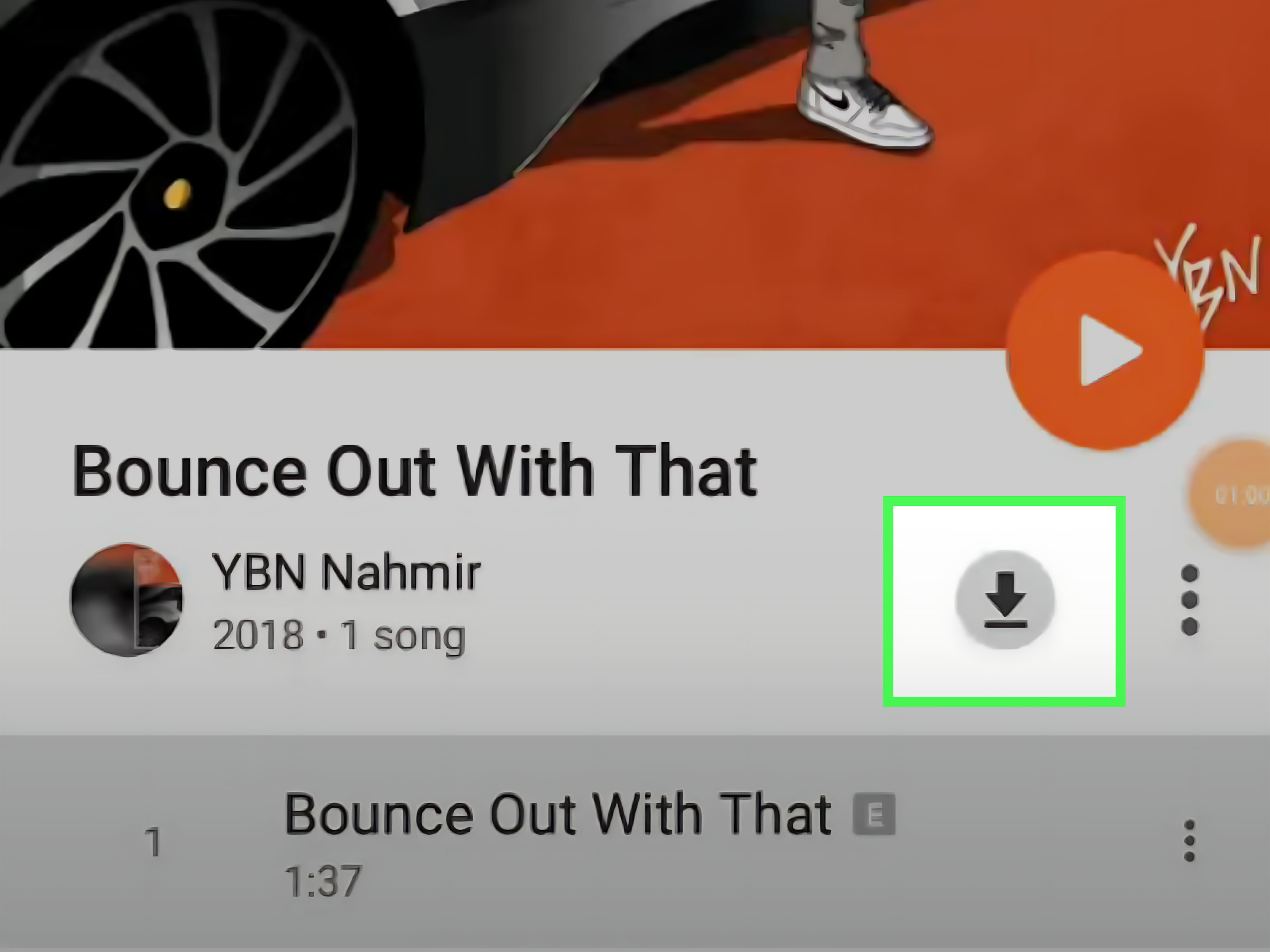
To download a song in YouTube Music on Android, open the YouTube Music app, find the song you want, tap the three-dot menu beside it, and choose Download. For albums and playlists, open the album or playlist page and tap the download arrow. The downloaded content will appear in your library under downloads.
This is best for songs you absolutely know you will want later: your gym playlist, your “do not speak to me before coffee” playlist, or the album you plan to replay until your friends stage a polite intervention.
Use Smart Downloads
YouTube Music also offers Smart Downloads, a feature that automatically downloads music based on your listening history. On Android, you can manage this from your profile picture, then Settings, then Downloads & storage. YouTube Music can automatically download a set of recently played songs, helping you avoid the classic “I forgot to save anything before the tunnel” problem.
Smart Downloads works best when your listening habits are consistent. If you usually play country on Monday, lo-fi on Tuesday, and dramatic movie scores when answering email, the algorithm will try to keep up. It may not understand your emotional journey, but it will bring snacks.
Choose Wi-Fi or mobile data
Inside YouTube Music’s download settings, you can choose what connection types the app may use. Most users should select Wi-Fi only, especially if they download music videos or higher-quality audio. If you allow downloads over mobile data, keep an eye on your carrier plan. Music files are smaller than movies, but a big playlist in high quality can still eat data like popcorn.
Manage quality and storage
YouTube Music lets you manage audio and video quality for downloads. Higher quality sounds better but uses more storage. Lower quality saves space and downloads faster. For casual listening through Bluetooth earbuds on a bus, standard quality is usually fine. For nicer headphones, long flights, or serious listening, higher audio quality may be worth the extra space.
If your phone starts complaining about storage, go to Downloads & storage and clear downloads you no longer need. A good rule: if you downloaded a playlist for a weekend trip three months ago and now it only reminds you of gas station sandwiches, it can probably go.
YouTube Music Premium vs. YouTube Premium
YouTube Music Premium focuses on music. It gives you ad-free music listening, background play, and offline downloads in YouTube Music. YouTube Premium includes those YouTube Music Premium benefits and also adds ad-free video viewing, background play, and offline video downloads in the main YouTube app.
If you mostly listen to music, YouTube Music Premium may be enough. If you also watch YouTube videos, tutorials, concerts, recipes, podcasts, and “how did I end up watching a raccoon open a refrigerator?” content, YouTube Premium may offer better overall value.
How Other Android Music Apps Handle Downloads
YouTube Music is not the only Android app with offline listening. The best option depends on how you listen, what you pay for, whether you care about audio quality, and whether you prefer mainstream catalogs, indie artists, podcasts, or a little bit of everything.
Spotify
Spotify Premium users can download albums, playlists, and podcasts for offline listening. Free users can download podcasts but not music. Spotify also limits offline music to a set number of tracks per device and requires users to go online periodically so the service can verify access and report play data for artist compensation.
Spotify is strong for playlist discovery, podcasts, social sharing, and easy cross-device listening. For Android users who want a simple “download this playlist and go” experience, it remains one of the most convenient choices. The trade-off is that downloaded songs stay inside Spotify; they are not exported as regular music files.
Apple Music on Android
Apple Music works surprisingly well on Android, despite the mild comedy of using an Apple service on a Google-powered phone. After subscribing, you can add songs, albums, or playlists to your library, then tap the download button to save them for offline listening.
Apple Music is a strong choice for listeners who care about album libraries, curated playlists, lossless options, lyrics, and a more traditional music-library feel. It is also useful if you already use Apple Music on other devices and want your Android phone to join the family reunion without making things awkward.
Amazon Music
Amazon Music lets eligible subscribers download songs, albums, and playlists in the Android app. Amazon Music Unlimited and Amazon Music Standard subscriptions support offline downloads, while purchased music can also be downloaded separately depending on the purchase and device options.
Amazon Music is especially attractive for people already living in the Amazon ecosystem. If Alexa controls your lights, your shopping list, your timer, and possibly your soul, adding Amazon Music may feel natural. For offline listening, look for the overflow or more-options menu next to a song, album, or playlist and choose download.
TIDAL
TIDAL is popular with listeners who care about higher-quality audio. On Android, you can download supported content and access it from My Collection, then Downloaded. TIDAL’s offline mode is useful for travel, but high-resolution files can be large, so storage management matters more here than with lower-bitrate services.
If you use wired headphones, a good DAC, or a car system that reveals every tiny detail in a track, TIDAL may be worth considering. If you mostly listen through one tiny phone speaker while cooking pasta, the difference may be less dramatic than the pasta water boiling over.
Deezer
Deezer Premium, Student, Duo, Family, and HiFi users can download albums, favorite tracks, playlists, and some audiobooks in supported countries. On Android, Deezer includes an Offline Mode that lets you listen only to downloaded content when you do not have a connection.
Deezer is a solid all-around choice with personalized recommendations, Flow, playlists, and offline controls. If you like turning on a music app and letting it read the room, Deezer’s recommendation style may be appealing.
SoundCloud
SoundCloud is a little different because it is built around creators, remixes, DJ sets, indie uploads, and tracks you may not find on traditional streaming platforms. On mobile, regular track downloading is not available the same way it may be on desktop when an artist enables downloads. However, SoundCloud Go and Go+ subscribers can save Likes, playlists, and their library for offline listening in the mobile app.
For Android users who love underground music, emerging artists, experimental mixes, and genre rabbit holes, SoundCloud is a treasure chest. Just remember that some tracks may not be available offline because rights holders can control availability.
Pandora
Pandora’s Android app supports offline listening through paid plans. Pandora Premium users can download music for offline listening, while Pandora Plus offers a more station-focused offline experience with a limited number of stations. Pandora is available to U.S. customers and remains a strong option for radio-style listening.
If you prefer to start with an artist or song and let the app build a station, Pandora still feels refreshingly low-effort. It is less about building a perfect library and more about saying, “Play something like this,” then letting the algorithm drive.
Audiomack
Audiomack is one of the more interesting Android options because it supports offline downloads for many songs, albums, and playlists directly in the app. To download, choose a song, playlist, or album and tap the download icon. It is especially popular for hip-hop, Afrobeats, dancehall, reggae, electronic music, and emerging artists.
Audiomack is useful if you want free offline listening and discovery outside the usual major-label lanes. As always, availability depends on what artists and rights holders allow, but for music exploration, it is a fun app to keep around.
Bandcamp
Bandcamp is less like a streaming buffet and more like a beloved record store that happens to live in your pocket. The Android app lets you listen to purchased music online or offline. That makes it a great option for supporting independent artists directly while building a collection you actually care about.
If you buy music on Bandcamp, you can usually download it for personal use and stream it through the app. For fans who want something more meaningful than another rented playlist, Bandcamp can feel refreshingly human.
Best Android App for Downloading Songs: Quick Comparison
Best for YouTube fans: YouTube Music
YouTube Music is ideal if your listening habits include official songs, live performances, covers, remixes, music videos, and obscure uploads. Smart Downloads also makes it one of the easiest apps for automatic offline listening.
Best for playlists: Spotify
Spotify is excellent for playlist discovery, social sharing, podcasts, and simple offline saving. It is a practical choice for most everyday listeners.
Best for audio quality: TIDAL or Apple Music
If sound quality matters, TIDAL and Apple Music are strong contenders. Just remember that higher-quality downloads take more space, so your phone storage may begin sending emotional support notifications.
Best for indie music: Bandcamp or SoundCloud
Bandcamp is excellent for buying and supporting indie artists, while SoundCloud is great for discovering creators, remixes, and underground scenes.
Best for free offline discovery: Audiomack
Audiomack stands out for users who want offline listening without immediately reaching for a paid subscription, especially in genres where the platform is strong.
Common Problems When Downloading Songs on Android
The download button is missing
If the download button is missing, check your subscription status first. Many apps reserve music downloads for paid plans. Also confirm that you are signed in to the correct account. It is shockingly easy to be logged into the wrong profile and spend ten minutes blaming the app like it insulted your family.
Downloads stop or fail
Failed downloads usually come down to unstable Wi-Fi, low storage, battery-saving restrictions, or app cache issues. Try connecting to reliable Wi-Fi, charging your phone, freeing storage, updating the app, and restarting the device.
Downloaded songs disappear
Offline songs may disappear if you uninstall the app, sign out, cancel your subscription, clear app data, change devices, or lose access because of licensing restrictions. Some services also require you to reconnect to the internet every so often to keep downloads active.
Downloads use too much storage
Music apps can quietly become storage goblins. Check your download quality settings and remove old playlists. If your phone supports expandable storage and the app allows download-location choices, using a microSD card can help. Not every app supports this equally, so check the app’s storage settings.
Legal and Safety Tips for Downloading Music
Stick with official app downloads, purchased music, or artist-authorized downloads. Avoid third-party YouTube downloaders, “music converter” tools that bypass protections, and modified APKs promising free premium features. Those shortcuts can violate app terms, expose you to malware, and create a bad deal for artists.
Also remember that “free” music apps still need licensing or artist permission. A legitimate app will explain how offline listening works and keep downloads inside the app when required. A suspicious site that asks you to paste a YouTube link, disable browser protection, and click six flashing buttons labeled “DOWNLOAD NOW” is not your friend. It is a raccoon in a trench coat.
Practical Tips for Better Offline Listening
Before a trip, download your music at least the night before. Open the app afterward and confirm the playlist actually plays in offline mode. This two-minute check can save you from discovering at 30,000 feet that you downloaded album artwork, vibes, and absolutely no audio.
Create a dedicated offline playlist. Add your current favorites, a few comfort albums, workout tracks, sleep music, and something you would not be embarrassed to play in a car with other humans. Keep it updated weekly so your downloads stay fresh.
Use Wi-Fi for big downloads, especially if you choose high quality. Keep an eye on battery settings too. Android battery optimization can sometimes pause background downloading. If an app keeps failing, allow it to run in the background temporarily while downloading.
Finally, balance quality and quantity. High-quality downloads are great, but not if they leave no room for photos, maps, messages, or the 73 screenshots you took of recipes you will definitely make someday.
Real-World Experiences With Downloading Songs on YouTube Music and Android Apps
The biggest lesson from using offline music on Android is that the best download strategy is not “download everything.” It is “download what your future self will actually thank you for.” Early on, many people treat offline music like digital hoarding. They save hundreds of albums, every playlist they have ever liked, and a 14-hour “focus beats” mix they will never finish. Then Android storage starts wheezing, the camera refuses to record video, and suddenly that forgotten playlist from 2021 becomes a suspect.
YouTube Music’s Smart Downloads is helpful because it reduces that planning burden. It works nicely for people with regular listening patterns. If you play the same artists during commutes, workouts, or study sessions, the app can quietly prepare music in the background. The experience feels almost magical when you lose signal and your songs are still there. It feels slightly less magical when it saves tracks from a brief musical phase you entered at 1 a.m., but that is between you and the algorithm.
Manual downloading is still essential. For travel, I prefer building a small “offline essentials” playlist. It usually includes one upbeat playlist, one calm playlist, a few full albums, and something familiar enough to make airports feel less like fluorescent purgatory. Before leaving, I switch the app to offline mode or airplane mode and test a few songs. This sounds obsessive until the first time you board a long bus ride and discover your “downloaded” playlist was only saved in your imagination.
Spotify feels very polished for offline playlists. Apple Music feels better for people who think in albums and libraries. TIDAL rewards people who care about sound quality, but it also punishes tiny storage plans. Deezer is pleasantly straightforward, and SoundCloud is unbeatable when you want music that feels less mainstream and more like a basement show you accidentally found and now cannot stop talking about.
Audiomack is especially useful when you want offline discovery without a traditional subscription wall. It is a good reminder that not all music habits revolve around the same three giant platforms. Bandcamp, meanwhile, creates a different emotional experience because buying music there feels intentional. When you download a Bandcamp album, it often feels like supporting a real person rather than feeding another stream into the void.
The biggest frustration across Android music apps is that downloads are not always portable. You may think, “It is on my phone, so I own it,” but most streaming downloads live inside their app. That is normal, but it can surprise users who expect files they can move, rename, back up, or play in another music player. If permanent ownership matters, look for purchased downloads from services such as Bandcamp or digital music stores that provide actual audio files.
The second frustration is timing. Offline music only helps if you prepare before you need it. Downloading a 300-song playlist while standing in a train station with one bar of signal is not a plan; it is a tiny tragedy with headphones. The best habit is simple: update downloads on Wi-Fi, keep one emergency playlist ready, and clear old downloads once a month.
In the end, downloading songs on YouTube Music and other Android apps is less about pressing one button and more about building a small safety net for your ears. When it works, it makes dead zones, flights, commutes, workouts, and data limits much easier to handle. And when your favorite song plays perfectly with no signal at all, it feels like modern technology briefly decided to behave. We should appreciate those moments. They are rare, beautiful, and usually followed by a low-battery warning.
Conclusion
Downloading songs on YouTube Music and other Android apps is one of the simplest ways to make your phone feel more reliable. YouTube Music Premium offers manual downloads and Smart Downloads, Spotify is excellent for playlists, Apple Music is strong for libraries, Amazon Music fits Amazon users, TIDAL and Deezer serve quality-focused listeners, SoundCloud and Audiomack help with discovery, Pandora keeps radio-style listening easy, and Bandcamp is a great home for music you actually buy and support.
The key is knowing what type of download you are getting. Streaming app downloads are usually offline access, not permanent files. For most users, that is perfectly fine. Choose the app that matches your habits, download over Wi-Fi, check storage, test your offline playlist before traveling, and avoid shady downloader tools. Your music should make life better, not turn your Android phone into a haunted filing cabinet.