A locked Kenmore oven can make a normal Tuesday feel like a tiny kitchen hostage situation. One minute you are baking cookies, reheating leftovers, or finishing a self-cleaning cycle; the next minute the oven door refuses to open like it has signed a privacy agreement. The good news is that, in many cases, learning how to unlock a Kenmore oven is simple, safe, and does not require you to wrestle the appliance like a refrigerator-sized raccoon.
Kenmore ovens and ranges have been sold in many models over the years, so the exact button names can vary. Some panels say Oven Lockout, some show LOC, some use Stop, Clear, Off/Cancel, or a small lock icon. However, most locked-door problems fall into three common categories: the control lock is active, the self-clean cycle has not fully cooled, or the latch mechanism needs a reset or repair.
This guide explains three simple ways to unlock a Kenmore oven, including what to do when the display says LOC, when the oven door is locked after self-cleaning, and when the door latch seems stuck. We will keep it practical, safe, and just a little humorousbecause if your oven is being dramatic, someone in the room should stay calm.
Before You Start: Identify Why Your Kenmore Oven Is Locked
Before pressing every button on the control panel like you are entering a video game cheat code, take a quick look at what the oven is telling you. The display message is usually the biggest clue.
Common Kenmore Oven Lock Messages
- LOC or Loc: The oven lockout or control lock feature is likely active.
- DOOR LOCKED: The door latch is engaged, often because of oven lockout or self-cleaning.
- LOCKED flashing: The motorized latch may be moving. Do not force the door while this is happening.
- Hot, CLn, clean, or cool: The oven may still be cooling after a self-clean cycle.
- No message, but door stuck: The latch, lock motor, control board, or temperature sensor may need attention.
Safety matters here. A Kenmore oven door locks during self-cleaning because the interior reaches extremely high temperatures. That lock is not there to annoy you; it is there to prevent burns, smoke surprises, and the kind of kitchen story that ends with “and then we called everyone.” If the oven is hot, wait. If the lock light is flashing, wait. If you smell burning plastic or see sparks, turn off power and call a professional.
Way 1: Unlock the Kenmore Oven with the Control Lock or Oven Lockout Button
The easiest fix is also the most common: the oven’s control lock or oven lockout feature has been turned on accidentally. This can happen when someone wipes the control panel, leans against it, lets a curious child press buttons, or performs the ancient kitchen ritual known as “cleaning while distracted.”
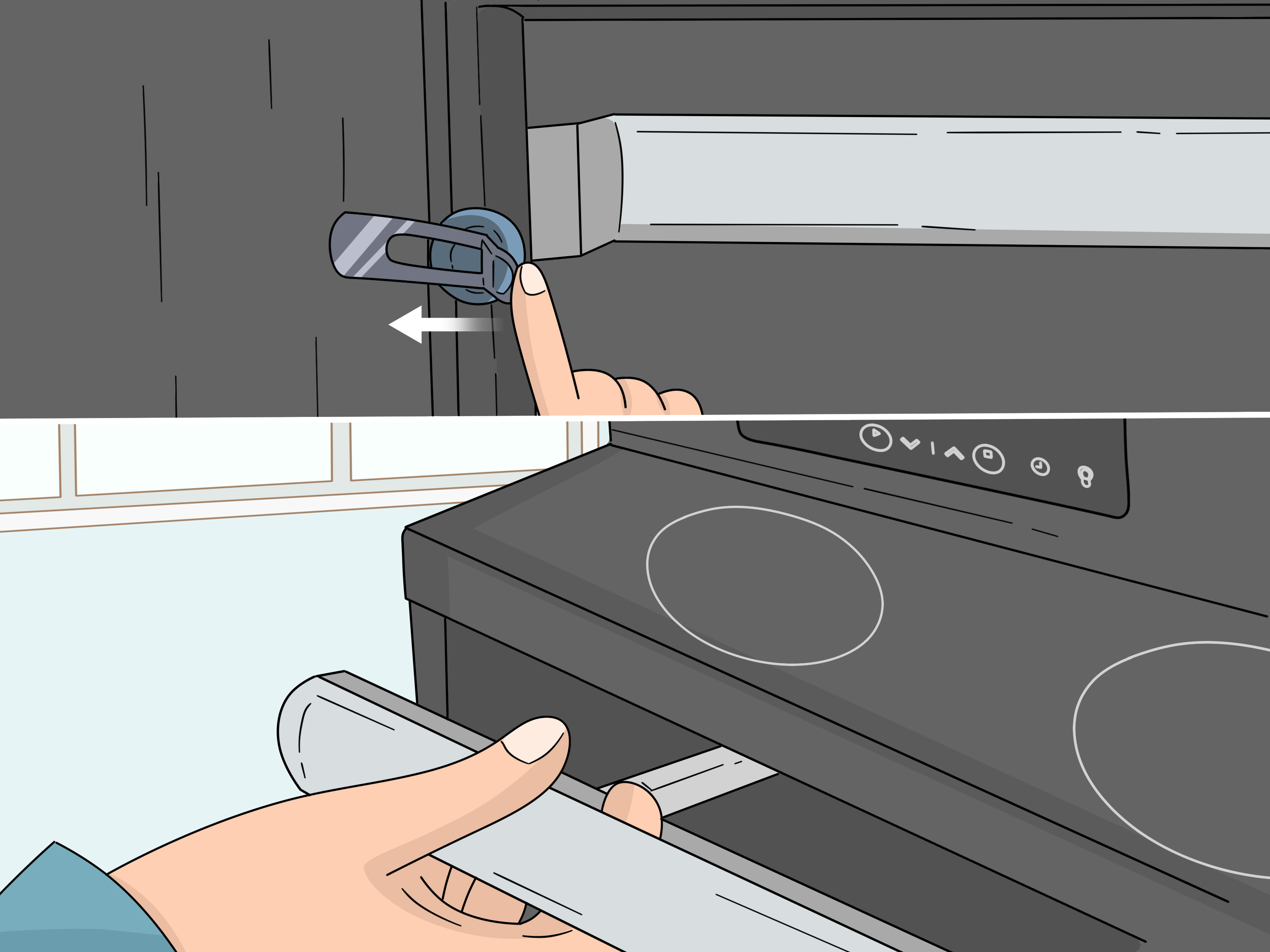
On many Kenmore electric ranges and wall ovens, the control lock feature prevents the oven from turning on and may also lock the oven door. When it is active, the display may show LOC, Loc, a lock icon, or DOOR LOCKED. The solution is usually a long press, not a hard press. Your oven is not impressed by strength; it wants patience.
How to Clear Oven Lockout
- Make sure the oven door is fully closed.
- Look for a button labeled Oven Lockout, Lock, Control Lock, Stop, or Clear.
- Press and hold that button for about 3 seconds.
- Watch the display. The LOC message should disappear, or the DOOR LOCKED light may begin flashing while the latch unlocks.
- Wait around 15 seconds before opening the door.
On some Kenmore models, the Stop button is used to activate and cancel oven lockout. On others, there is a dedicated Oven Lockout key. If your panel has a lock icon but no obvious lock button, check whether the icon appears above or below a key. That key is usually the one to press and hold.
What If Holding the Button Does Not Work?
If the oven beeps but stays locked, release the button and try again once. Do not rapidly press multiple buttons, because some electronic controls need a few seconds to respond. If the display still says LOC, check whether the oven is in a cooking mode, delay start, or self-clean cycle. Oven lockout may not cancel while self-cleaning is active or while the oven is still too hot.
A practical example: Suppose your Kenmore oven display says Loc after you wipe spaghetti sauce fingerprints off the control panel. Pressing Bake does nothing. Pressing Start does nothing. Before declaring the appliance haunted, press and hold Stop or Oven Lockout for three seconds. In many cases, the lock clears and the oven returns to normal. Congratulations: you have defeated the button gremlin.
Way 2: Wait for the Self-Clean Cycle to Cool and Release the Lock
If your Kenmore oven door is locked after self-cleaning, the answer may be beautifully boring: wait longer. Self-cleaning ovens lock the door automatically because the oven gets extremely hot while turning baked-on grease and food residue into ash. Even after the cleaning cycle ends, the door often stays locked until the oven cools to a safe temperature.
This is where many people get impatient. The display says the cleaning cycle is done, but the door still will not open. Naturally, the brain says, “Pull harder.” The oven replies, “Absolutely not.” Do not force the door. Pulling on a locked oven door can bend the latch, damage the motorized lock assembly, or turn a simple wait into a repair bill with attitude.
How to Unlock After Self-Cleaning
- Press Off/Cancel, Stop, or Clear once if you want to cancel or end the cycle.
- Leave the oven door closed.
- Wait until the display no longer shows Hot, CLn, cool, or LOCKED.
- Allow the oven to cool fully. This may take 30 minutes to over an hour, depending on the model and how hot the oven became.
- When the lock light turns off or the display returns to the clock, gently try the door.
Some Kenmore manuals explain that the oven door will not unlock until the range has cooled sufficiently. Certain models may require about an additional hour of cooling after the clean time ends. That is normal. Annoying? Yes. A sign your oven is broken? Not necessarily.
What If You Interrupted the Self-Clean Cycle?
Interrupted self-clean cycles are a common reason for a stuck Kenmore oven door. Maybe the kitchen became smoky. Maybe you pressed cancel by mistake. Maybe you suddenly remembered a plastic spatula in the drawer under the oven and experienced five seconds of pure panic. When a self-clean cycle is stopped midstream, the oven may keep the door locked until the temperature drops.
In that situation, do not immediately reset power unless the oven is cool or unresponsive. First, wait. Let the appliance finish its safety routine. Once the oven is cool and the display no longer shows heat or cleaning messages, press and hold the lockout key or Stop for three seconds. If the latch motor starts moving, give it time. Those little motors are not exactly Olympic sprinters.
Way 3: Reset the Oven and Check for a Stuck Door Latch
If the control lock is off and the oven has cooled completely, but the door is still locked, the electronic control may need a reset. Modern Kenmore ovens use control boards, sensors, switches, and latch motors to decide when the door should lock or unlock. Sometimes the control board gets confused after a power outage, interrupted self-clean cycle, or fault code. Like many of us after a long day, it may simply need to be turned off and back on again.
How to Reset a Locked Kenmore Oven
- Make sure the oven is off and cool.
- If the range is plugged into an accessible outlet, unplug it.
- If you cannot reach the plug, switch off the oven or range breaker at the electrical panel.
- Wait 1 to 5 minutes.
- Restore power.
- Wait for the control panel to reboot, then try the lockout button again.
This simple power reset can clear temporary control glitches and may allow the lock motor to return to the unlocked position. After power returns, the display may flash the time or show 12:00. Set the clock if needed, then try opening the door gently.
When the Latch Is Mechanically Stuck
If the door still will not open, the issue may be mechanical. The latch hook, lock motor, door switch, or temperature sensor may be faulty. Food debris can also interfere with the latch area, especially on older ovens that have survived years of casseroles, pies, and mysterious bubbling incidents.
At this point, do not pry the door open with a screwdriver. That can scratch the finish, bend the door, crack trim, or damage the locking mechanism. A door latch is cheaper than a whole oven door, but it is still not something you want to break because dinner was impatient.
If the oven is cool and disconnected from power, a skilled appliance technician can access the lock assembly, test the latch switch, inspect the motor, and check the temperature sensor. In some cases, the door may need to be manually released from the top or rear access area. This is model-specific and can be awkward when the door is closed, so professional help is usually the smarter move.
Quick Troubleshooting Guide
| Problem | Likely Cause | Best First Step |
|---|---|---|
| Display says LOC | Control lock or oven lockout is active | Press and hold Lock, Oven Lockout, Stop, or Clear for 3 seconds |
| Door locked after self-clean | Oven is still cooling | Wait until LOCKED, Hot, or cool message disappears |
| Lock light is flashing | Latch motor is moving | Do not pull the door; wait about 15 seconds or more |
| Door stays locked after cooling | Control glitch or latch issue | Reset power for 1 to 5 minutes |
| Door still will not open after reset | Faulty latch, motor, switch, sensor, or control board | Call a qualified appliance repair technician |
Safety Tips When Unlocking a Kenmore Oven
Unlocking a Kenmore oven is usually simple, but a few safety rules can protect both you and the appliance.
Do Not Force the Door
If the oven door is locked, forcing it open can damage the latch mechanism. If the door lock light is flashing, the latch may be actively locking or unlocking. Wait until the light stops flashing before touching the door.
Do Not Work on a Hot Oven
Self-cleaning ovens can remain hot long after the cycle ends. Wait until the display clears and the door releases naturally. If you feel heat radiating from the oven, it is not ready for DIY troubleshooting.
Disconnect Power Before Inspecting Anything
If you plan to inspect the latch area, remove power first by unplugging the oven or turning off the breaker. Ovens use high voltage, and the control system is not a place for guesswork.
Find Your Model Number
Kenmore model numbers are often found around the oven door frame, behind the storage drawer, or on the side of the door opening. The model number matters because Kenmore appliances were made in different designs, and button combinations can vary.
When to Call a Professional
Call a qualified appliance repair technician if the Kenmore oven door remains locked after the oven is cool, the lockout command does not work, and a power reset does not help. You should also call for help if the oven shows repeated fault codes, the latch motor hums but does not move, the door feels jammed, or the oven locks randomly during normal cooking.
Common parts involved in stubborn oven door lock problems include the door latch assembly, lock motor, door switch, oven temperature sensor, and electronic control board. A technician can test these components instead of replacing parts by guesswork. That matters because “replace everything until it works” is not a repair strategy; it is just expensive confetti.
Extra Experience: What Usually Happens in Real Kitchens
In real homes, Kenmore oven lock problems rarely happen at a convenient time. They appear right before guests arrive, during holiday cooking, after a self-clean cycle before a big meal, or exactly when someone says, “This should only take a second.” The most common experience is the accidental control lock. Someone wipes the panel with a damp cloth, the oven beeps, and suddenly the display says LOC. Nothing turns on, the door may not open, and everyone assumes the oven has chosen early retirement. In many cases, holding Stop, Clear, or Oven Lockout for three seconds fixes it immediately.
The second common experience is the post-self-clean waiting game. The cleaning cycle ends, but the oven door stays locked. This is where patience saves money. Many owners try the handle too soon because the display looks finished. But the oven may still be too hot internally. Waiting another 30 to 60 minutes often solves the problem without tools, parts, or dramatic sighing. If the lock indicator goes off and the door opens smoothly, the oven was simply following its safety programming.
The third experience is more frustrating: the oven is cool, the control lock is off, and the door is still stuck. This often happens after an interrupted self-clean cycle or power interruption. A breaker reset may help, especially if the control board has frozen in the locked state. Turn the breaker off, wait several minutes, restore power, and let the control panel reboot. Then try the normal unlock command again. It sounds basic, but appliance repair often begins with the humble power reset for a reason.
One useful habit is to avoid starting a self-clean cycle right before you need the oven. Self-cleaning takes hours, creates heat and fumes, and requires cooling time afterward. If your oven has a history of sticky locks, schedule self-cleaning on a day when you can babysit the process and still order pizza if necessary. Also, remove racks and loose debris first, because heavy residue can create extra smoke and heat, which makes the whole process harder on the oven.
Another practical tip is to keep the latch area clean without soaking it. Grease and crumbs can collect near the door frame over time. A gentle wipe when the oven is cool can help prevent latch interference. However, avoid flooding the control panel or latch area with cleaner. Electronic controls and excess moisture are not best friends; they are more like awkward relatives at Thanksgiving.
Finally, know when to stop. If the door does not unlock after the three simple methodscontrol lock release, cooling after self-clean, and power resetdo not escalate to prying, yanking, or creative metal tools unless you truly know the appliance design and have disconnected power. A stuck Kenmore oven door may be caused by a failed sensor or lock motor, and forcing it can turn one broken part into several. The best repair is the one that opens the oven without creating a sequel.
Conclusion
Unlocking a Kenmore oven usually comes down to three simple fixes: cancel the control lock, wait for the self-clean cycle to cool completely, or reset power and check for a stuck latch. Start with the safest and easiest step first. Press and hold the proper lockout button for three seconds, wait for flashing lock lights to stop, and never force the oven door while it is locked.
If your Kenmore oven is locked after self-cleaning, patience is often the hero. The door may stay locked until the oven cools enough to open safely. If the oven is cool and still locked, a short power reset may clear the control board. But if the latch will not release after these steps, call a professional. Your oven door should open with a gentle pull, not a wrestling match.
Note: Kenmore oven models vary, so always confirm your model-specific button names in the owner’s manual. If the oven is hot, sparking, showing repeated fault codes, or refusing to unlock after a safe reset, stop troubleshooting and contact a qualified appliance repair technician.